CGAD-SVN02C-EN 33
Basic Screen Format
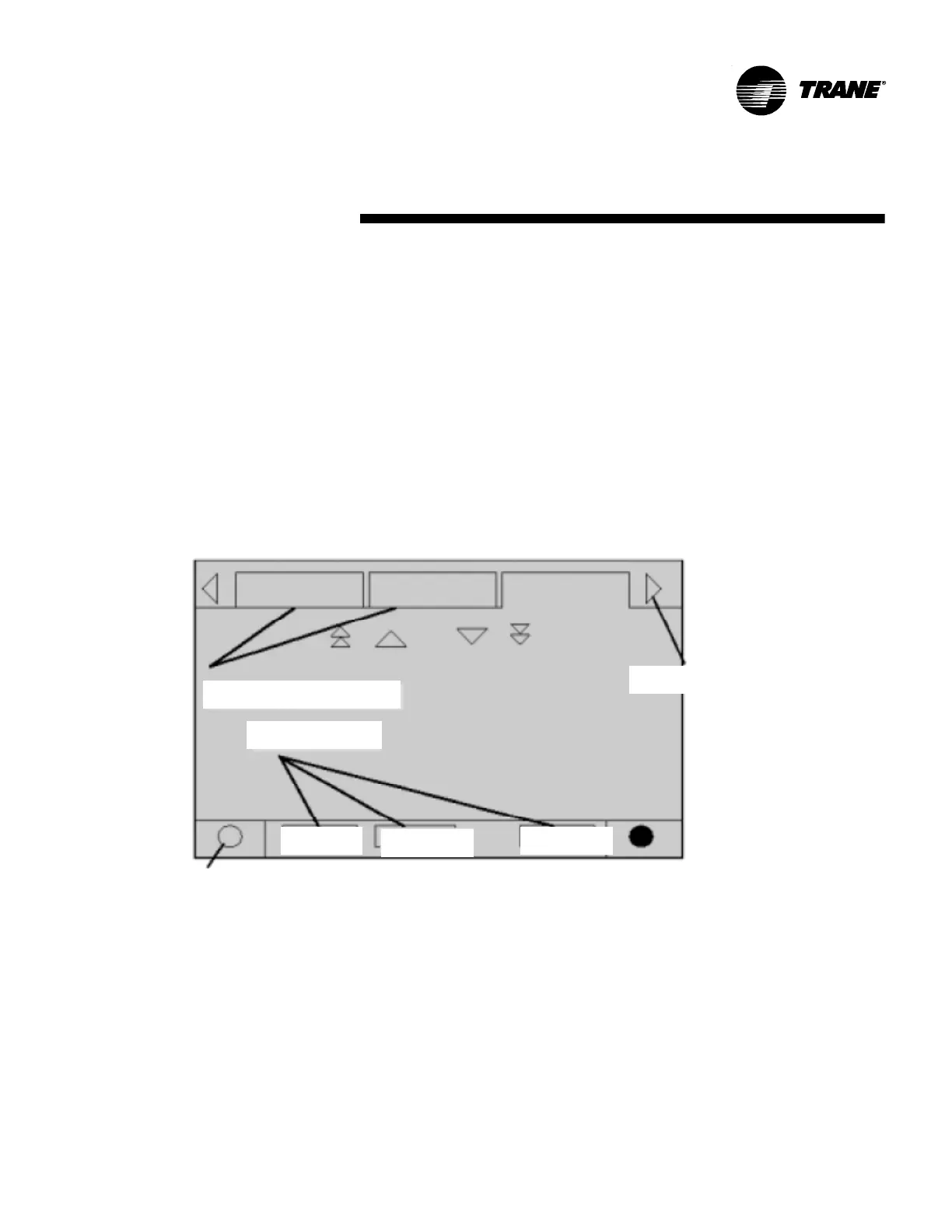
The screen's format is basically as follows:
Browser
Radio button
Folder tabs
Auto
Stop
Alarms
Control adjustment
The AUTO and STOP buttons have priority
in relation to the keys Enter and Cancel.
(During a program change, the AUTO and
STOP buttons are recognized even if the
buttons Enter or Cancel are pushed).
The button ALARMS comes up only when
there is the presence of an alarm, and
then it blinks (alternating from normal to
strong) in order to point out a diagnostic
situation. If the ALARM button is pushed,
the corresponding tab will open giving
additional information.
The other functions are essential for the
machine's operation. The buttons AUTO
and STOP are used to start-up and turn off
the chiller. The key selected is shown in
black (highlighted). The chiller stops when
touching the STOP button after it finishes
the operational mode of discharge (RUN
MODE).
The AUTO button puts the chiller in active
cooling if no other diagnostic exists. (An
additional action is needed to erase the
active diagnostic).
The folder tabs on the top part of the
screen are used to select the different
types of screens.
Displacement arrows are added if more
tabs (options) are available. When the
tables are all to the left, the navigator on the
left side does not show up, making it only
possible to browse to the right. In the
same way, when the screen all the way to
the right is selected, you can then only
browse to the left.
The main part of the screen is used for
descriptive texts, data, levels of reference,
or keys (touch area). The chiller mode (see
table 1) is presented here.
The double arrows up and down are for
moving up or down a page at a time. The
single arrows are for going up or down a
line at a time. At the end of the page, the
respective displacement bar disappears.
The lower part of the screen (fixed display)
is shown on all the screens and contains
the following functions. The left circular
zone is used to reduce the contrast/angle
for visualizing the display. The right circular
zone is used to increase the contrast/
angle of the display's visualization. This
configuration may result on different
temperatures from the last configuration.
Screens


 To Next Page