36
PKGP-SVX19A-EN
Controller
Change Operation Modes and Temperature Settings
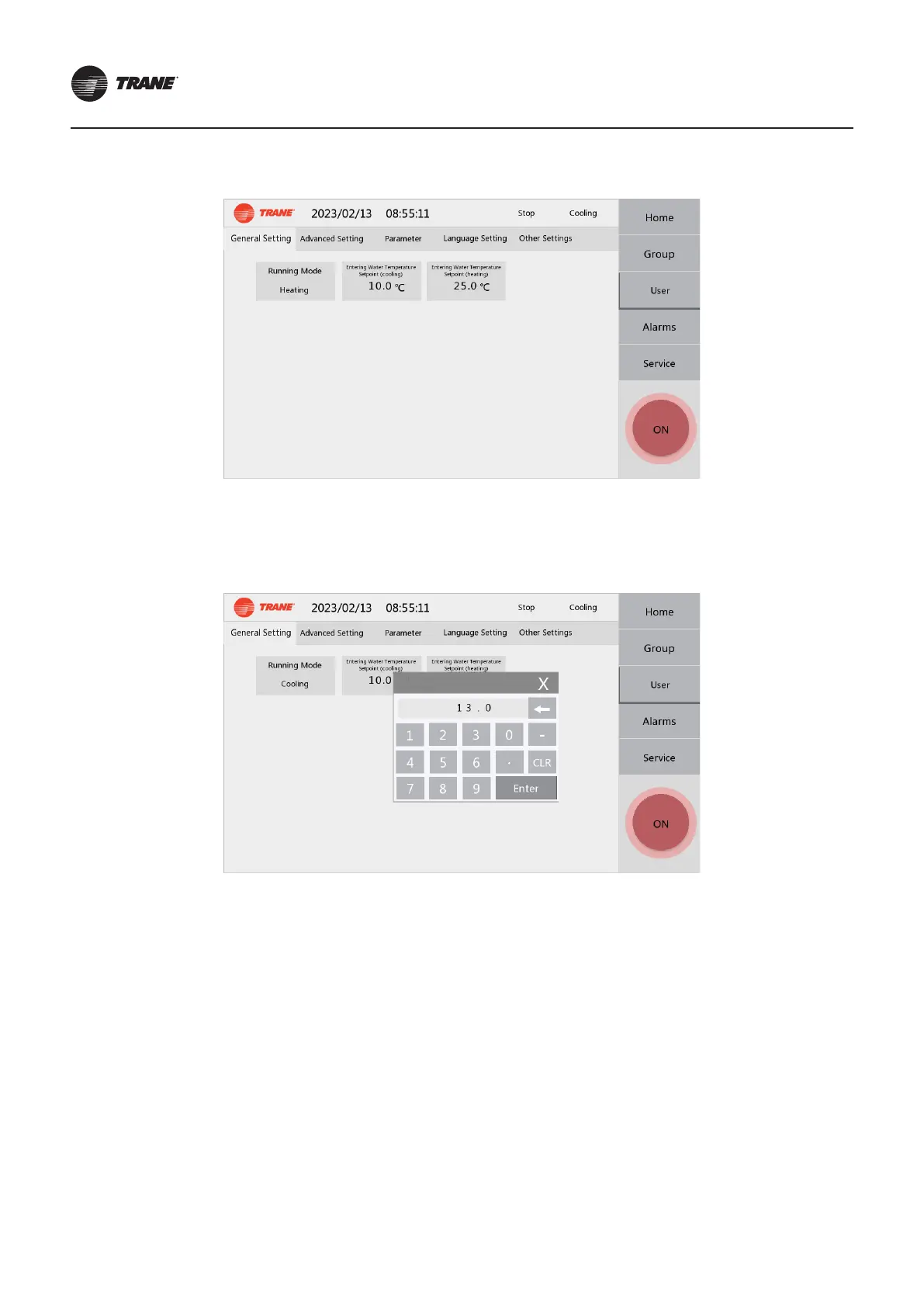
● On the User >> General Setting page, press the Running Mode, and the operating mode will be switched cyclically.
● On the User >> General Setting page, press the Entering Water Temperature Setpoint(cooling) or Entering Water
Temperature Setpoint(heating) to set the temperature. Generally, run with default parameters (Entering Water Temperature
Setpoint(cooling) 12°C, Entering Water Temperature Setpoint(heating) 40°C).
Note:
The temperature setting must be supported by the current unit, otherwise it is an invalid setting.



 To Next Page