40
PKGP-SVX19A-EN
Controller
Start and Stop the Unit
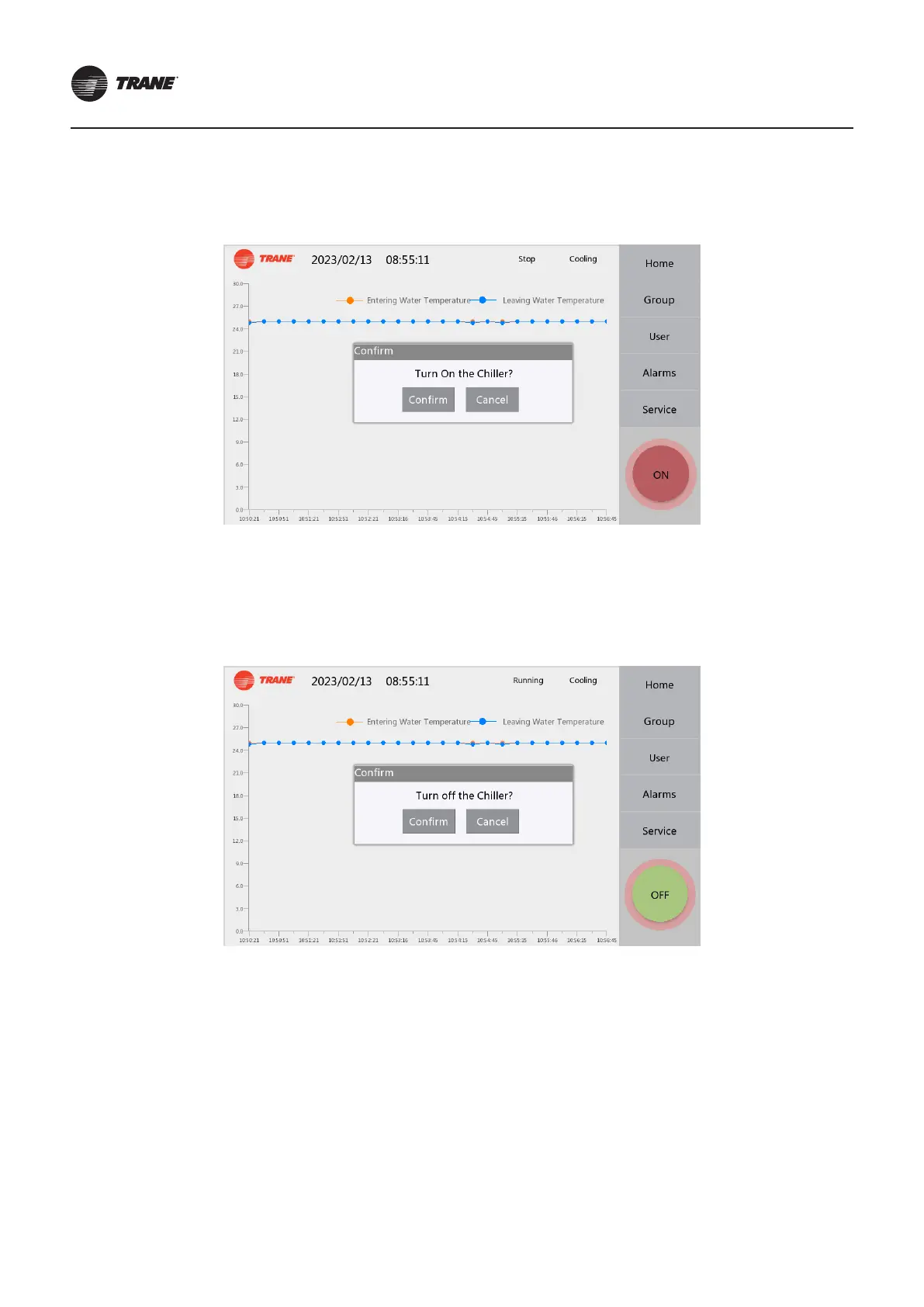
● Start
Press the ON button at the bottom right of any page during the shutdown state, and the Conrm message box will pop up,
and the module group will enter the start process. The ON button will turn to OFF in green after start.
● Shutdown
Press the OFF button at the bottom right of any page during the running status, and the conrm message box will pop up,
and the module group will enter the shutdown process after conrmation. At the end of the shutdown process, the OFF
button will turn to ON in red.



 To Next Page