EasyManua.ls Logo

Trane Tracer Concierge BMTC015ABC012000 - User Manual

Trane Tracer Concierge BMTC015ABC012000
24 pages
Print Icon
To Next Page IconTo Next Page
Loading...
Tracer® Concierge™ System
Installation Instructions
May 2020
BAS-SVN040B-EN
Model Numbers:
BMTC015ABC012000, BMTC015CAC012000
BMTC030ABC012000, BMTC045CBC012000
BMTC015CBC012000, BMTC060CBC012000
BMTC030CBC012000, BMTC030CAC012000
SAFETY WARNING
Only qualified personnel should install and service the equipment. The installation, starting up, and servicing of
heating, ventilating, and air-conditioning equipment can be hazardous and requires specific knowledge and training.
Improperly installed, adjusted or altered equipment by an unqualified person could result in death or serious injury.
When working on the equipment, observe all precautions in the literature and on the tags, stickers, and labels that are
attached to the equipment.
Question and Answer IconNeed help?

Do you have a question about the Trane Tracer Concierge BMTC015ABC012000 and is the answer not in the manual?

Summary

Introduction

Warnings, Cautions, and Notices

Defines different types of advisories used in the manual for safety and operation.

Important Environmental Concerns

Discusses the impact of certain chemicals on the earth's stratospheric ozone layer.

Important Responsible Refrigerant Practices

Emphasizes responsible refrigerant handling, certification, and adherence to laws.

Personal Protective Equipment (PPE) Required!

Details mandatory PPE for technicians to prevent potential death or serious injury.

Installation

Step 1: Verify Package Content

Details the contents of the Tracer Concierge package for verification upon receipt.

Step 2: Install BCI-R and Air-Fi Wireless (Optional)

Instructions for installing the BCI-R and Air-Fi® Wireless components for connectivity.

Step 3: Install the UC400 2 H;2 C and Air-Fi Wireless for Non-Trane RTUs

Guide for installing UC400 controller and Air-Fi® Wireless on non-Trane RTUs.

Step 4: Install the UC210 Bypass Damper and Air-Fi Wireless

Procedures for installing the UC210 Bypass Damper and Air-Fi® Wireless.

Step 5: Install Tracer Concierge Panel

Instructions for mounting and installing the main Tracer Concierge panel.

Dimensions and Clearances

Specifies the required internal and external dimensions and clearances for installation.

Location and Mounting Guidelines

Recommendations for selecting an appropriate location and mounting the enclosure.

Wiring High Voltage AC Power

Critical safety and procedural information for wiring high-voltage AC power.

Use Copper Conductors Only!

Notice regarding the mandatory use of copper conductors for equipment safety.

Install Enclosure Door

Details the process for installing and securing the enclosure door.

Step 6: Wire I;O

Outlines the field I/O wiring specific to different applications and modules.

Step 7: Mount the Display

Instructions for mounting the display unit using a VESA mount.

Step 8: System Startup

Procedures for powering up and initiating the Tracer Concierge system.

Step 9: Display Setup

Guide for setting up the display via the Setup Wizard.

Step 10: Installing the Wi-Fi Router

Instructions for installing and connecting the optional Wi-Fi router.

Step 11: Project Commissioning Checklist

A checklist to verify the completion of hardware installation and connectivity.

Agency Listing and Compliance

Details the agency listings and compliance standards for the equipment.

Overview

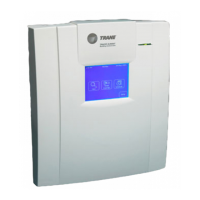
The Tracer Concierge System is a sophisticated control panel designed to manage and optimize heating, ventilating, and air-conditioning (HVAC) equipment in commercial and residential applications. It serves as a central hub for integrating various Trane and non-Trane unit controllers, including BCI-R, UC400 2H/2C, and UC210 Bypass Dampers, often leveraging Air-Fi® Wireless communication for enhanced flexibility and ease of installation.

Function Description:

The primary function of the Tracer Concierge System is to provide comprehensive control and monitoring of HVAC systems. It acts as an energy management accessory, allowing users to manage space temperature, setpoints, and occupancy, as well as control various components like compressors, heating stages, and supply/exhaust fans. The system is designed to create comfortable and energy-efficient indoor environments.

At its core, the Concierge Controller, equipped with varying device licenses (e.g., 15, 30, 45, or 60 devices), facilitates communication with connected HVAC units. It supports different module configurations, such as XM30 and XM32 modules for input/output expansion, and an optional LON Module for LonTalk Communication. The Air-Fi® Wireless Communication Interface (WCI) is a key component, enabling wireless communication with other Air-Fi® Wireless devices like unit controllers and zone sensors. This wireless capability simplifies wiring and offers greater flexibility in device placement.

For Trane rooftop units, the system integrates with BCI-R (BACnet™ Communication Interface for ReliaTel™ Controllers) and Air-Fi® Wireless. The BCI-R connects to the rooftop unit's RTRM (Rooftop Unit Terminal Module) and communicates with the Concierge Controller, allowing for control of functions like compressor stages, fan operation, and heating/cooling modes.

For non-Trane RTUs or heat pumps, the UC400 2H/2C controller, paired with Air-Fi® Wireless, provides similar control capabilities. It manages inputs such as space temperature, setpoint, discharge air temperature, and outdoor air temperature, and controls outputs like supply fan start/stop, compressor commands, heating stages, and reversing valves.

The UC210 Bypass Damper, also integrated with Air-Fi® Wireless, is used for duct static pressure control and can manage a damper actuator, often incorporating a discharge air temperature input.

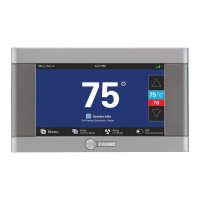
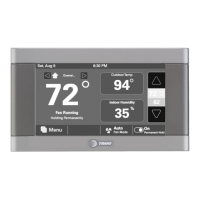
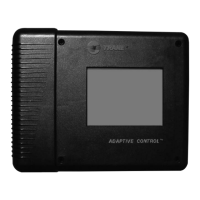
The system's display serves as the user interface, allowing occupants and technicians to interact with the system for comfort/setpoint control and minor schedule modifications. It can communicate with the Concierge Controller via Wi-Fi or an Ethernet cable, offering flexibility in network integration. An optional Wi-Fi router can be used to establish a dedicated Wi-Fi network between the Concierge Controller and the display, especially when they cannot both be on the customer's main Wi-Fi network.

Usage Features:

The Tracer Concierge System is designed for ease of use and flexibility in managing HVAC operations.

  • Centralized Control: It provides a single point of control for multiple HVAC units, simplifying system management.
  • Wireless Communication: The Air-Fi® Wireless technology significantly reduces the need for extensive wiring, making installation quicker and less intrusive. This is particularly beneficial for retrofits or installations where running new wires is challenging.
  • Scalability: With various device license options, the system can be scaled to accommodate different project sizes, from smaller installations with 15 devices to larger ones with up to 60 devices.
  • Flexible Display Mounting: The display mounts to the wall using a VESA mount, allowing for various mounting options (tilt, swivel) and ensuring accessibility for users.
  • Network Integration: The system supports both Ethernet and Wi-Fi connectivity for the display and controller, allowing for integration into existing customer networks or the creation of a dedicated Wi-Fi network.
  • Pre-programmed Controllers: The UC400 2H/2C controllers are pre-programmed for RTU or Heat Pump applications, streamlining the setup process for common HVAC configurations.
  • Intuitive Setup Wizard: The display features a setup wizard that guides installers through the system configuration, including reviewing installed devices, setting up systems, and establishing schedules.
  • Occupancy and Setpoint Control: Users can easily adjust occupancy settings and temperature setpoints via the display, contributing to comfort and energy savings.
  • Input/Output Expansion: The XM30 and XM32 modules provide additional input/output points, allowing for the integration of various sensors and control of auxiliary equipment like lighting or exhaust fans.

Maintenance Features:

The Tracer Concierge System incorporates features that facilitate maintenance and ensure reliable operation.

  • Qualified Personnel Requirement: The manual emphasizes that only qualified personnel should install and service the equipment, highlighting the importance of specific knowledge and training for safe and effective maintenance.
  • Safety Warnings and Precautions: Throughout the manual, clear warnings, cautions, and notices are provided regarding hazardous situations, proper PPE, field wiring, grounding, and electrical safety. These are crucial for protecting technicians and preventing equipment damage.
  • Lockout/Tagout Procedures: Instructions for disconnecting power and following lockout/tagout procedures are provided to ensure that power cannot be inadvertently energized during servicing.
  • Dedicated Power Circuit: The requirement for the panel to receive power from a dedicated circuit helps prevent malfunctions caused by electrical noise or power fluctuations, contributing to system stability and reducing maintenance calls.
  • Clear Wiring Guidelines: Detailed instructions for wiring high-voltage AC power, including connecting line, neutral, and ground wires, ensure proper electrical installation and minimize the risk of electrical issues. The use of copper conductors is specifically mandated to prevent equipment damage.
  • Addressable Devices: The use of rotary address switches on unit controllers and zone sensors allows for unique identification of each device on the Air-Fi® network. This systematic addressing aids in troubleshooting and ensures proper communication.
  • Network Status Indicators: The Concierge Controller and Air-Fi® Wireless modules typically include LED indicators that provide visual feedback on network status and communication, assisting technicians in diagnosing connectivity issues.
  • System Startup Sequence: A defined system startup sequence, including applying power and pressing the controller's power button, helps ensure that the network forms correctly and all devices are recognized. The automatic 1-hour network open period for Air-Fi® Wireless modules simplifies the process of adding new devices.
  • Commissioning Checklist: A project commissioning checklist is provided to verify that all hardware installation is complete and that controllers and wireless devices are properly addressed and connected, ensuring a thorough and correct setup.
  • Documentation and Guides: References to additional installation, operation, and maintenance guides (e.g., BAS-SVX074, BAS-SVX40, BAS-SVX55C-EN) provide comprehensive information for troubleshooting and ongoing maintenance.
  • Accessibility for Service Personnel: Trane recommends locating the enclosure where service personnel have easy access, facilitating routine checks and repairs.
  • Internal Enclosure Design: The internal layout of the enclosure, with clearly marked outlets for accessories and organized wiring, supports efficient servicing and component replacement.

Trane Tracer Concierge BMTC015ABC012000 Specifications

General IconGeneral
SeriesTracer Concierge
Model NumberBMTC015ABC012000
Input Voltage24 VAC
Communication ProtocolBACnet MS/TP
Enclosure RatingNEMA 1
Product TypeBuilding Automation Controller
Weight2.5 lbs

Related product manuals