EasyManua.ls Logo

Trane TZON1050AC52ZA - User Manual

Trane TZON1050AC52ZA
32 pages
Print Icon
To Next Page IconTo Next Page
Loading...
One System.
Limitless Potential.
Complete Control.
32-5093-04A-EN
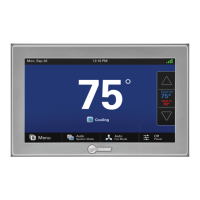
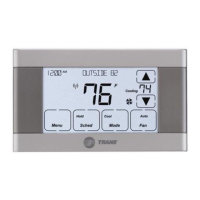
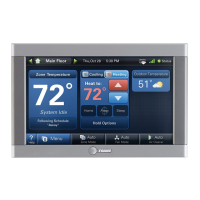
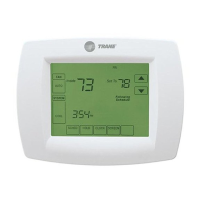
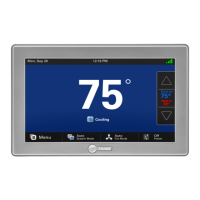
ComfortLink™ II XL1050
Model TZON1050AC52ZA
WITH

Other manuals for Trane TZON1050AC52ZA

Questions and Answers

  • G
    Gabrielle CarrSep 4, 2025
    How to fix incorrect indoor temperature display on my Trane Control Unit?
    • S
      Samuel SmithSep 4, 2025
      If the indoor temperature display on your Trane Control Unit is incorrect, it may be due to: * The indoor temperature display needing calibration. Calibrate the temperature sensor from the 1050 Control’s menu. * Surrounding air flow affecting the sensed temperature of the 1050 Control.
  • P
    Peter BaileySep 18, 2025
    Why does the time on my Trane Control Unit change every day?
    • M
      Michael CarsonSep 18, 2025
      If the time set on your Trane Control 1050 changes every 24 hours, it indicates that the 1050 Control is connected to Nexia and the time zone set on the Nexia account is incorrect. Correct the time zone set on the Nexia account.
  • M
    melaniegravesSep 16, 2025
    Why can't I enable zoning on my Trane Control Unit?
    • I
      Ian CoffeySep 16, 2025
      If the zoning enable option is not available in the Installer Settings of your Trane Control Unit, it means that the Zone Panel is either not installed or installed but not communicating. Install the Zone Panel or verify the wiring to the Zone Panel.
  • N
    Nancy DuarteSep 14, 2025
    Why is zoning disabled on my Trane Control Unit?
    • D
      davisgregorySep 14, 2025
      If zoning has been disabled and your system is operating as a non-zoned system with your Trane Control Unit, it indicates that a system alert has occurred which disabled zoning but allows non-zoned operation. Check for system alerts in the Diagnostics > Current Alerts screen.
  • T
    timothymorganSep 12, 2025
    Why can't I change the system mode on my Trane Control Unit?
    • A
      Adam RodriguezSep 12, 2025
      If you cannot change the system mode to the desired setting on your Trane Control Unit, it may be because the equipment is not configured properly. Check the standard installer setup screen to ensure the equipment is properly configured.
  • V
    Valerie JamesSep 12, 2025
    What does it mean when my Trane Control Unit displays an alert?
    • T
      Theresa GeorgeSep 12, 2025
      If your Trane Control 1050 displays an alert, it indicates a critical or major alert. Navigate to the Diagnostic screen on the 1050 Control for a Problem Description and Possible Cause.
  • A
    Angela PattonSep 9, 2025
    How to calibrate the humidity sensor on my Trane Control Unit?
    • V
      vstewartSep 9, 2025
      If the indoor humidity display on your Trane Control Unit is incorrect, it might be that the indoor humidity display needs calibration. Calibrate the humidity sensor from the 1050 Control’s menu.
  • O
    osheltonSep 7, 2025
    What to do if Trane Control Unit fan is on but not running?
    • D
      Diana HendersonSep 7, 2025
      If the fan is set to ON but not running in your Trane Control Unit, it could be because: * The Smart Continuous Fan feature has been engaged. If indoor humidity is higher than the desired setpoint, the blower will cycle off with the equipment. A humidity icon will be displayed on the Fan Mode button when the blower operation is being inhibited due to high humidity. * The blower motor is not functioning. Check and repair the system.
  • K
    Keith LeonardSep 5, 2025
    Why is my Trane Control Unit heat pump not turning on?
    • O
      ogarciaSep 5, 2025
      If the heat pump is not turning on and only the furnace or electric heat strips are running on your Trane Control Unit, it could be due to: * The outdoor temperature being below the compressor lockout temperature setting. Adjust the compressor lockout temperature setting if desired. * Compressor heating lockout being enabled and the outdoor temp sensor being out of calibration or failed. Check/repair the outdoor sensor or wiring. * The outdoor unit not reporting (Err.126.00). Check the communication status of the outdoor unit.
  • C
    calebthompsonAug 20, 2025
    Why won't the display on my Trane Control Unit come on?
    • S
      Scott RodriguezAug 21, 2025
      If the display of your Trane Control Unit 1050 does not turn on, it might be due to a loss of 24VAC between R & B. To resolve this: * Check the wiring between R & B. * Check the transformer for 24VAC output. * Check for broken or shorted thermostat wire.

Summary

Nexia Benefits

Voice Control

Control XL1050 and appliances via voice commands with Amazon Echo.

Nexia Diagnostics

Automations

Configuring 1-Touch Presets

Adding Widgets to Home Screen

User Setup Wizard Overview

Wizard Introduction and Requirements

Introduction to the wizard, its purpose, and necessary prerequisites for setup.

User Setup Wizard - Display Settings

Configuring Display Options

Setting brightness, backlight timeout, screen saver, and color themes.

User Setup Wizard - Screen Layout

User Setup Wizard - Scheduling Process

Scheduling Options Overview

Choosing between Guided Scheduling or 1-Touch Presets.

Guided Scheduling Steps

Step-by-step guide to setting up a weekly schedule with preferred comfort settings.

User Setup Wizard - 1-Touch Presets

Setting Preset Temperatures

Setting heating and cooling targets for Home, Away, and Sleep presets.

User Setup Wizard - Network Setup Methods

Wi-Fi Connection

Connecting the thermostat to a wireless network by entering password.

User Setup Wizard - Network and Nexia Registration

Nexia Enrollment Process

Guide to signing up for or logging into a Nexia account for remote access.

Adding Thermostat to Nexia

Selecting the thermostat from the Nexia dashboard to add it to the system.

User Setup Wizard - Completing Nexia Registration

Pin Code Generation and Entry

Obtaining a PIN from Nexia and entering it on the thermostat.

Manual Scheduling Guide

Scheduling Functionality

Adjusting temperature settings throughout the day based on a user-programmable schedule.

Changing the Schedule Interface

Detailed Schedule Changes

Adding New Schedule Periods

Deleting Schedule Periods

Screen Lock and Guest Access

Enabling and Using Screen Lock

Activating screen lock to prevent unwanted changes and setting temporary unlock.

Nexia Smart Home System Integration

Z-Wave Device Management via XL1050

Adding Z-Wave Devices

Process to add new Z-Wave devices via the thermostat's Z-Wave bridge.

Adding Z-Wave Devices via Mobile App

Using the Nexia Mobile App

Steps to add Z-Wave devices using the Nexia mobile application.

Quiet Mode Feature

Trane TZON1050AC52ZA Specifications

General IconGeneral
ModelTZON1050AC52ZA
Product TypeThermostat
Wi-Fi ConnectivityYes
TouchscreenYes
DisplayColor Touchscreen
Energy Saving FeaturesYes
ProgrammableYes
Humidity ControlYes
Indoor Temperature SensorYes
Outdoor Temperature SensorOptional
DehumidificationYes
Air Cleaner ControlYes
Ventilation ControlYes
AlertsYes
Remote AccessYes
Mobile AppTrane Home App
Voice ControlAmazon Alexa, Google Assistant
CompatibilityCompatible with most HVAC systems

Related product manuals