Download and Test Hardware
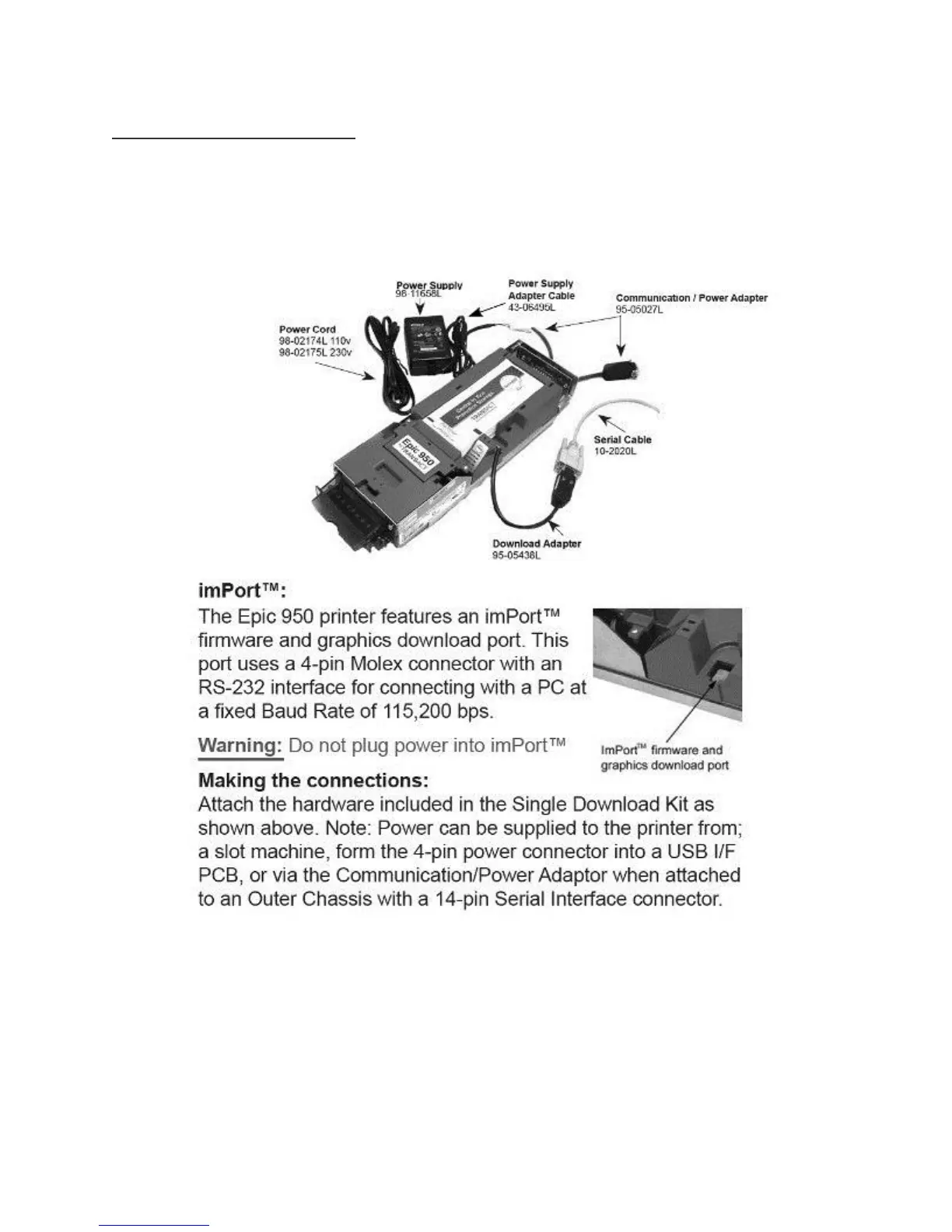
Required download hardware:
To download printer firmware into an Epic 950 printer requires some additional hardware available for purchase from
TransAct or our distributors. 100-06693L “Single-download Kit” includes the items below whereas 100-06935L
includes an Outer Chassis with a Serial interface needed to dock and power the printer.
Making the connections:
Attach the hardware included in the Single Download Kit as shown above. Note: Power can be supplied to the printer
from; a slot machine, from the 4-pin power connector into a USB I/F PCB, or via the Communication/Power Adaptor
when attached to an Outer Chassis with a 14-pin Serial interface connector.
Flashing Printer Firmware
Enter printer Boot Load mode:



 To Next Page