Chapter 7 • Patient Compliance • page 26
1
3
2
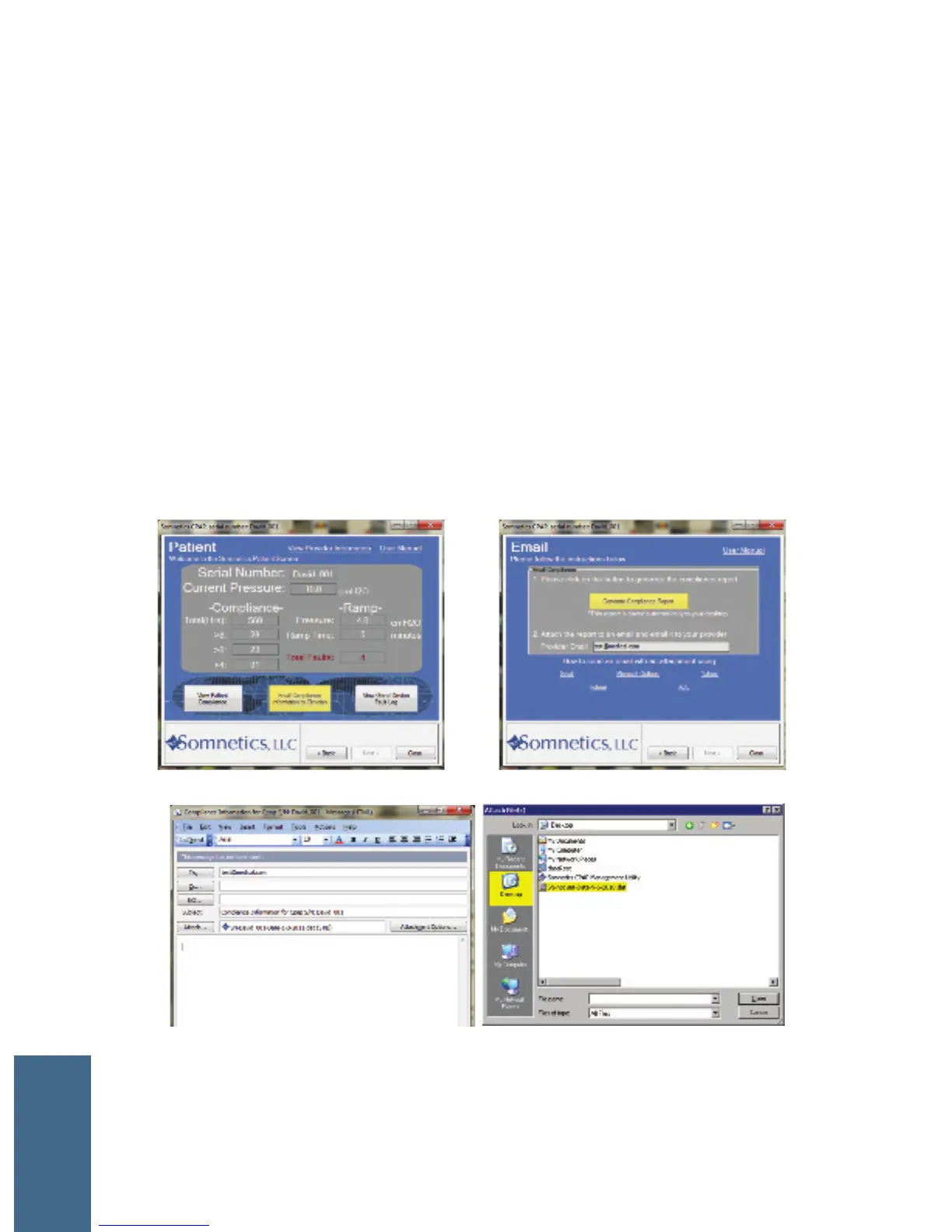
Email Compliance Information to Your Clinician/Provider
1 Click the Email Compliance from the Patient box or from the View Patient
Compliance screen.
2 Click the Email Compliance button.
3 When using a locally installed email program, such as Outlook, an email box
will automatically appear with your compliance report attached. Click Send.
4 When using a web-based email such as Gmail, Yahoo, or Hotmail, attach your
compliance file located on your desktop to your email.
COMPLIANCE



 To Next Page