
 Need help?
Do you have a question about the Transcension LED Master 64 and is the answer not in the manual?
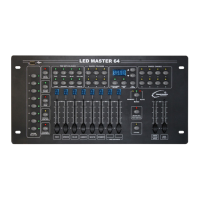
Diagram and description of the LED Master 64 front panel controls and indicators.
Details of the input/output ports and power switch on the rear of the unit.
Steps to access the programming mode using the PROGRAM/REC button and unlock code.
Procedure for assigning DMX channels to fixtures for custom control.
Guide to saving custom colour presets using the controller's memory banks.
Instructions for removing stored colour presets from the controller's memory.
How to create and store chase sequences with multiple steps for lighting effects.
Method to add a new step into an existing chase sequence at a specific position.
Procedure for removing a specific step from a programmed chase sequence.
Steps to remove a complete chase sequence from the controller's memory.
How to restore the controller to its original factory default settings.
Controlling fixtures directly using faders and selectors in manual mode.
Instructions on how to recall and play back stored colour combinations.
Methods for executing programmed chase sequences (Manual, Sound, Auto modes).
How to activate and control the built-in pre-set colour effects.
Directly adjusting lighting effects for selected fixtures or chases.
Activating and adjusting the strobe effect speed on all fixtures.
Turning off all lights simultaneously and accessing Foot Switch mode.
Connecting and using the CA-8F foot controller for enhanced operation.
Procedure for updating the controller's software using a USB drive.
Saving channel assignment data from the controller to a USB memory stick.
Loading channel assignment data from a USB memory stick to the controller.
Table showing DMX start addresses for each fixture.
 General
| Brand | Transcension |
|---|---|
| Model | LED Master 64 |
| Category | Power distribution unit |
| Language | English |

 To Next Page