Transition Networks, Inc. S3290 Install Guide
33594 Rev. D https://www.transition.com Page 9 of 30
Rack Mount Installation
The S3290-RMB can be used to mount an S3290 on a 19 inch Rack. See the S3290 Single Rack Mount
Ear Bracket Install Guide, 33659 for more information.
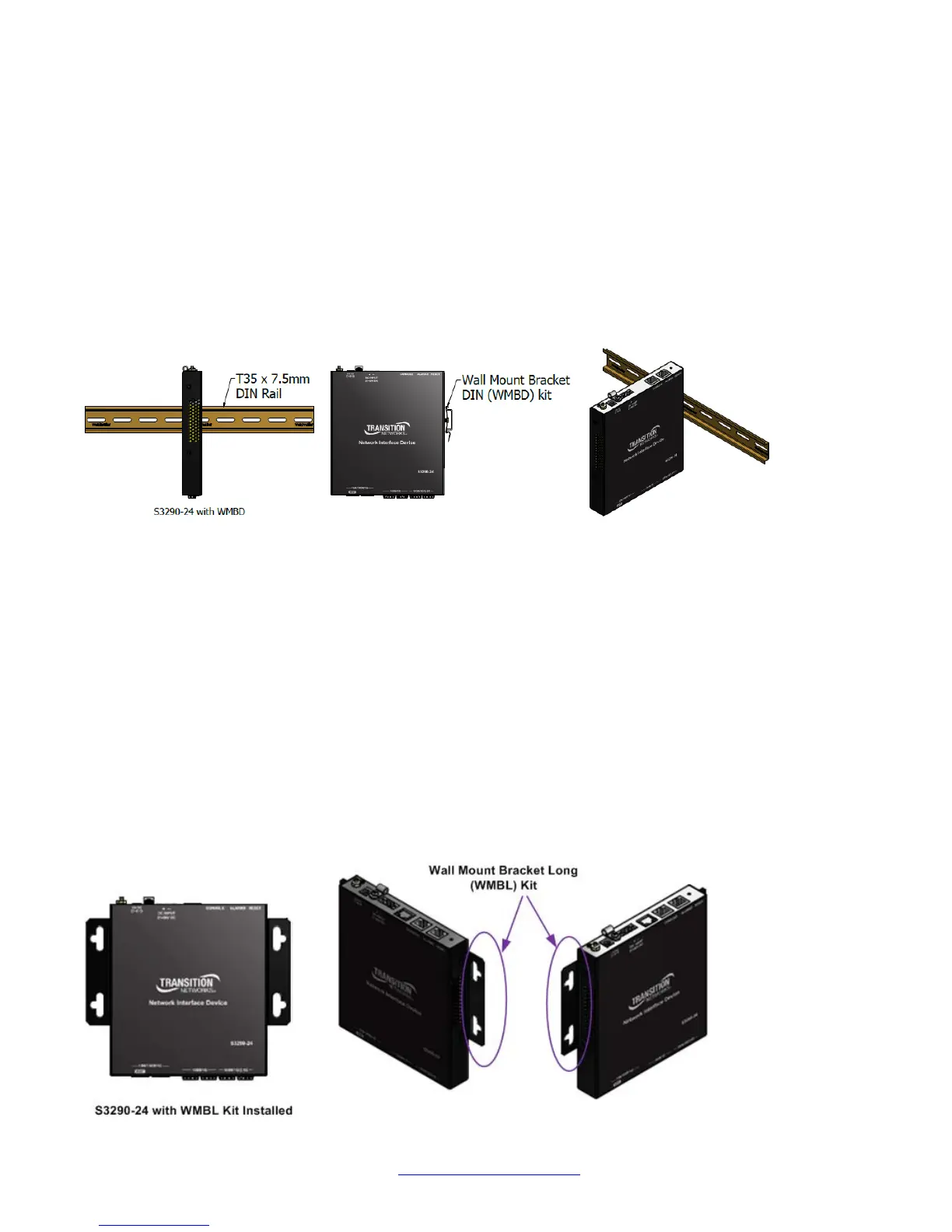
DIN Rail Installation (WMBD)
Din Rail Brackets allow stand-alone media converters to be mounted to a Din Rail, common in industrial
environments, in either a flat mount against the Din Rail or in a vertical mount in which the S3290 mounts
on its edge.
To install the S3290 in a standard DIN Rail, follow the instructions provided with the Wall Mount Bracket
DIN (WMBD) shown below:
Wall Mount Installation (WMBL)
Wall Mount Brackets are small simple “L-shaped” tabs that allow a single S3290 to be mounted anywhere
needed. The brackets are sold in pairs and are available in several sizes and types to match the different
sized media converters and space requirements.
A Wall Mount Kit is required for S3290 wallmount installations. When mounting on a wall ensure that:
• The mounting surface and fasteners used can support the S3290, mounting kit, plus cable pull.
• Cable pull does not exceed the limit.
• The S3290 install position allows proper ventilation.
To mount the S3290 on a wall:
1. Using a Phillips screwdriver, align the WMBL brackets with the holes on the side of the S3290 and
attach with the screws provided.
2. Secure to the wall using the screws provided.
The Wall Mount Bracket Long (WMBL) is shown below:


 To Next Page