Installing an MP—Models MP-341 and MP-352
Chapter 3
Installing and Connecting an MP
31
Confidential—Beta1 Draft—Confidential—Beta1 Draft—20 Sep 04
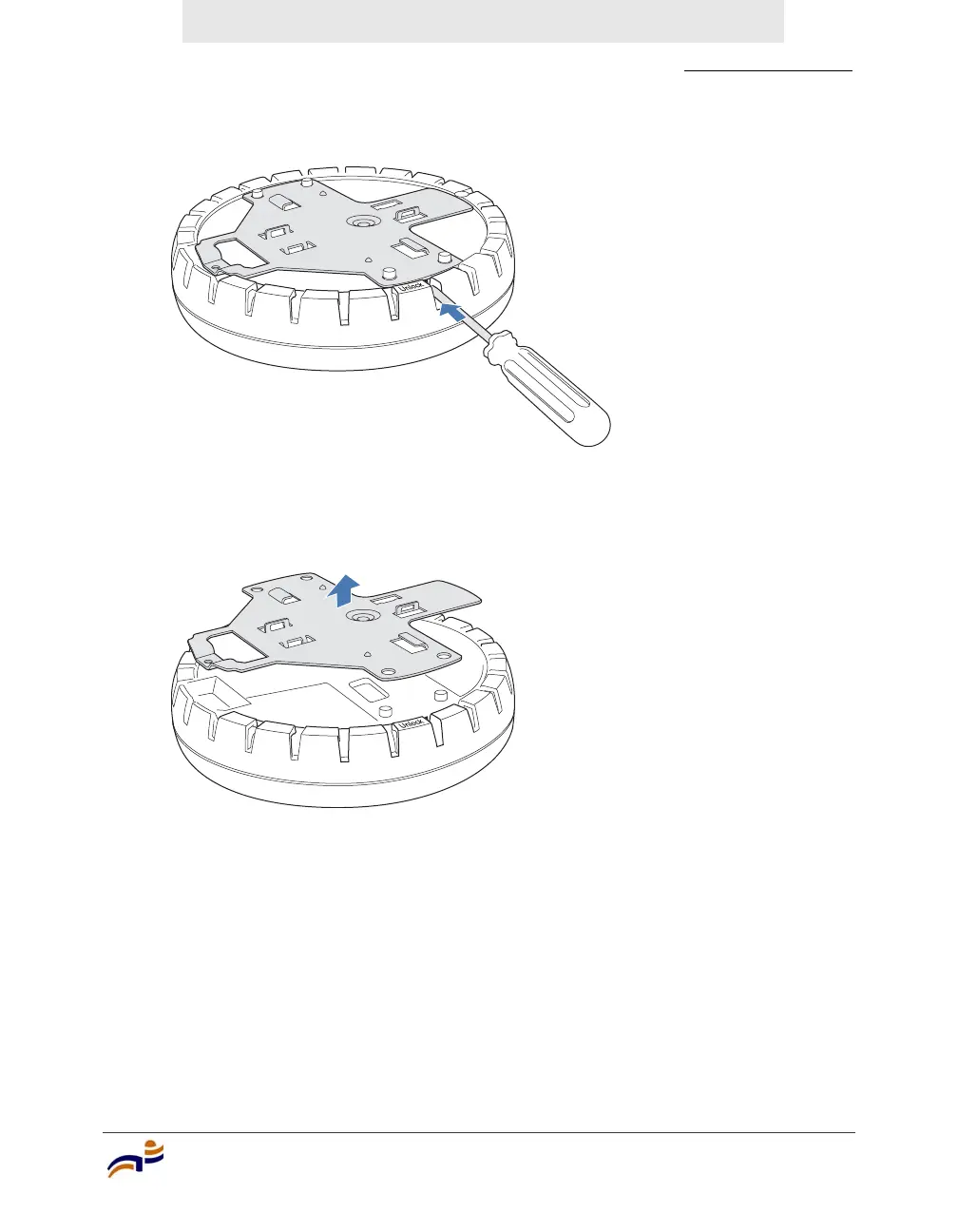
Figure 11. Step 5—Unlocking the Bracket
6 Remove the bracket as shown in Figure 12.
Figure 12. Step 6—Removing the Bracket
7 Install the universal mounting bracket as follows onto the T-bar or T-bar
clamp:
a As shown in Figure 13, place the universal mounting bracket against the
T-bar or clamp so that the two screw holes face downward and the two
T-bar flanges face upward and are adjacent to the T-bar edges.
840-9502-0011
840-9502-0008



 To Next Page