6 RS-WMB, RD-WMB Installation Instructions TG201349 Issue 4, 26-Aug-2015. Applies to 1.02.2.
RS-WMB, RD-WMB Installation Instructions
12
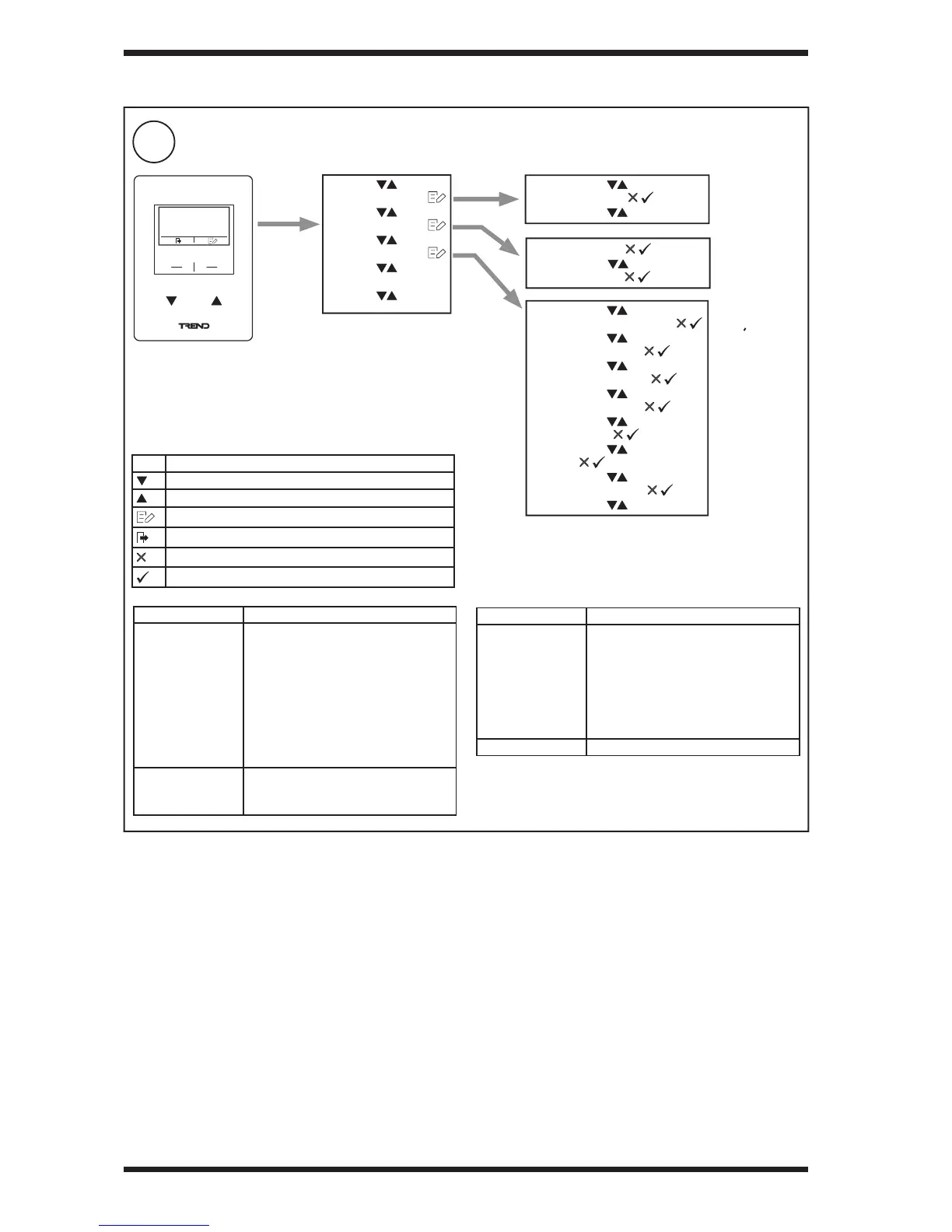
Con gure RD-WMB
3 INSTALLATION (continued)
Option Description
WMB ADDRESS Can be set in range 2 to 15 if address
switch in binary zero position.
IQeco
Must be 2
IQ4
Must be the same as the Wallbus
Interface module in the strategy
May need to be changed be if more
than one device on wallbus.
SETPOINT TYPE Can be set to the following:
NUMERICAL
GRAPHICAL
Icon Description
Scroll down/next value
Scroll up/previous value
Edit selected value
Exit setting menu
Reject change
Accept change
Option Description
HOME SCREEN Can be set to the following:
SCROLLING SCREEN
OUTSIDE TEMP
TEMP SETPOINT
TEMPERATURE
HUMIDITY
CO2
BLANK SCREEN


 To Next Page