RS-WMB, RD-WMB Installation Instructions TG201349 Issue 4, 26-Aug-2015. Applies to 1.02.2. 7
Installation Instructions RS-WMB, RD-WMB
13
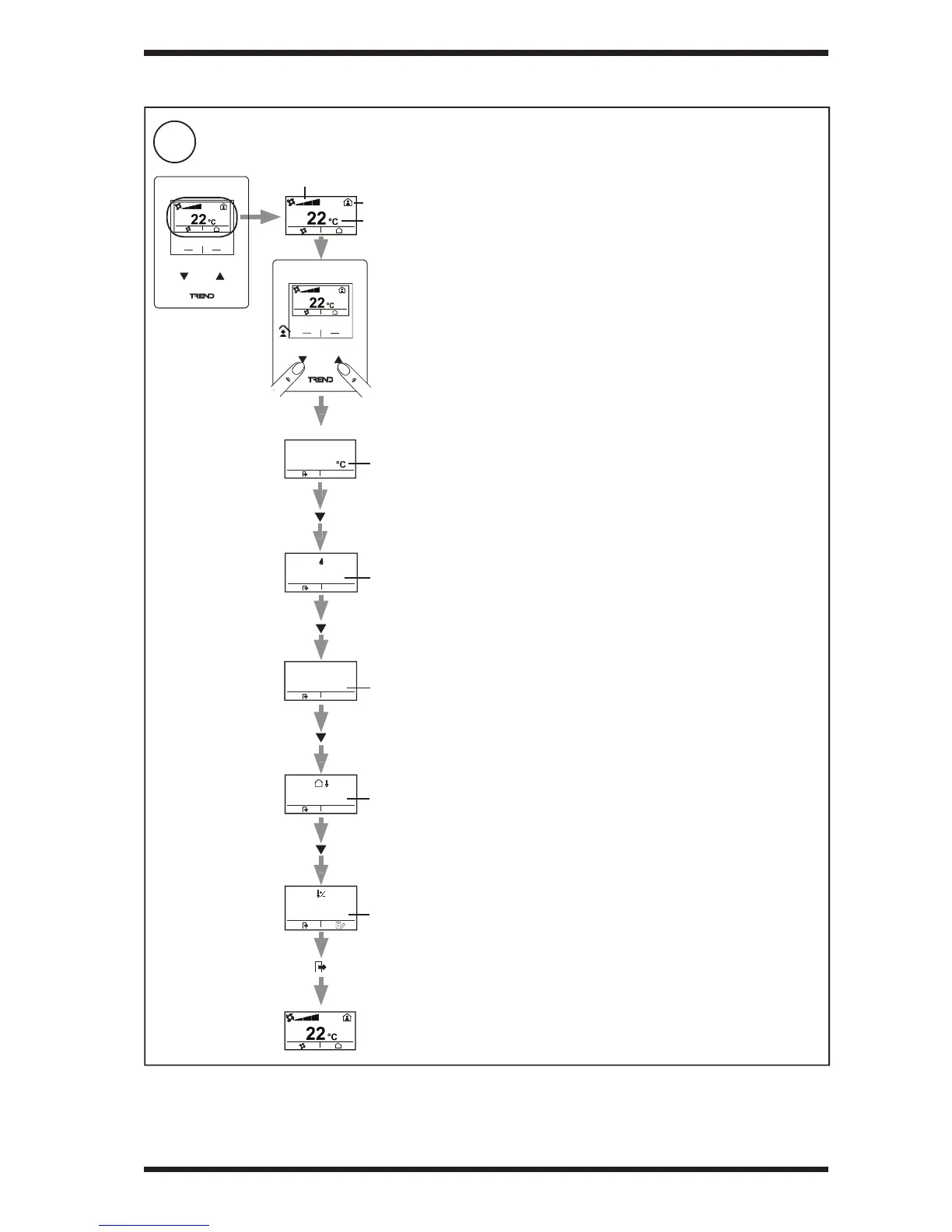
Check System using Display (RD-WMB only - as appropriate)
3 INSTALLATION (continued)
Only check those displays that are appropriate. Depending on
the con guration some displays may not be visible
Note: The available displays can be seen in the ‘More’ menu
regardlessofthecongurationofthe‘Home’display
Check correct value
Check occupation
status
Check fan control
Check temperature
displayed
22.5
‘More’ Display
56 %RH
Check humidity
displayed
34 ppm
CO
2
Check CO
2
concentration
displayed
28.0 C°
Check outside
temperature
is displayed


 To Next Page