© Copyright 2013 TRENDnet. All Rights Reserved.
TRENDnet User’s Guide
TEW-812DRU
24
• Xpress™ Technology: Is frame bursting technology built by Broadcom to improve
wireless performance. It is recommended to leave this feature On.
Access Control Filters
Access control basics
Advanced > Access Control
LAN Client Filter
Advanced > Access Control
You may want to block computers or devices on your network access to specific ports
(used or required by a specific application) to the Internet.
1. Log into your router management page (see “
Access your router management page”
on page 26).
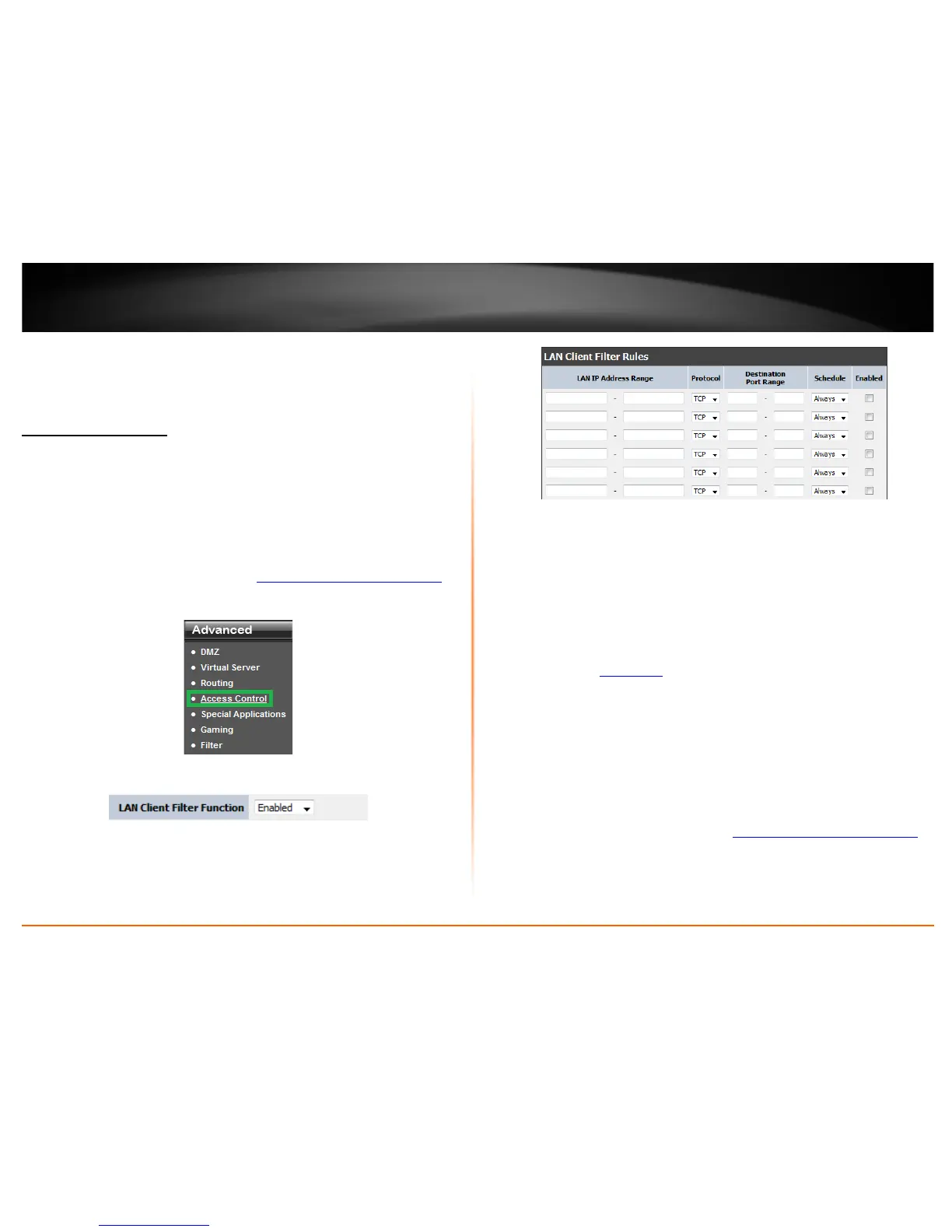
2. Click on Advance, click on Access Control.
3. Select Enable to enable LAN Client Filter Function.
4. Review the settings under LAN Client Filter Rules section
• IP Range – Enter the IP address or IP address range to apply the protocol (e.g.
192.168.10.20-192.168.10.20 or 192.168.10.20-192.168.10.30).
Note: The filter will not be applied to IP addresses outside of the range
specified. You can leave the field blank to enable the rule for the entire LAN
clients.
• Protocol: Select the protocol you would like to apply the rule to.
• Port Range: Enter the port or port range to apply the protocol.
• Enabled: Selecting Enable turns on the filter
• Schedule: Select the defined schedule you would like to have the rule to be
applied. (see “
Set Schedule” section on page 32).
• Policy Name: Enter a name for the Protocol/IP Filter.
5. Click Apply to save settings.
URL Filter
Advanced > Access Control
You may want to block computers or devices on your network access to specific ports
(used or required by a specific application) to the Internet.
1. Log into your router management page (see “
Access your router management page”
on page 26).











 To Next Page