1. How to Install
English
1
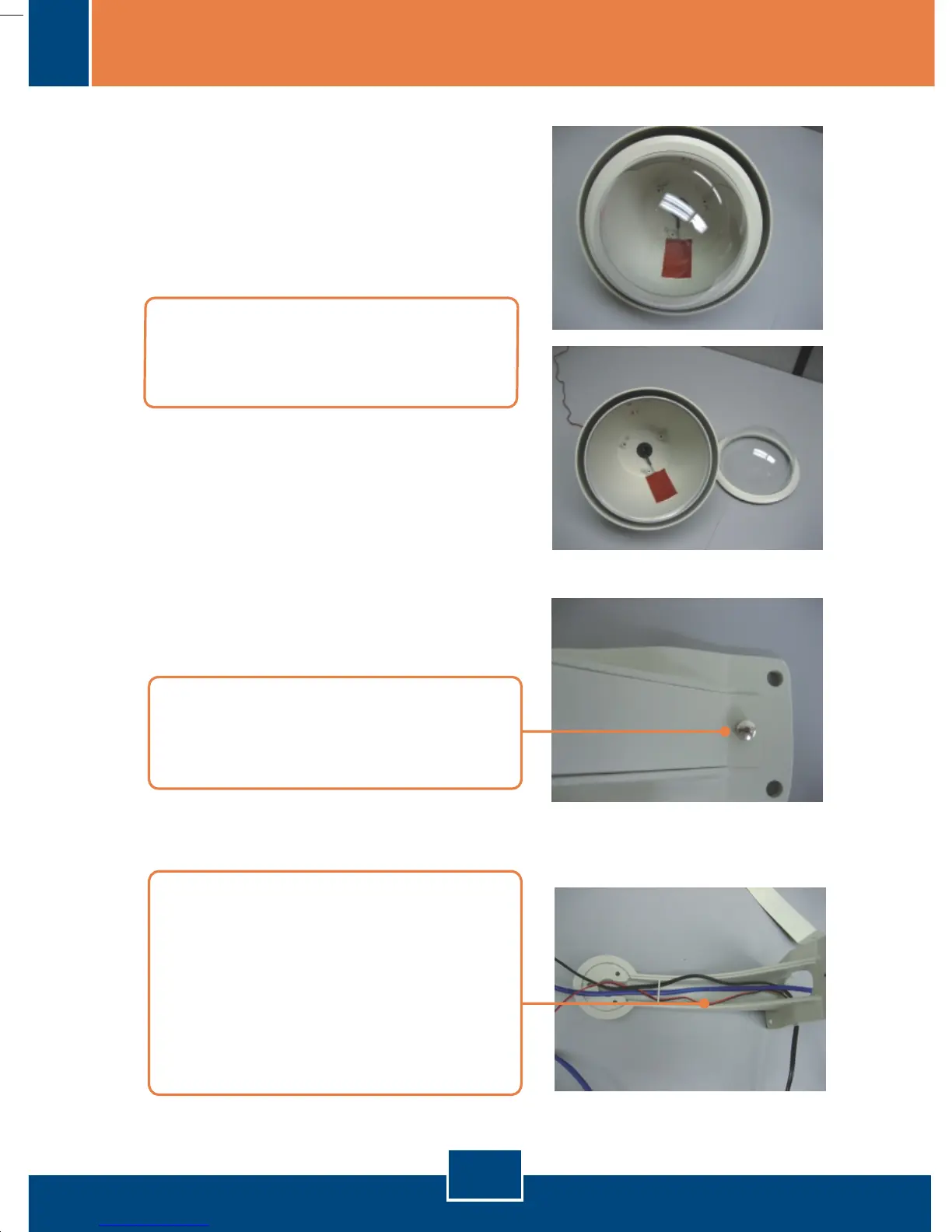
2. Remove the thumbscrew and
protective plating from the goose
neck wall mount.
1. Rotate the EL-HS800's cover
counter-clockwise to begin cable
installation.
3. Run all necessary cables (CAT 5
cable, Power Adapter cable, and
the EL-HS800's power terminals)
through the goose neck wall
mount. When using a wireless
camera, please run the Antenna
cable also.
Version 01.18.2006







 To Next Page