13
Windows ME / 98
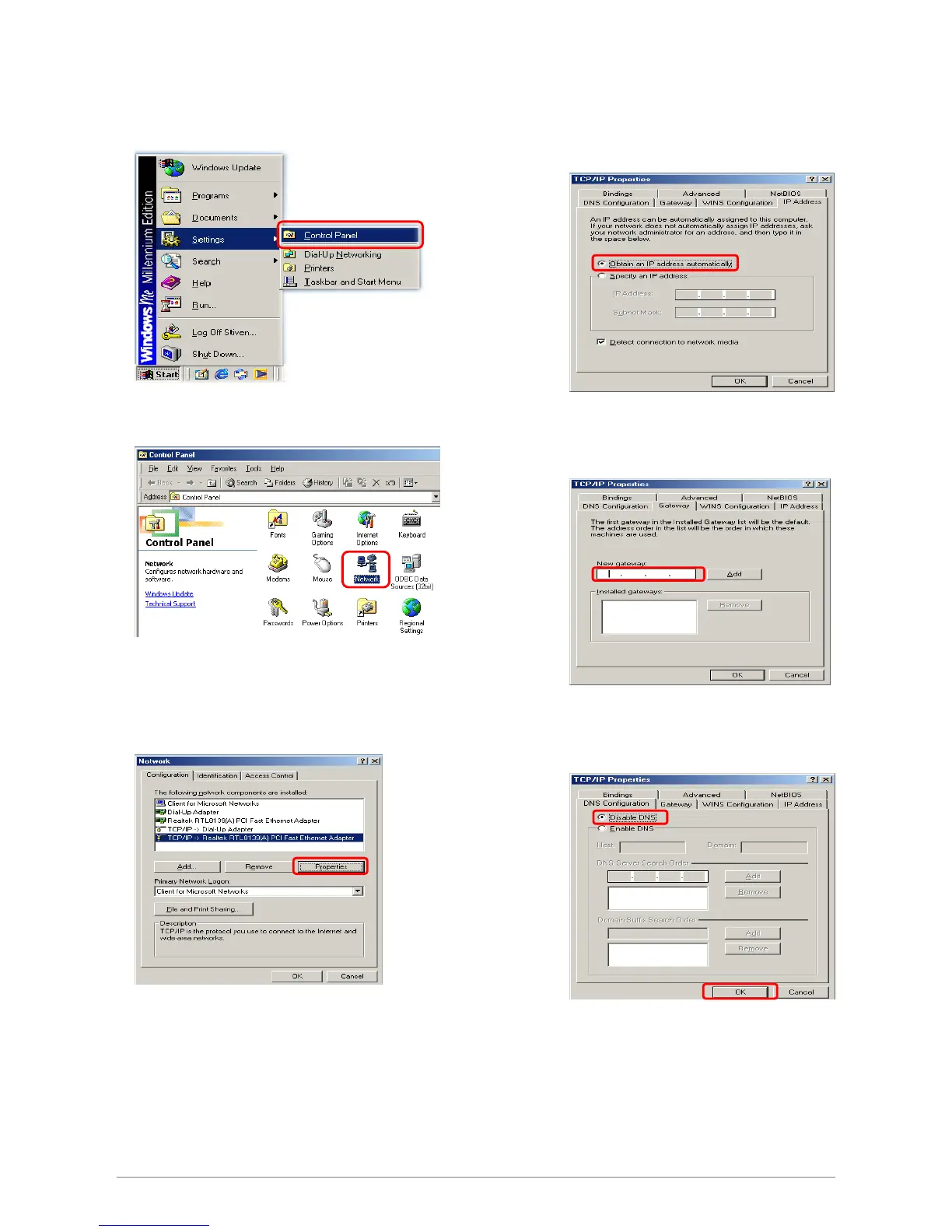
Step 1: Click Start→Settings→Control Panel.
Step 2: Double-click the Network icon.
Step 4: Go to IP Address icon and select
Obtain an IP address.
Step 3: Go to Configuration icon, select network
adapter installed and click Properties.
Step 5: Go to Gateway icon and erase all
previous setting.
Step 6: Go to DNS Configuration icon, select
Disable DNS and click OK.
1
2
2














 To Next Page