3
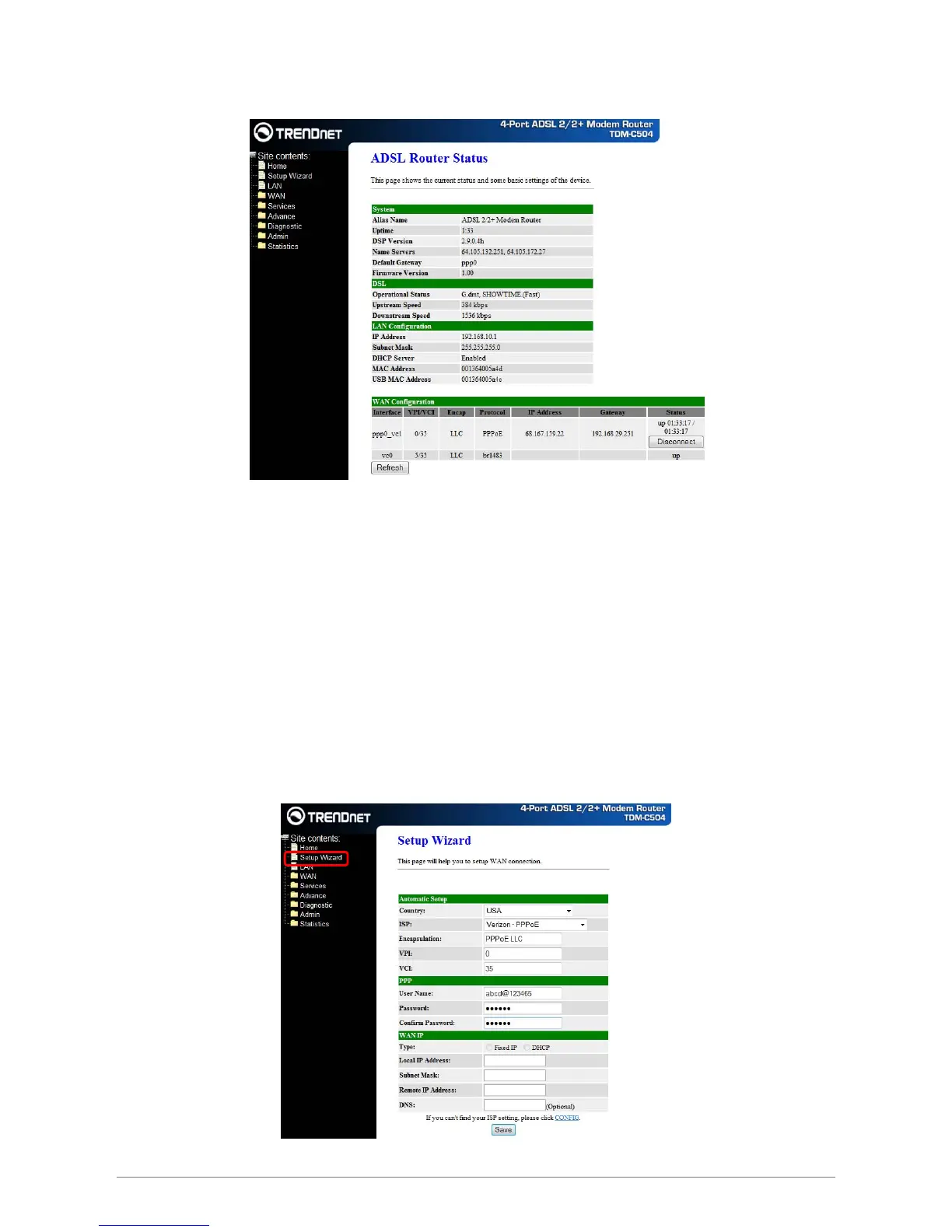
3. Upon entering the address into the web browser, the system HOME page with all the device
information will appear as shown below.
This page displays the ADSL modem/router’s current status and settings. This information is read-only
except for the PPPoE/PPPoA channel for which user can connect/disconnect the channel on demand.
Refresh
Updates the status of your WAN Configurations
Connect / Disconnect
The two buttons take effect only when PVC is configured as PPPoE/PPPoA mode. Click Connect/Disconnect
button to connect/disconnect the PPP dial up link.
The Setup Wizard is a presetting wizard which is meant to help you install the TDM-C504 ADSL2/2+ Modem
Router quickly and easily.
Click on “Setup Wizard” and the following screen will pop-up:
Follow the “Steps” describe below to complete your installation.
Setup Wizard














 To Next Page