29
Delete the selected FQDN from the URL Blocking table. You can click the checkbox at the Select column to
select the FQDN entry.
Delete All
Delete all FQDN entry from the URL Blocking table.
Function buttons for the Keyword Filtering Table:
Add
Click to add the keyword to the configuration.
Delete Selected
Delete the selected keyword from the Keyword Filtering table. You can click the checkbox at the Select
column to select the keyword entry.
Delete All
Delete all keyword entry from the keyword filtering table.
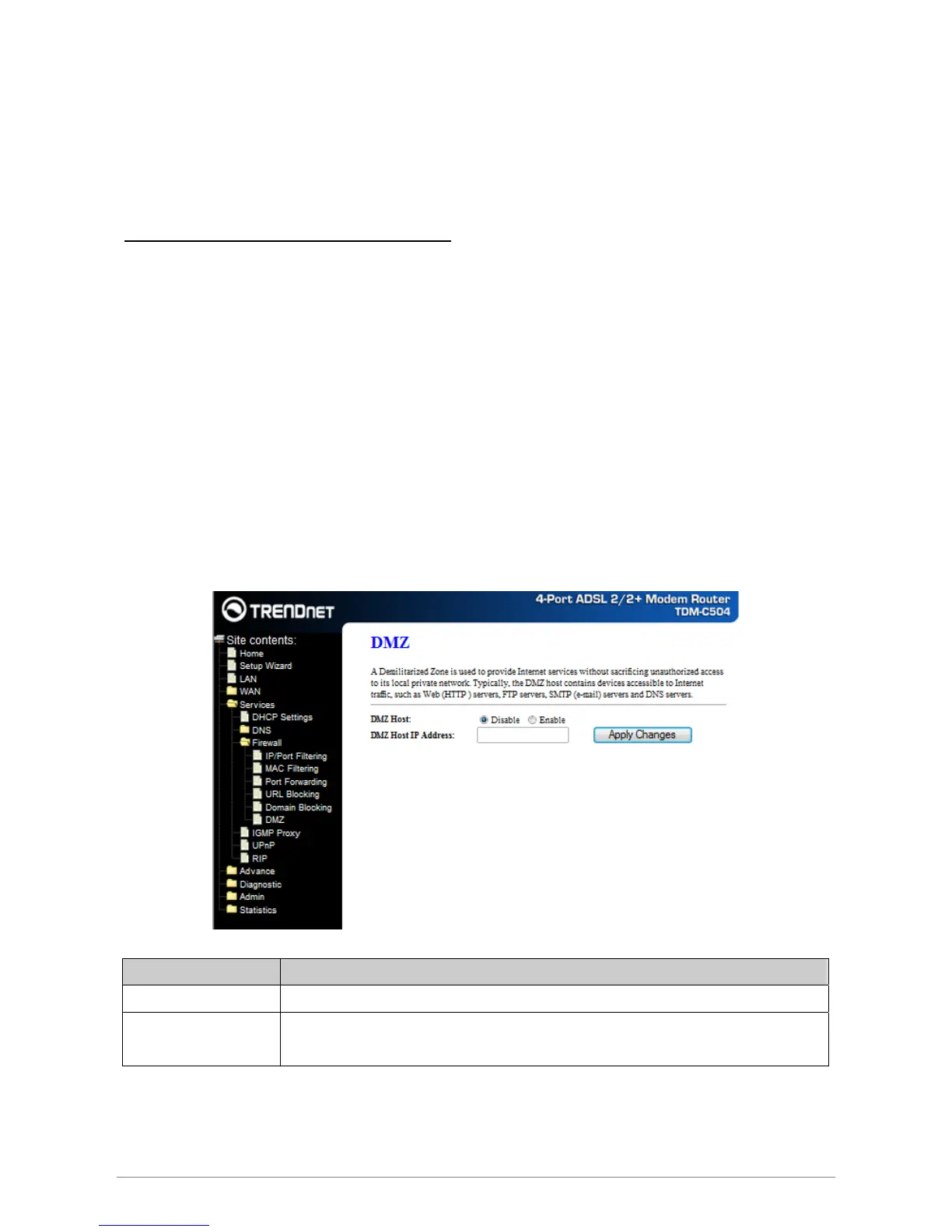
A DMZ (Demilitarized Zone) allows a single computer on your LAN to expose all of its ports to the Internet.
Enter the IP address of that computer as a DMZ (Demilitarized Zone) host with unrestricted Internet access.
When doing this, the DMZ host is no longer behind the firewall.
Field Description
DMZ Host Enable/Disable the DMZ feature.
DMZ Host IP Address IP address of the local host. This feature sets a local host to be exposed to the
Internet.
Apply Changes
Click to save the setting to the configuration.
DMZ














 To Next Page