16
Windows Vista
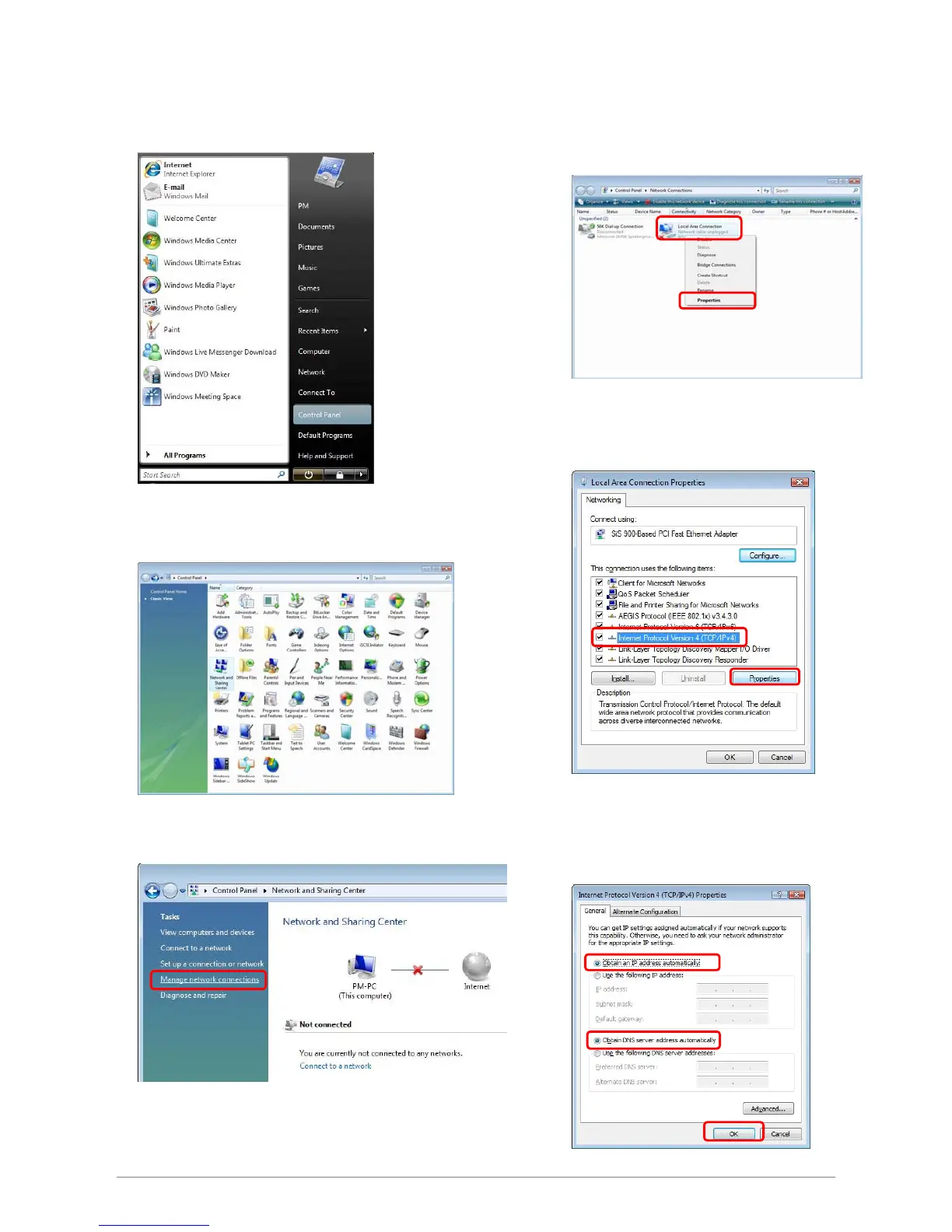
Step 1: Click Start→Control Panel.
Step 4: Right Click on the Local Area Connection
and select Properties.
Step 2: Double-click the Network and Sharing Center.
Step 5: Go to General icon, select Internet Protocol
Version 4 (TCP/Ipv4) and click Properties.
Step 3: Click on the Manage network connections.
1
2
2
1
Step 6: Go to General icon, select Obtain an IP
address automatically and DNS server
address automatically.
Then, click OK.
1
2
3
1
2














 To Next Page