11
Configuration of Diagnostic Utility
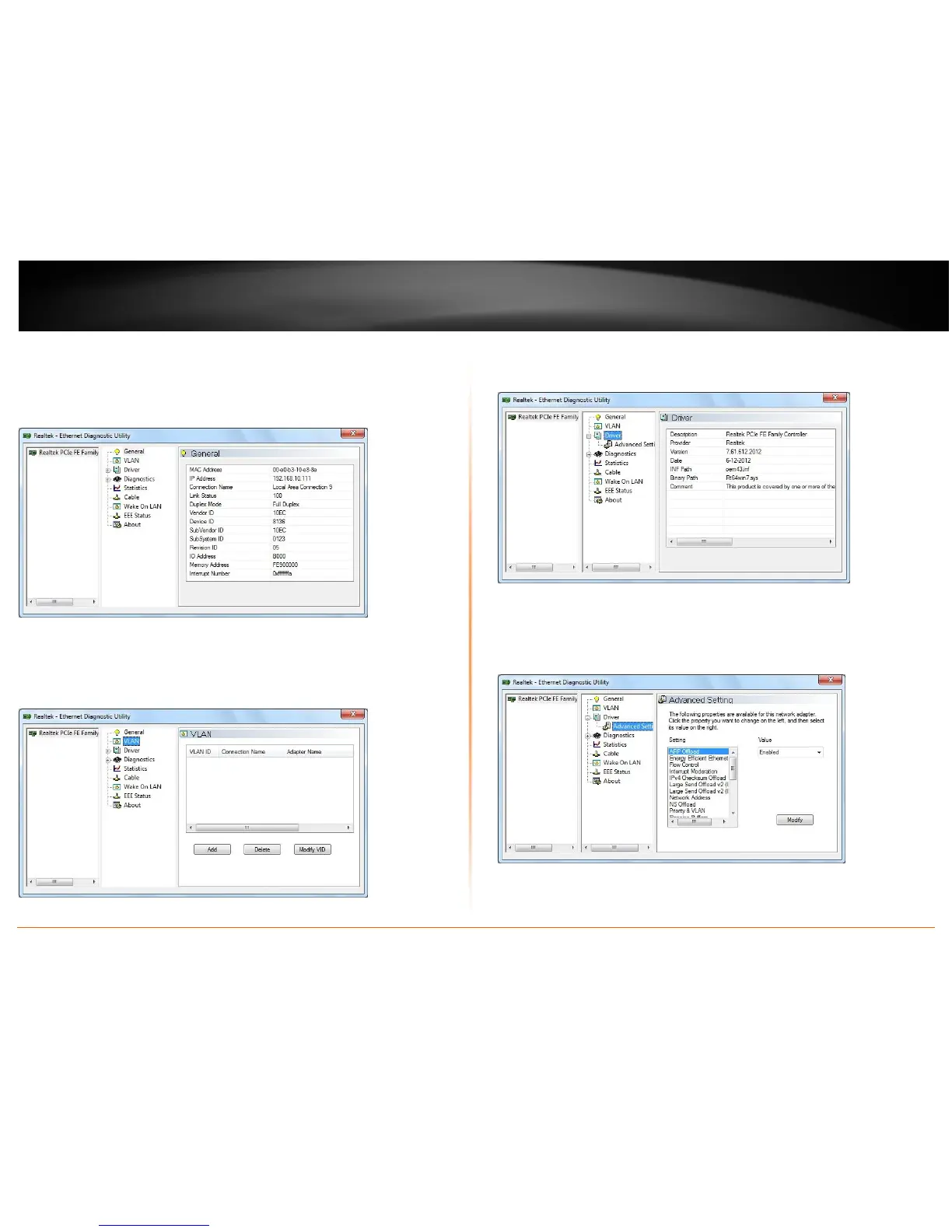
General
This page displays general information about the selected network adapter.
VLAN
This page shows information about VLANs on current selected network adapter. User
can add or remove VLAN here. The user can change the VLAN ID of existing VLAN.
Driver
This page displays driver information of the selected network adapter.
Driver -> Advanced Setting
This page displays working parameters for this network adapter. User can modify these
parameters here.








 To Next Page