4
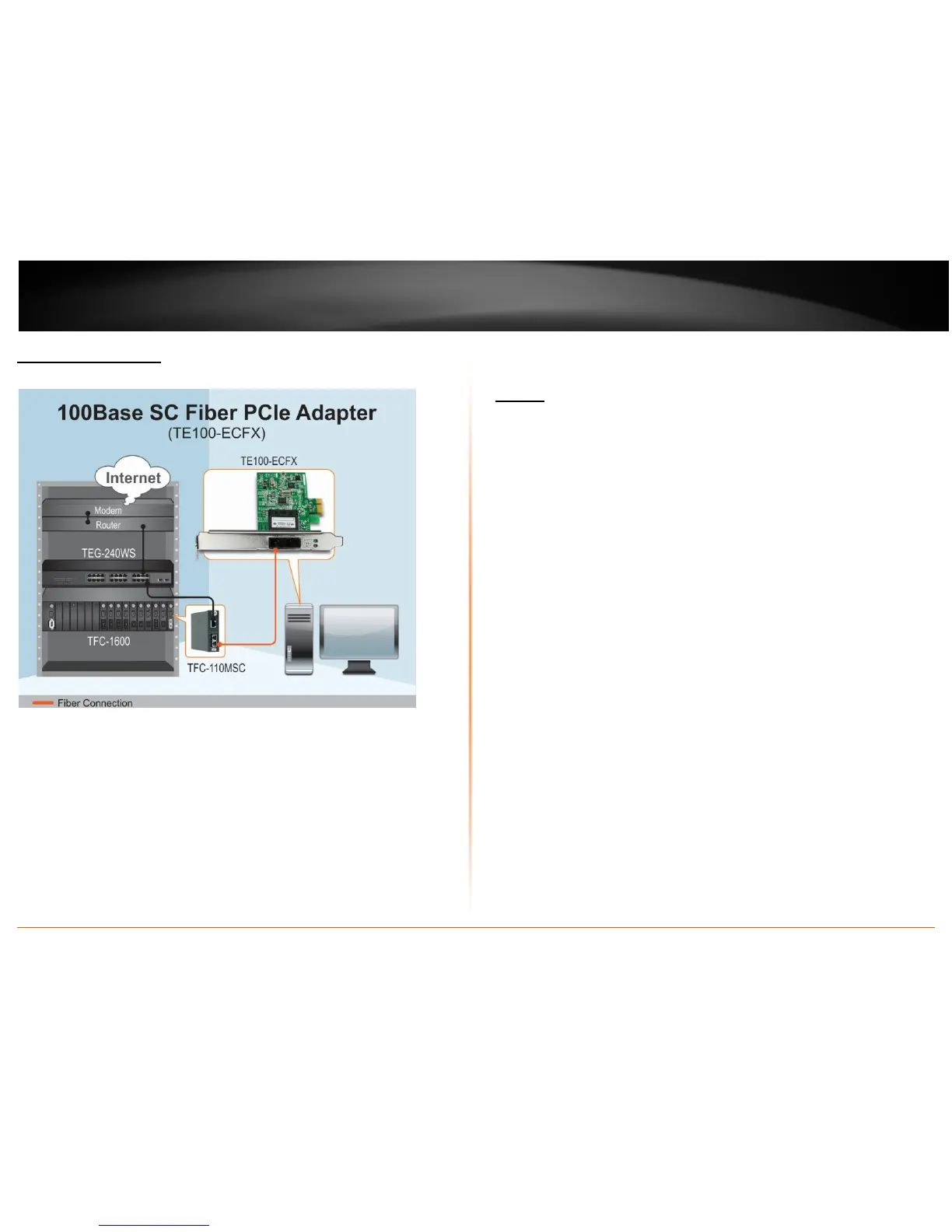
Application Diagram
Installation - Hardware
Adapter
1. Power off the computer
2. Remove any metal object from your hand and wrists to prevent shocks
3. Remove the cover from your computer’s towel
4. Locate an empty PCI Express slot and remove the corresponding back plate. Save
the screws for use in step 6.
5. Carefully insert the PCI Express adapter into the slot and ensure the adapter is
firmly seated in the slot.
6. Secure the PCI Express adapter with the screws that you saved in step 4.
7. Replace the PC cover








 To Next Page