3
Product Hardware Features
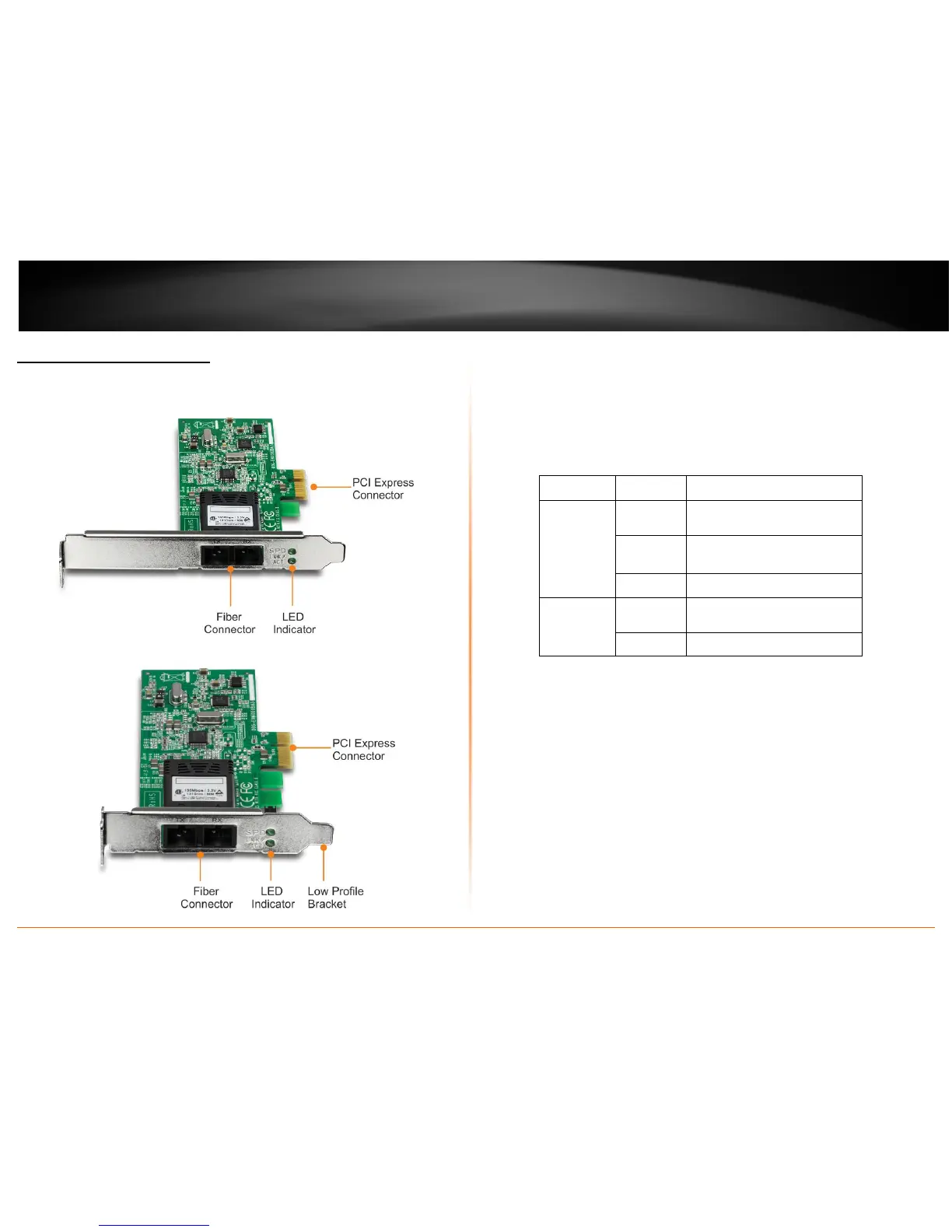
TE100-ECFX
TE100-ECFXL
PCI Express Connector: Connect the PCI Express card into computer’s PCIe slot.
Fiber Connector: Connect one end of the fiber cable to adapter’s fiber
connector and connect the other end to the fiber Network.
LED Indicators
LEDs Status Indication
LNK/ACT
(Link/Activity)
Steady
(green)
Network connection established.
Blinking
(green)
Transmitting or receiving data.
ACT stands for ACTIVITY.
Off No connection/activity
SPD
(Speed)
Steady
(green)
100Mbps.
Off 10Mbps.
Low Profile Bracket: used for low profile computer








 To Next Page