Statistics
View Statistics
System > Statistics
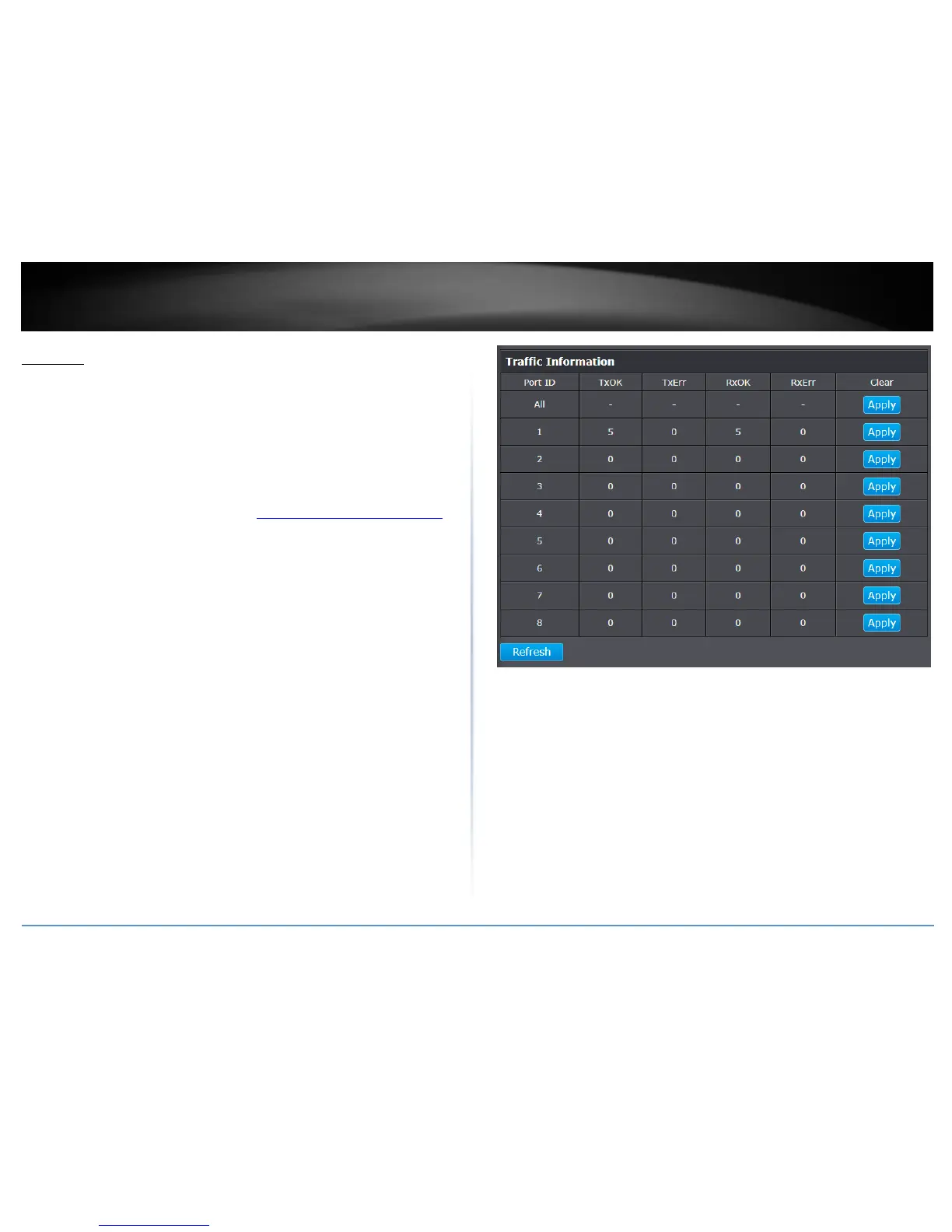
Statistics provide important information for troubleshooting switch problems at the port
level. The Web Management Utility provides a two statistics charts, including Traffic
Information and Error Information.
View Traffic Information Statistics
System > Statistics > Traffic
1. Log into your switch management page (see “Access your switch management page”
on page 7).
2. Click on System, click on Statistics.
3. View the Traffic Information Statistics.
TxOK: Transmit OK, number of frames sent from the switch through the specified
port number.
TxErr: Transmit Error, number of frames that failed to be sent from the switch
through the specified port number
RxOK: Receive OK, number of frames received by the switch through the
specified port number.
RxErr: Receive Error, number of frames that were failed to be received by the
switch through the specified port number.
Clear: Clicking Apply will clear the Statistic Information of that row (port
number).
Refresh: Clicking Refresh will refresh the data on the page.


 To Next Page