Scheduling Algorithm
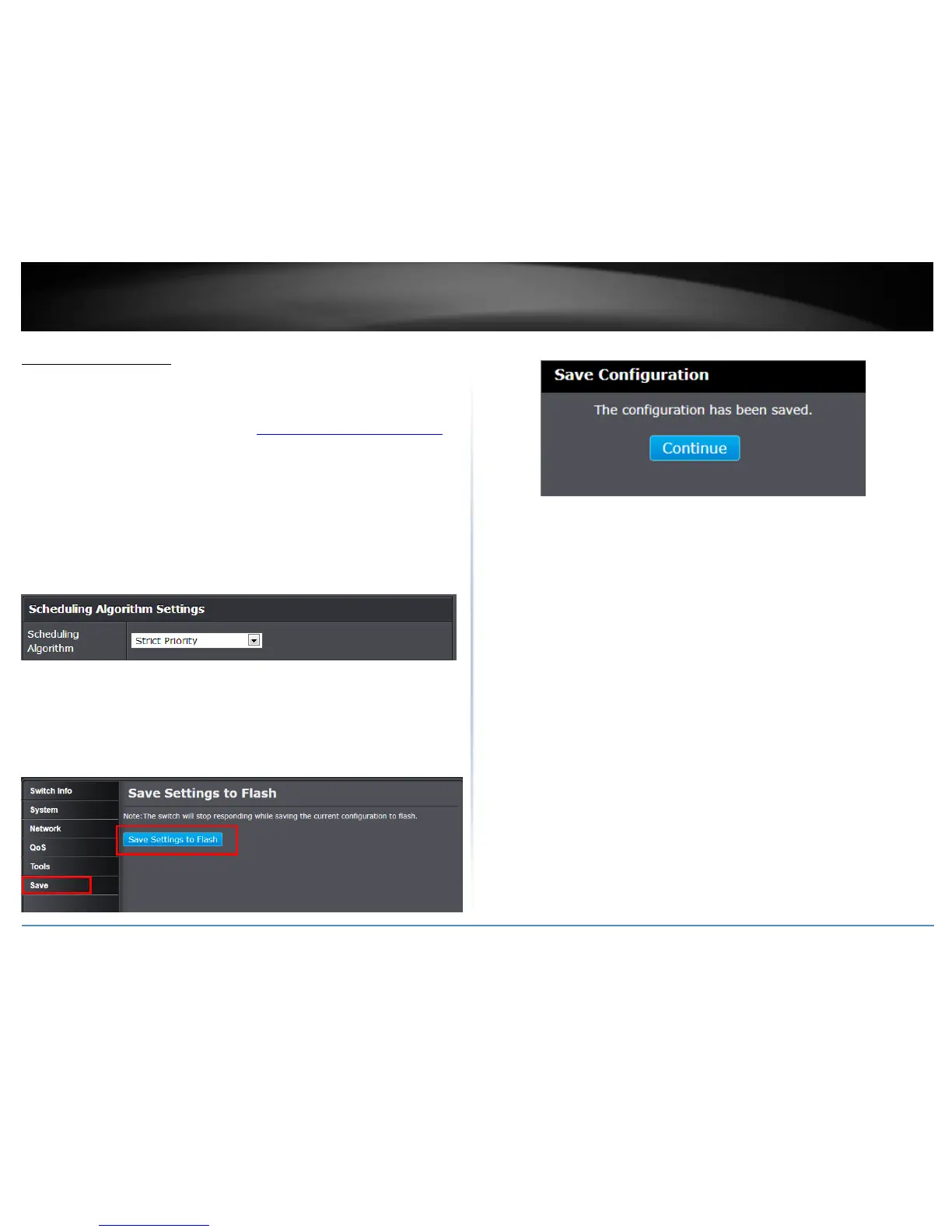
Set the Scheduling Algorithm
QoS > Scheduling Algorithm
1. Log into your switch management page (see “Access your switch management page”
on page 7).
2. Click on QoS and click on Scheduling Algorithm.
3. Review the settings. Click Apply to save the settings.
Strict Priority - The port transmits all packets out of higher priority queues
before transmitting any from the lower priority queues.
Weighted Round Robin - The port transmits a set number of packets from each
queue, in a round robin fashion, so that each has a chance to transmit traffic.
NOTE: The configured settings are only applied to the switch’s temporary memory and
will be lost upon the next power-cycle. Please follow these next steps to save the
configurations to the switch’s NV-RAM to ensure the settings will remain throughout
power-cycles and reboots:
1. From the menu on the left: click on Save, then click the blue button Save
Settings to Flash.
2. Click Continue to return to the Web Configuration of your switch.



 To Next Page