-38-
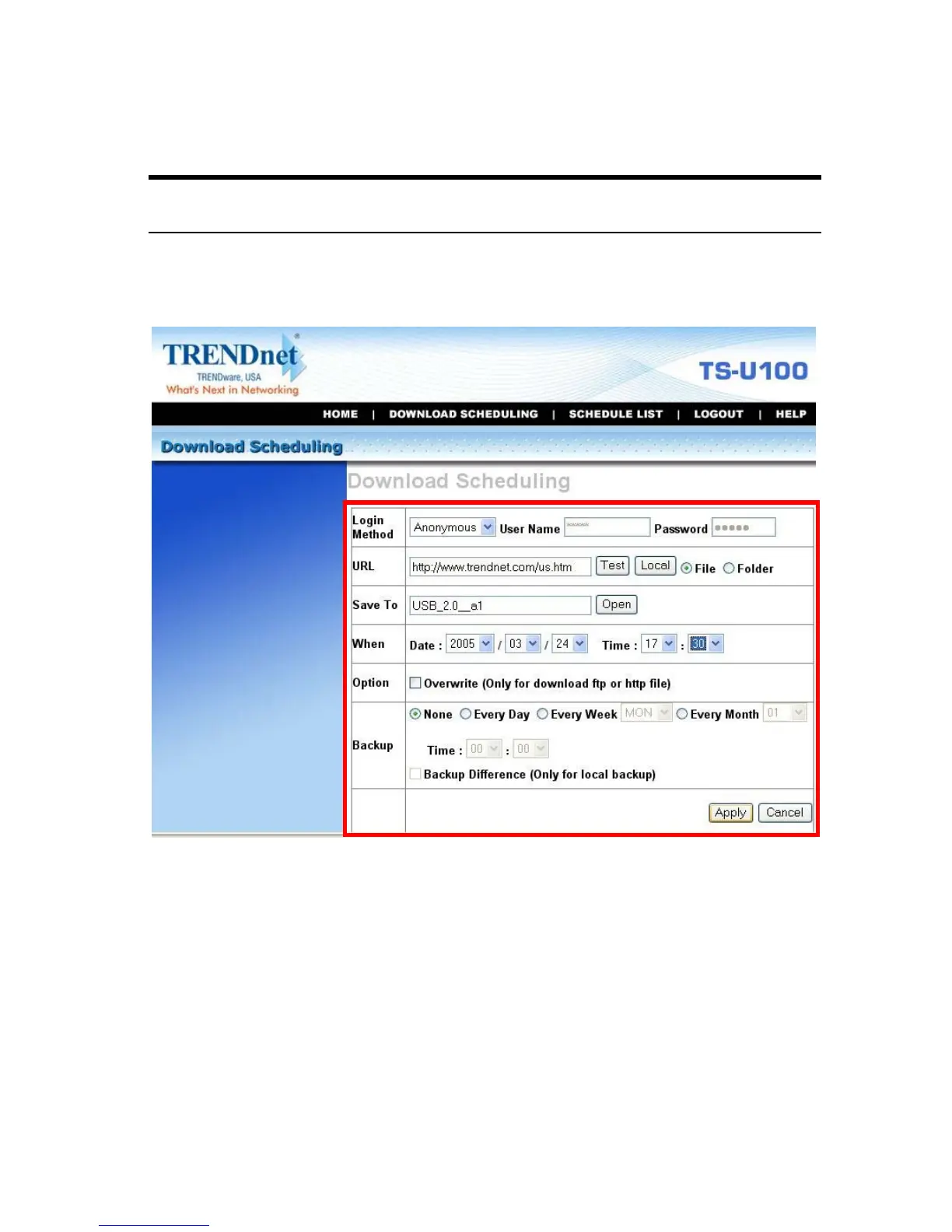
Scheduling Download Task
Click the Download Scheduling menu to set up your download tasks.
Enter the required information in the relative fields.
Setup Screen of Download Scheduling
z Login Method: According to the settings of target server,
choose Anonymous or Account from pull-down menu. When
you choose Account, you have to enter the correct User name
and Password.
z URL: Enter the URL address of target server. Click test to test
the connection.



 To Next Page