Operation and Status
Chapter 5
Operation and Status
This Chapter details the operation of the Broadband Router and the status screens.
Operation
Once both the Broadband Router and the PCs are configured, operation is automatic.
However, there are some situations where additional Internet configuration may be required:
• If using Internet-based Communication Applications, it may be necessary to specify which PC receives an incoming connection.
Refer to Chapter 6 - Advanced Features for further details.
• Applications which use non-standard connections or port numbers may be blocked by the Broadband Router's built-in firewall.
You can define such applications as Special Applications to allow them to function normally. Refer to Chapter 6 - Advanced
Features for further details.
• Some non-standard applications may require use of the DMZ feature. Refer to Chapter 6 - Advanced Features for further details.
Status Screen
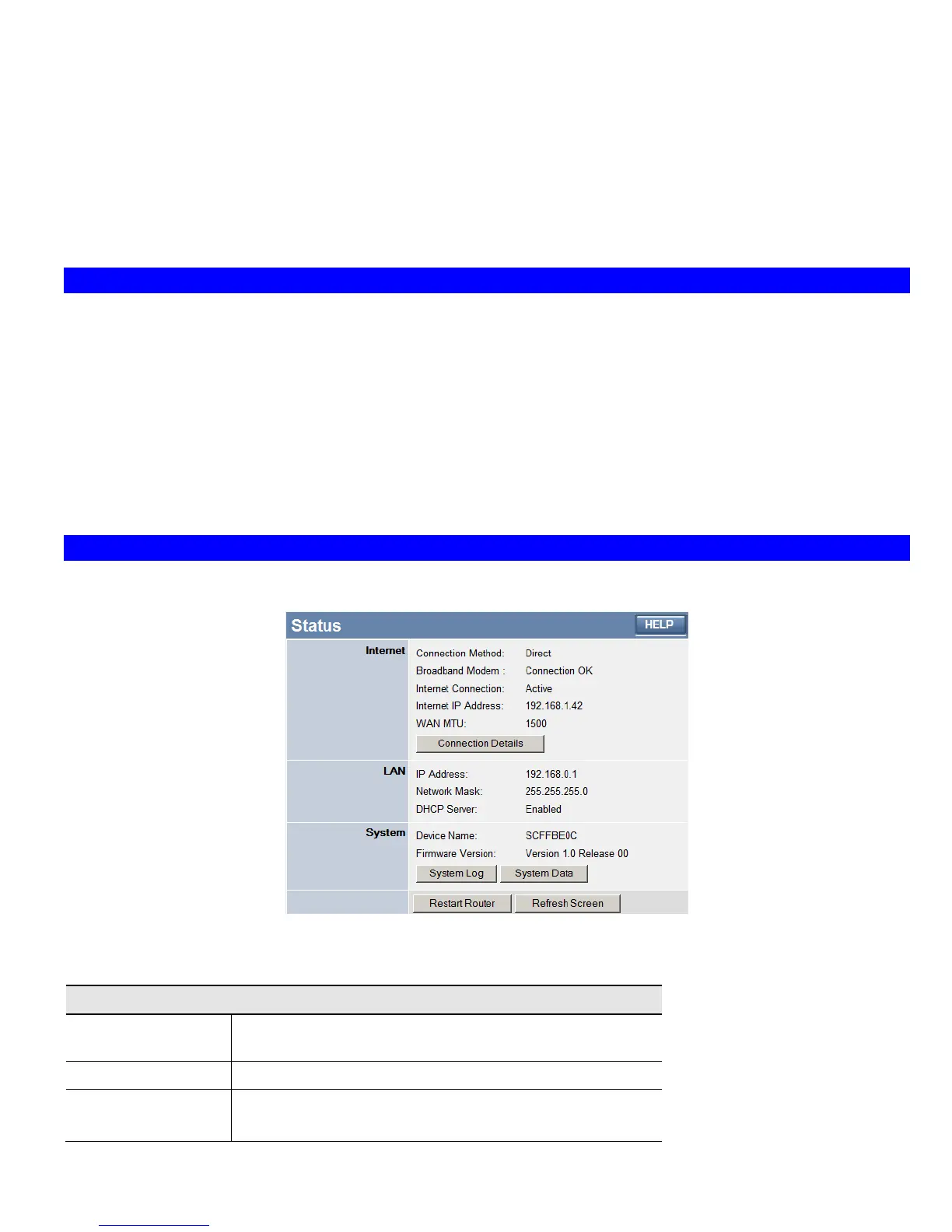
Use the Status link on the main menu to view this screen.
Figure 21: Status Screen
Data - Status Screen
Internet
Connection Method
This indicates the current connection method, as set in the Setup
Wizard.
Broadband Modem
This shows the connection status of the modem.
Internet Connection
Current connection status:
• Active
33














 To Next Page