Broadband Router User Guide
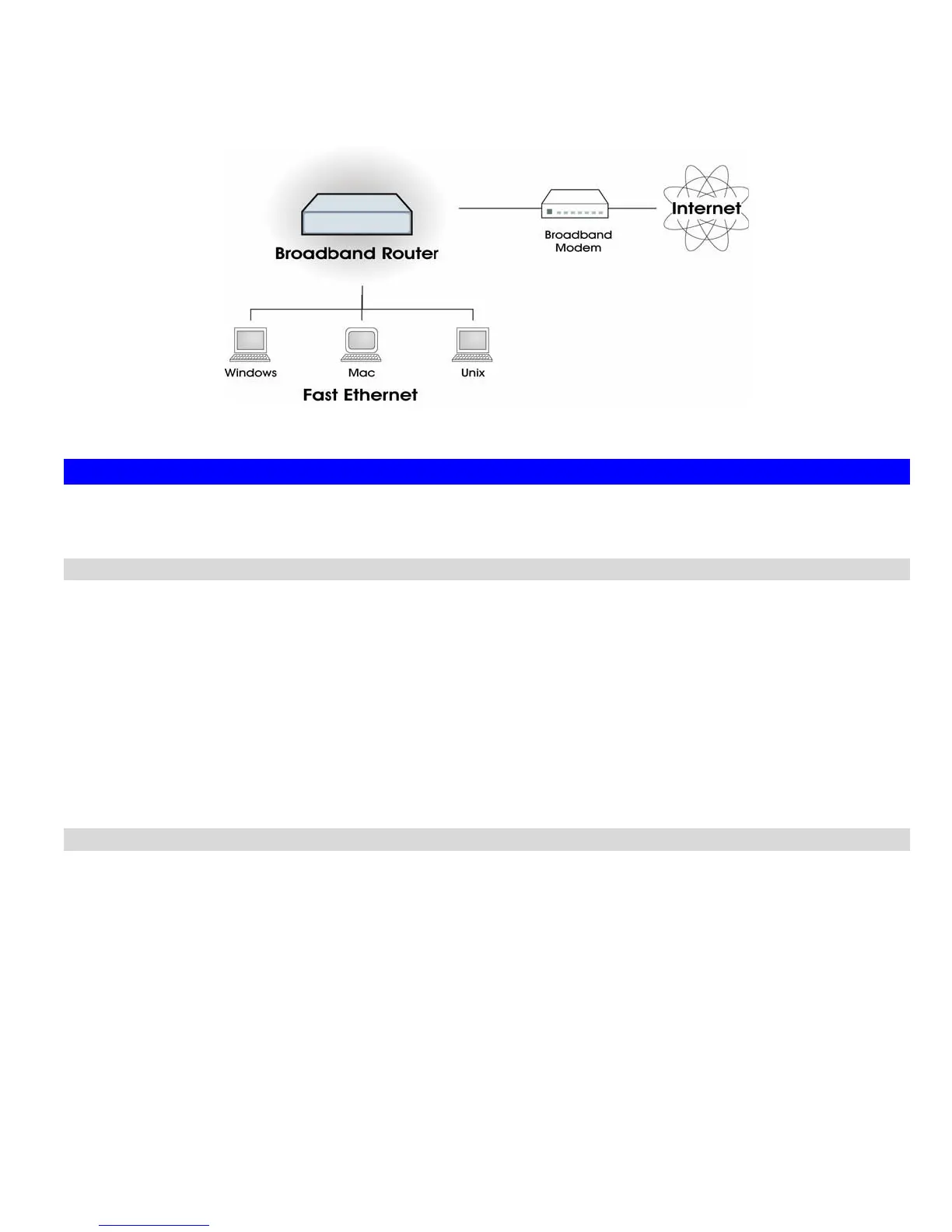
• Shared Broadband Internet Access for all LAN users.
•
4-Port Switching Hub for 10BaseT or 100BaseT connections.
Figure 1: Broadband Router
Broadband Router Features
The Broadband Router incorporates many advanced features, carefully designed to provide sophisticated functions while being easy to
use.
Internet Access Features
• Shared Internet Access. All users on the LAN or WLAN can access the Internet through the Broadband Router, using only a
single external IP Address. The local (invalid) IP Addresses are hidden from external sources. This process is called NAT (Net-
work Address Translation).
•
DSL & Cable Modem Support. The Broadband Router has a 10/100/1000BaseT Ethernet port for connecting a DSL or Cable
Modem. All popular DSL and Cable Modems are supported. SingTel RAS and Big Pond (Australia) login support is also in-
cluded.
•
PPPoE, PPTP, SingTel RAS and Telstra Big Pond Support. The Internet (WAN port) connection supports PPPoE (PPP
over Ethernet), PPTP (Peer-to-Peer Tunneling Protocol), SingTel RAS and Telstra Big Pond (Australia), as well as "Direct Con-
nection" type services.
•
Fixed or Dynamic IP Address. On the Internet (WAN port) connection, the Broadband Router supports both Dynamic IP
Address (IP Address is allocated on connection) and Fixed IP Address.
Advanced Internet Functions
• Communication Applications. Support for Internet communication applications, such as interactive Games, Telephony, and
Conferencing applications, which are often difficult to use when behind a Firewall, is included.
•
Special Internet Applications. Applications which use non-standard connections or port numbers are normally blocked by the
Firewall. The ability to define and allow such applications is provided, to enable such applications to be used normally.
•
Virtual Servers. This feature allows Internet users to access Internet servers on your LAN. The required setup is quick and
easy.
•
DMZ. One (1) PC on your local LAN can be configured to allow unrestricted 2-way communication with Servers or individual
users on the Internet. This provides the ability to run programs which are incompatible with Firewalls.
•
URL Filter. Use the URL Filter to block access to undesirable Web sites by LAN users.
•
Internet Access Log. See which Internet connections have been made.
•
Access Control. Using the Access Control feature, you can assign LAN users to different groups, and determine which Internet
services are available to each group.
2














 To Next Page