Broadband Router User Guide
Physical Details
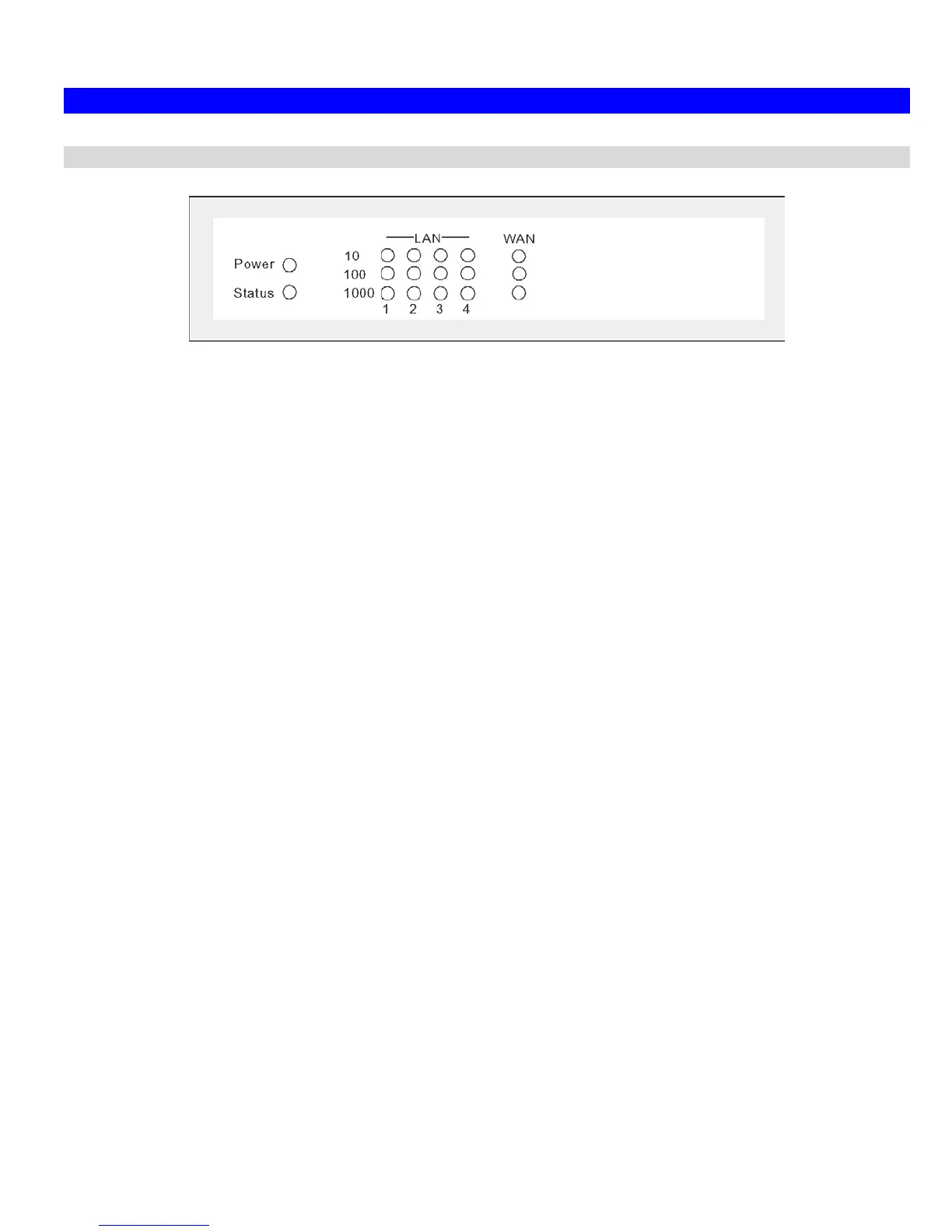
Front-mounted LEDs
Figure 2: Front Panel
Power On - Power on.
Off - No power.
Status (Red) On - Error condition.
Off - Normal operation.
Blinking - This LED blinks during start up.
LAN
For each port, there are 3 LEDs
• 10
• On - Corresponding LAN (hub) port is active.
• Off - No active connection on the corresponding LAN (hub) port.
• Flashing - Data is being transmitted or received via the corres-
ponding LAN (hub) port.
• 100
• On - Corresponding LAN (hub) port is using 100BaseT.
• Off - No active connection on the corresponding LAN (hub) port.
• Flashing - Data is being transmitted or received via the corres-
ponding LAN (hub) port.
• 1000
• On - Corresponding LAN (hub) port is using 1000BaseT.
• Off - No active connection on the corresponding LAN (hub) port.
• Flashing - Data is being transmitted or received via the corres-
ponding LAN (hub) port.
4














 To Next Page