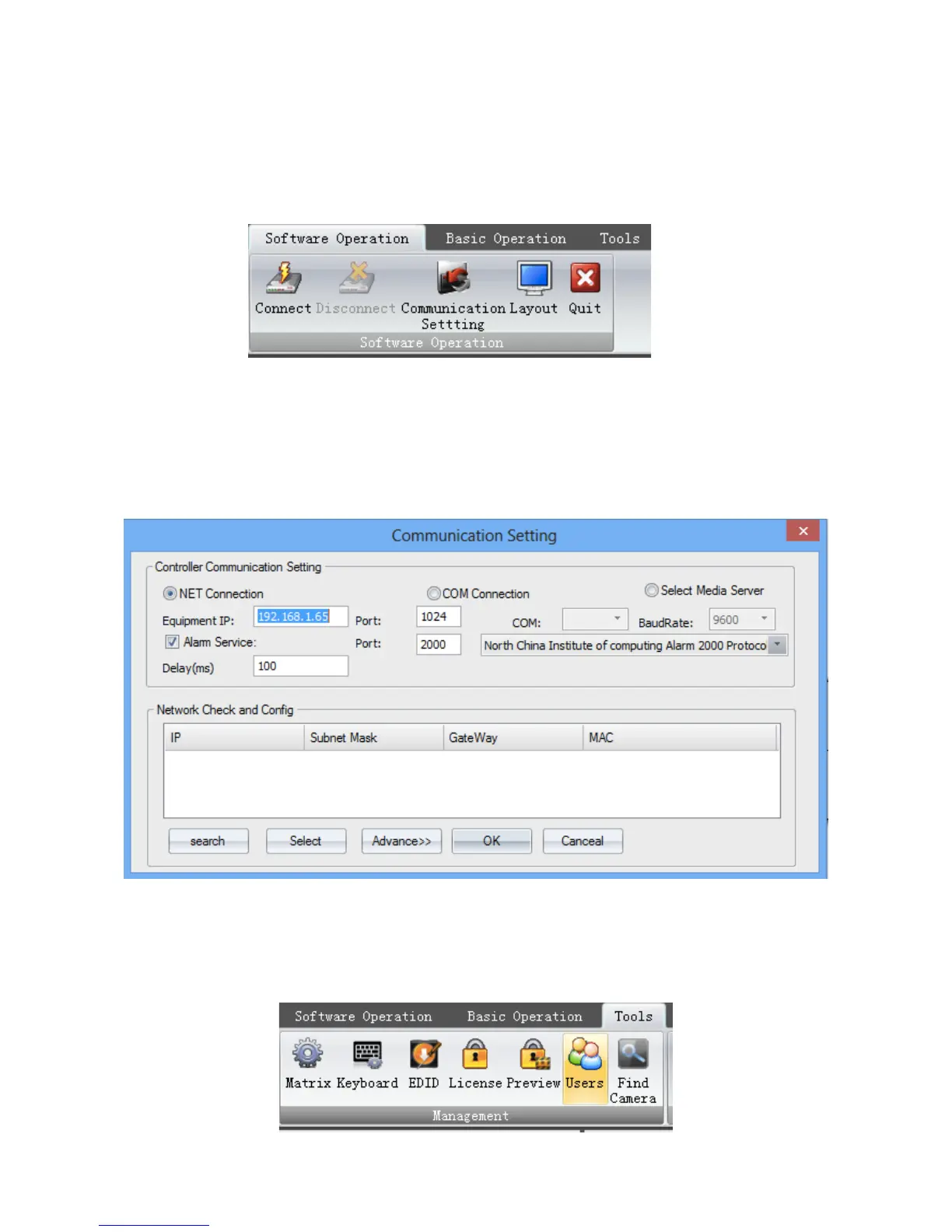
The controlling software menu consists of three modules which are the ‘Software
Operation’, ‘Basic Operation’, and ‘Tools’.
Firstly, clicking ‘Communication Setting’ on the ‘Software Operation’ .
The connection configuration window will pop up. If the ‘NET Connection’ has been chose,
the default IP address and port number of the processor are ‘192.168.1.65’ and ‘1024’. If the ‘COM
Connection’ has been chose, select the correct COM port, and make sure the baud rate is 9600.
Then clicking OK to save the settings.
After that, clicking ‘Connect’ to connect the processor.
(2) User Administration
Clicking ‘Users’ on the ‘Tools” menu


 To Next Page