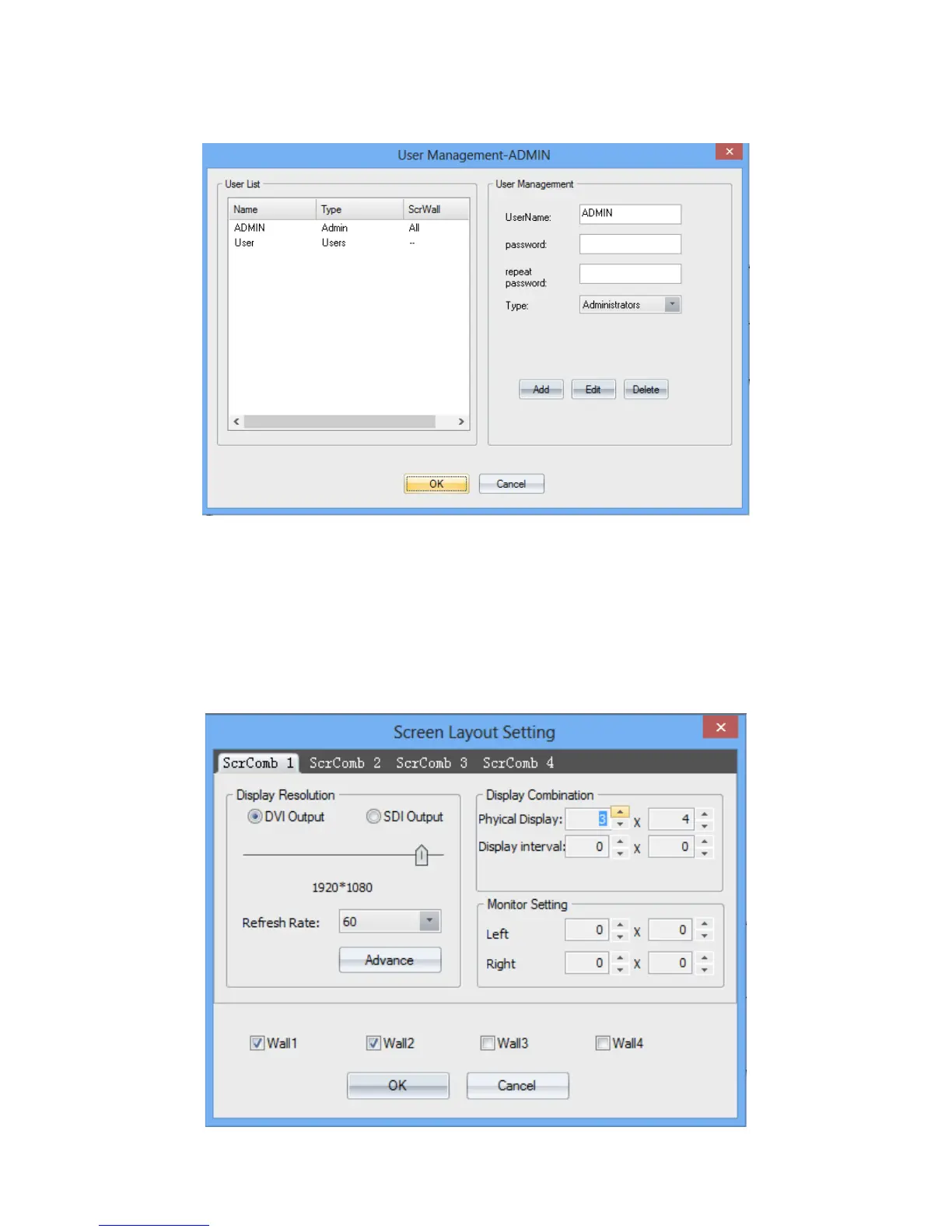
On the pop-up window, the username, password for users to log-in can be configurated. You can
also set the level of access by select one item on the ‘Type’ drop list.
(3) Video-wall settings
Clicking ‘Layout’ on the ‘Software Operation’ to set the video-wall. users can set the output
resolution, layout, and the gap between displays for up to 4 groups of video-wall.
For example, the figure below shows the setting of video-wall 1 which the output resolution is
1920*1080, layout is 2*3, and gap is 0.


 To Next Page