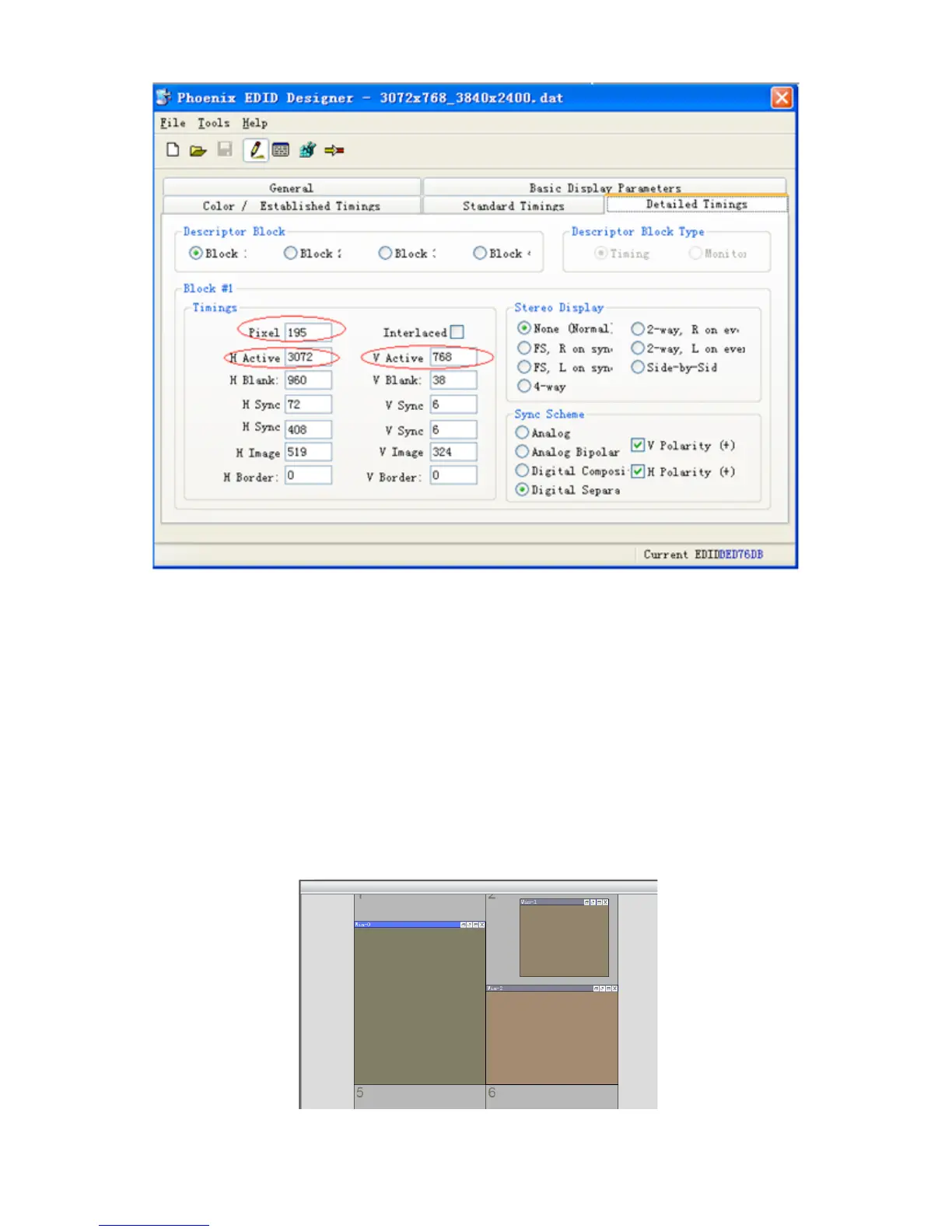
H Active: the horizontal pixels
V Active: the vertical pixels
Pixel: the refresh rate ( Recommended not to modify)
When finish configuration, don’t replace the previous file, save as an new file and save it one the
PC. Then right clicking the signal source and click ‘Update EDID’, choose the created file.
(6) Window Controlling
Select one signal source by clicking the icon, then customise a rectangular zone by mouse dragged
with its left button to select a region on the the grey area in UI corresponding to the video-wall,
after that a windows will be created for displaying on the video-wall. Windows can also be created
by click ‘New Open’ on the’Basic Operation’ menu. Users can customise the size and the position
of the windows anywhere within the video-wall
.


 To Next Page