Need help?
Do you have a question about the Trident 78 and is the answer not in the manual?
Detailed technical specifications for the Trident 78 console, including impedance, frequency response, distortion, and noise.
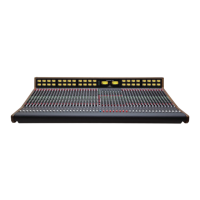
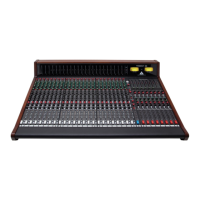
Physical dimensions of the Trident 78 console for various channel configurations.
How to assign input channels to group mix buses using the Channel Pan Control.
Assigning input channels to the main stereo Left/Right mix buses for multitrack or mixdown.
Explains the +48V phantom power function for balanced MIC inputs and condenser microphones.
Details how the input gain control adjusts signal gain for both microphone and line level inputs.
Describes polarity reversal for microphone and line inputs to alter sound quality or phase.
Details the high frequency shelving EQ response with selectable frequencies and level adjustment.
Describes the low-mid frequency EQ with adjustable frequency and level control for tonal shaping.
Explains the high-mid frequency EQ with adjustable frequency and level control for tonal shaping.
Details the low frequency shelving EQ response with selectable frequencies and level adjustment.
Covers the high-pass filter function and engaging the EQ via the EQ In switch.
Explains using the insert path for external processing before or after the EQ.
Explains controls for setting mix levels for auxiliary buses 1-4 and panning for 5-6.
Describes switches that determine if auxiliary sends are post or pre channel fader.
Covers stereo level adjustment for aux 5-6 and routing monitor input to these sends.
Explains controls for adjusting monitor signal level, panning, and muting.
Describes the channel solo function and selecting the source for the solo bus (After/Pre-Fader Listen).
Explains the LED indicators for signal level and clipping within the channel.
Covers routing the channel EQ to the monitor section.
Explains Group module use for audio subgroups, processing, and monitoring recorded tracks.
Details selecting monitor sources and using bargraph meters for signal monitoring.
Covers the solo function for group channels and the stereo Effects Return section.
Explains the function and use of the 12-segment bargraph meter for signal level display.
Describes the Aux Master Level control and the Aux (X) Switch for assigning signals to the meter.
Covers the group insert function and routing group signals to the solo system.
Explains the panning and level controls for the stereo Effects Return signal.
Covers adjusting monitor input levels and panning for auxiliary sends 3, 4, 5, and 6.
Describes switches that determine if monitor auxiliary sends are post or pre monitor level.
Explains controls for adjusting monitor input signal level and panning between Left/Right buses.
Describes selecting the signal source for the group monitor section and bargraph meter.
Covers routing monitor signals to the solo bus and muting the monitor input.
Details the 100mm stereo fader and the optional transformer for monitor outputs.
Explains the talkback system, including mic selection and routing to buses.
Describes the monitor system, source selection, mono compatibility, and alternate outputs.
Details the headphone jack and its independent volume control for monitoring.
Explains the L/R Monitor Transformer option and the L/R Insert path for external processing.
Describes the LED indication for solo status and the solo master level control for monitor adjustment.
Covers selecting stereo input sources like 3.5mm jack or 2-Track returns for monitoring.
Explains summing Left and Right signals for mono compatibility checks.
Explains adjusting monitor and headphone signal levels independently.
Describes muting the monitor output, reducing its level, and activating alternate outputs.
Covers talkback mic selection (internal/external) and routing to groups or auxes.
Explains momentary switches for routing talkback to group and auxiliary buses.
Shows the pinout for the main input connector, including mic, line, and channel inserts.
Details the pinout for the master connector, including group, monitor, and stereo EFX connections.
Provides information about the console's power supply unit and its specifications.
Lists the pin assignments for microphone, line, channel send/return, monitor, and direct outputs.
Details pin assignments for master section connections, including stereo EFX, group, and monitor signals.
Provides cautions regarding electrical shock and not removing the equipment cover.
Explains compliance with European Union directives for hazardous substances and waste equipment.
 General
| Brand | Trident |
|---|---|
| Model | 78 |
| Category | Music Mixer |
| Language | English |

 To Next Page