EasyManua.ls Logo

Trident TVGA8900CL - Autocad, Autoshade

Trident TVGA8900CL
68 pages
Print Icon
To Next Page IconTo Next Page
To Previous Page IconTo Previous Page
Loading...
AutoCAD,
Autoshade
4-3.1.1
AutoCAD
Release
9
and
10
(ADI
Driver)
1.
You
will
be
prompted
if
you
wish
to
install
drivers
for
both
AutoCAD
and
Autoshade,
orjust
AutoCAD.
If
you
choose
to
install
both
AutoCAD
and
Autoshade,
please
refer
to
section
3.1.1.1
after
completing
the
installation
procedures
in
section
3.1.1.
2.
Select
the
version
of
AutoCAD
you
have
installed
on
your
hard
drive.
When
you
select
a
version
of
AutoCAD,
the
program
will
prompt
you
for
the
directory
to
which
you
want
to
load
the
drivers.
C:\ACAD
is
the
default
directory.
Enter
the
directory
you
plan
to
use
if
it
is
different
from
the
default
directory.
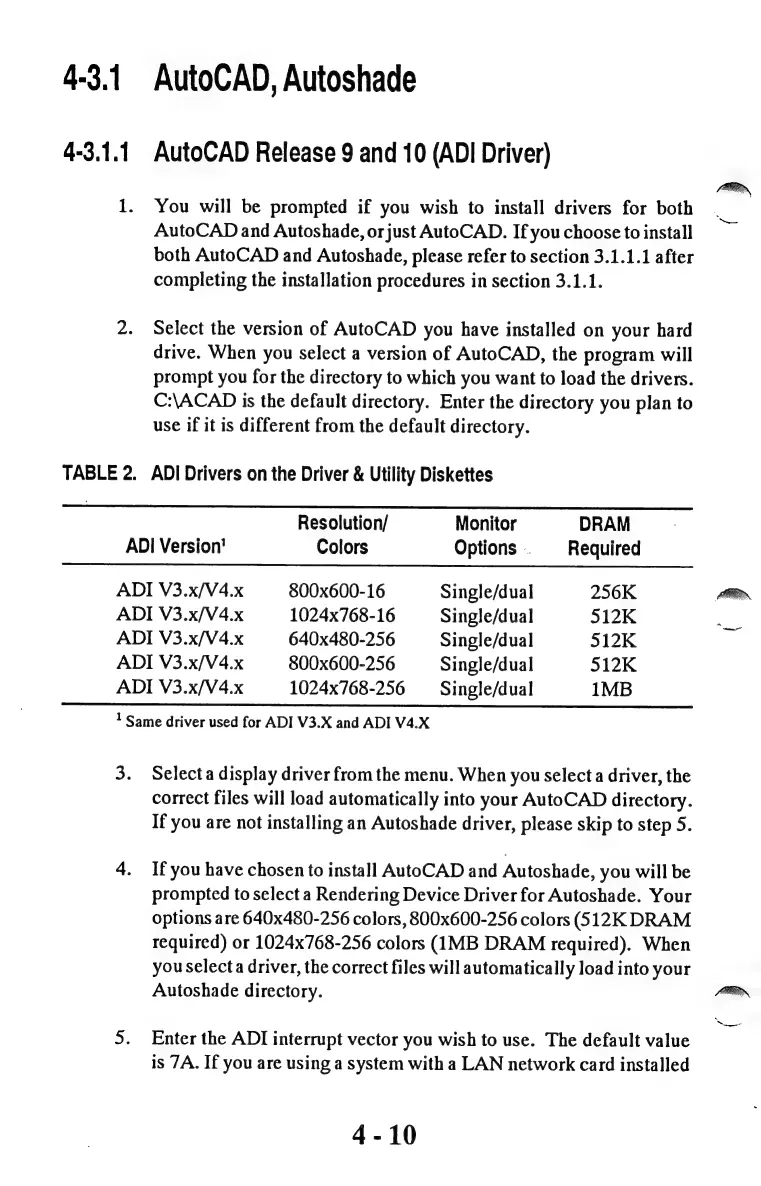
TABLE
2.
ADI
Drivers
on
the
Driver
&
Utility
Diskettes
Resolution/
Monitor
DRAM
ADI
Version’
Colors
Options
.
Required
ADI
V3.x/V4.x
800x600-16
Single/dual
256K
ADI
V3.x/V4.x
1024x768-16
Single/dual
512K
ADI
V3.x/V4.x
640x480-256
Single/dual
512K
ADI
V3.x/V4.x
800x600-256
Single/dual
512K
ADI
V3.x/V4.x
1024x768-256
Single/dual
1MB
!
Same
driver
used
for
ADI
V3.X
and
ADI
V4.X
Selecta
display
driver
from
the
menu.
When
you
select
a
driver,
the
correct
files
will
load
automatically
into
your
AutoCAD
directory.
If
you
are
not
installing
an
Autoshade
driver,
please
skip
to
step
5.
If
you
have
chosen
to
install
AutoCAD
and
Autoshade,
you
will
be
prompted
to
select
a
Rendering
Device
Driver
for
Autoshade.
Your
options
are
640x480-256
colors,
800x600-256
colors
(512K
DRAM
required)
or
1024x768-256
colors
(IMB
DRAM
required).
When
you
selecta
driver,
the
correct
files
will
automatically
load
into
your
Autoshade
directory.
Enter
the
ADI
interrupt
vector
you
wish
to
use.
The
default
value
is
7A.
If
you
are
using
a
system
with
a
LAN
network
card
installed
4-10