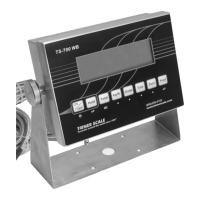
Calibrating a TS-700 Series Indicator
NOTICE: The TS-700 SS, MS & WB are NTEP
Class III Legal for Trade approved and
certified. Unlocking the calibration parameters
is not allowed by persons other than qualified
scale technicians.
ALL MODELS: Place the Indicator in Calibration
Mode and Determine if the Calibration
Parameters are Accessible:
1. Power on the indicator.
2. Press the PRINT and HOLD keys. “C” will
display. Release the keys.
3. If the calibration parameters are accessible,
“C01” will display, with the 1 flashing.
Proceed to page A-3, “CALIBRATION
PROCEDURE”.
4. If “C08” displays, disconnect the AC adapter
and adjust the calibration switch as follows:
DEFAULT SETTINGS CAUTION
Placing the indicator in calibration mode enables
access to the Default Settings Parameter, CO7.
NEVER activate Parameter C07 unless you are a
qualified scale technician, and:
A) You understand that all custom settings will be
deleted permanently, and
B) You understand how to restore all custom
parameters to the required settings based on the
scale’s specifications and usage.


 To Next Page
 Loading...
