15
D01-068en201913 Manual TpH
TpH // Malfunction and Maintenance
Use
Use
Calibration
Calibration
Malfunction &
Maintenance
Malfunction &
Maintenance
Commissioning
Commissioning
Introduction
Introduction
General
Information
General
Information
FAQ
FAQ Technical Data
Technical Data
Warranty
Warranty
Customer
Service
Customer
Service
Contact
Contact
Keyword Index
Keyword Index
Accessories
Accessories
6.3 Returns
Please observe the following instructions when returning items.
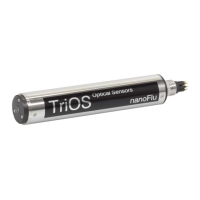
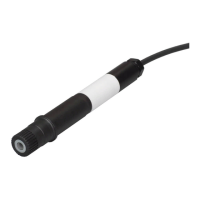
If returning a sensor, please contact customer service rst. To ensure a smooth return and to avoid incorrect deliveries, each
return package must rst be reported to the customer service. You will then receive a numbered RMA form, which you need
to ll out completely, check and send back to us. Please attach the form with the number so it is clearly visible on the outside
of the return package or write it in large numbers on the packaging. This is the only way your return package can be correctly
allocated and accepted.
Please make sure that the sensor is cleaned and disinfected before shipping. In order to ship the goods undamaged, use the
original packaging. If this is not on hand, make sure that safe transport is guaranteed and the sensor is safely packed using
enough packing material.
Caution! Return shipments without an RMA number can not be accepted and processed!
6.2.2 Replacing the sensor at TriBox3
1. If you need to replace your sensor, set the controller to Maintenance mode: “Options” „Service mode”
2. Remove the sensor from the FlowCell / tube system. At this point you should also check whether the O-rings are
still perfect. Replace the O-rings if necessary.
3. Commissioning the new sensor:
Connect the new sensor to the TriBox3. Press “Sensor Scan”. After a short time, the TriBox3 should have recog-
nized the new sensor.
Display:
“Display” select the display click on the window(s) for TpH “Current value” select the value to be dis-
played.
Automatic measurements:
In the „Sensor“ menu, click on the TpH sensor (blue button).
Select “Automatic measurement” “Automatic measurement” or “Burst mode” (as required).
For setting the automatic measurements (if not burst mode), select „Options“ „Automatic measurements“
„Raster“ Set the selection of the measuring interval as required.
Set Modbus Address:
“Sensor” menu click on the TpH sensor button “Modbus server settings” “Slave address” change the
address.
Set Analog output:
“Options” “Analog outputs” select the previous analog output where the old sensor was set “Measure-
ment value used” select the new sensor from the drop down list set scaling information.
Post-processing:
If you want to keep previous post-processing settings, you can set them with “Sensor” “pH” here you can
congure the sensor settings as required.
If you need to replace the sensor, the controller settings for the new sensor need to be congured
again.
NOTICE


 To Next Page