CCTV TESTER User Manual
9
IP camera type: Click on the IP Camera type to select the manufacturer and model number of the connected IP camera.
Manual: Click IP camera type, list Honeywell, Kodak, Tiandy, Aipu-waton, ACTi, WoshiDA IP camera etc. If the brand has official
original protocols, pls select camera type, input IP camera address, username and password, click “official” to enter the camera image
display interface.
Stream code: When testing the camera via RTSP, you can select mainstream or sub stream to test (if camera’s RTSP has not been started,
it will prompt “auto match” fail, please switch to manual selection.
IP Camera's IP: Enter the IP camera’s IP address manually or click “Search” to auto-scan for the camera’s IP address. It is better to
directly connect the IP camera to the tester so the search results will only display the camera’s IP address.
IPC Port: When you select the IP camera type, it will default the camera’s port number and does not need to be changed.
After all settings are completed, click “Enter” to view the live video .
5. Analog camera test
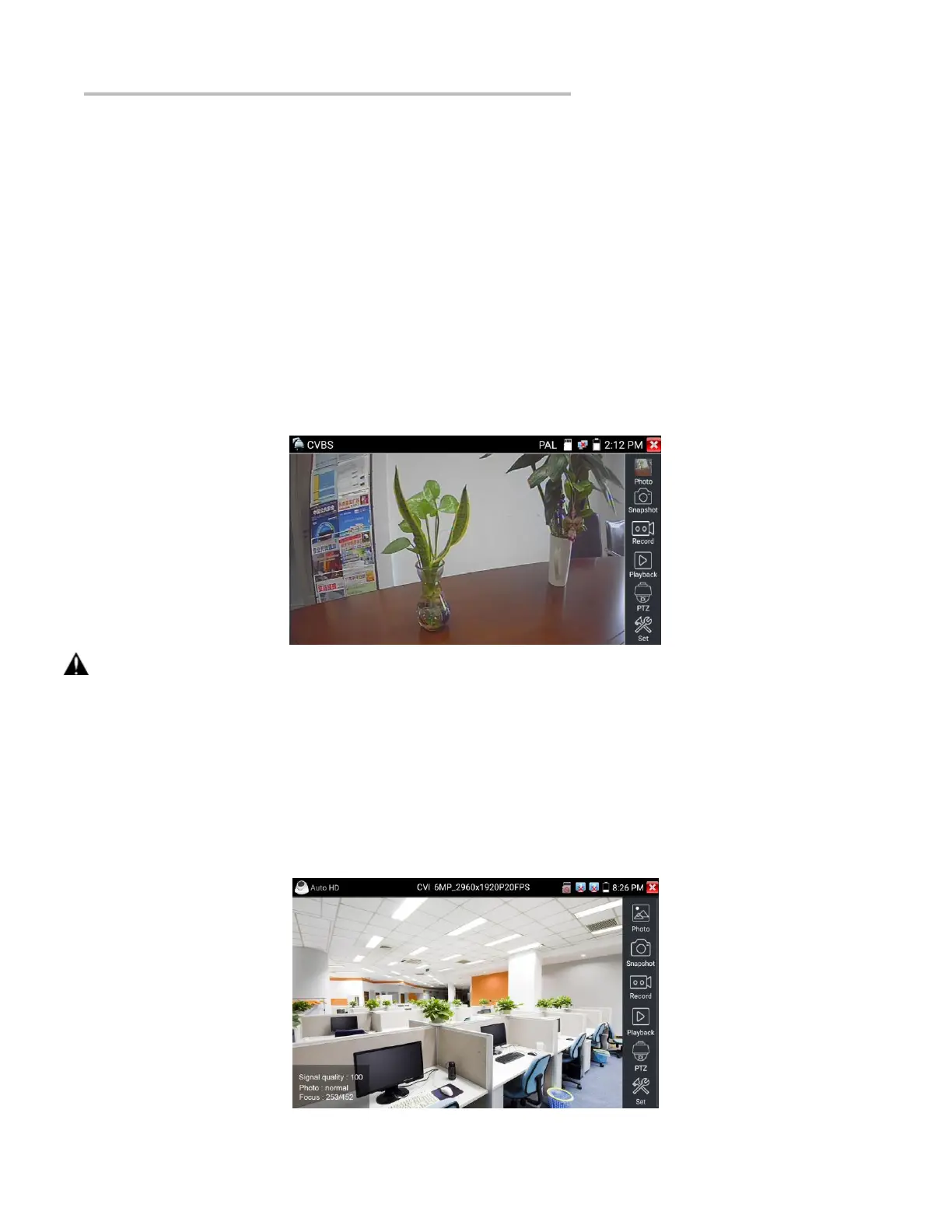
5.1 CVBS
Analog camera test and PTZ control.
Check and set the protocols, address, interface and baud, all must be consistent with the dome camera for the tester to work. After setting
the parameter, the tester can control the PTZ and lens.
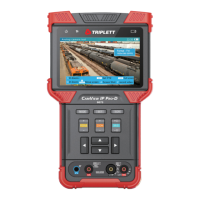
5.2 Auto HD
Automatically recognize type and resolution of TVI/CVI/AHD camera and display an image.
Support coaxial PTZ and call OSD menu. Support CVBS and 8MP TVI/CVI/
AHD cameras. Select relative function on the right toolbar to operate, functions including “Photos”, “Snapshot”, “Record”, “Playback”,
“PTZ”, “Set”.
Double tap on the screen to display in full screen.


 To Next Page