3. Operation
3.1 Installing the Battery
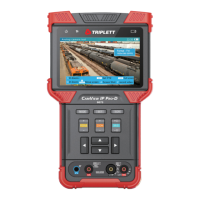
The tester has a built-in lithium ion rechargeable battery. The battery should be disconnected for safety during transportation!
Prior to the use of the instrument, please remove the battery insulation paper. Pressing the key to power on /off the tester.
Notice: Please use the original adaptor and connected cable of the device!
When the battery icon is full or the charge indicator turns off, battery charging is completed.
Notice: When the Charge Indicator turns off, the battery is approximately 90% charged. Charging time can be extended for about
1 hour and the charging time under 12 hours will not damage the battery.
Notice: Press the key several seconds to restore the default settings when the instrument works abnormally.
Notice: While Charging, someone must be present.
4. IP camera test
4.1 Power output
Camera can be powered from the DC 12V/3A output or by Power over Ethernet.


 To Next Page