CCTV TESTER User Manual
5
Local IP: Tester’s IP address, Tester can auto-modify the tester’s IP to the same network segment with the scanned camera's IP.
Discovery IP: Connected tester equipment’s IP address. If the camera is connected to the tester directly, the tester will display the camera’s
IP address, if the tester connects to Local Area Network, it displays the current IP address.
Start: PING function, click "Start", can PING camera’s IP.
ONVIF: Rapid ONVIF Quick link.
IPC TEST: IPC TEST Quick link, Non-OnVIF IP camera test.
4.4 Rapid ONVIF test
Rapid ONVIF can display 4K H.265/H.264 camera image by tester’s mainstream.
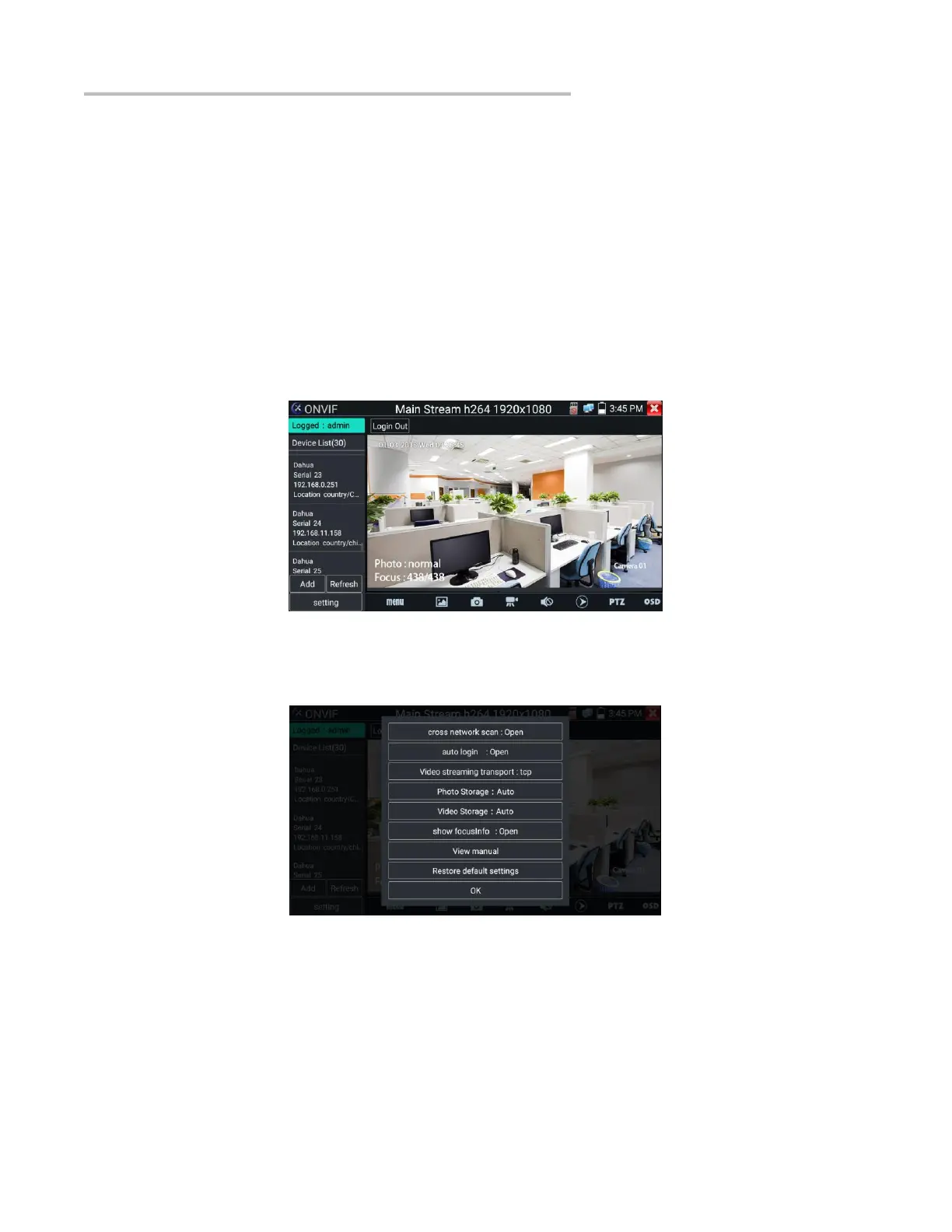
The meter auto-scans all ONVIF cameras in different network segments. It lists cameras’ name and IP address on the left of screen. Tester
can auto login camera and display camera image. Factory default uses admin password to auto login, if you modified the password, then
default uses the modified password to login.
Click the button “Refresh”, the tester will scan the ONVIF camera again. Click the newly displayed ONVIF camera on the “Device List”.
The tester will show the IP camera’s relative information and settings.
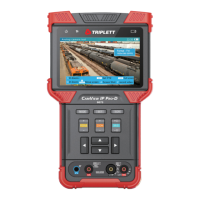
Pop-up settings menu when you click the “setting” icon in the upper left corner.
Across network segments scan: After opening this function, Rapid ONVIF function can scan across network segments to scan camera’s
IP.
Auto Login: After opening this function, the tester can auto login camera and display camera image (The login default password is
"admin")
Video transmission protocol: UTP and TCP protocol.
Show focus Info: Focus Information.
View manual: Opens the Manual.
Restore Defaults: Restore “Rapid ONVIF” to default settings.


 To Next Page