CCTV TESTER User Manual
6
Confirm: Save the modified parameters.
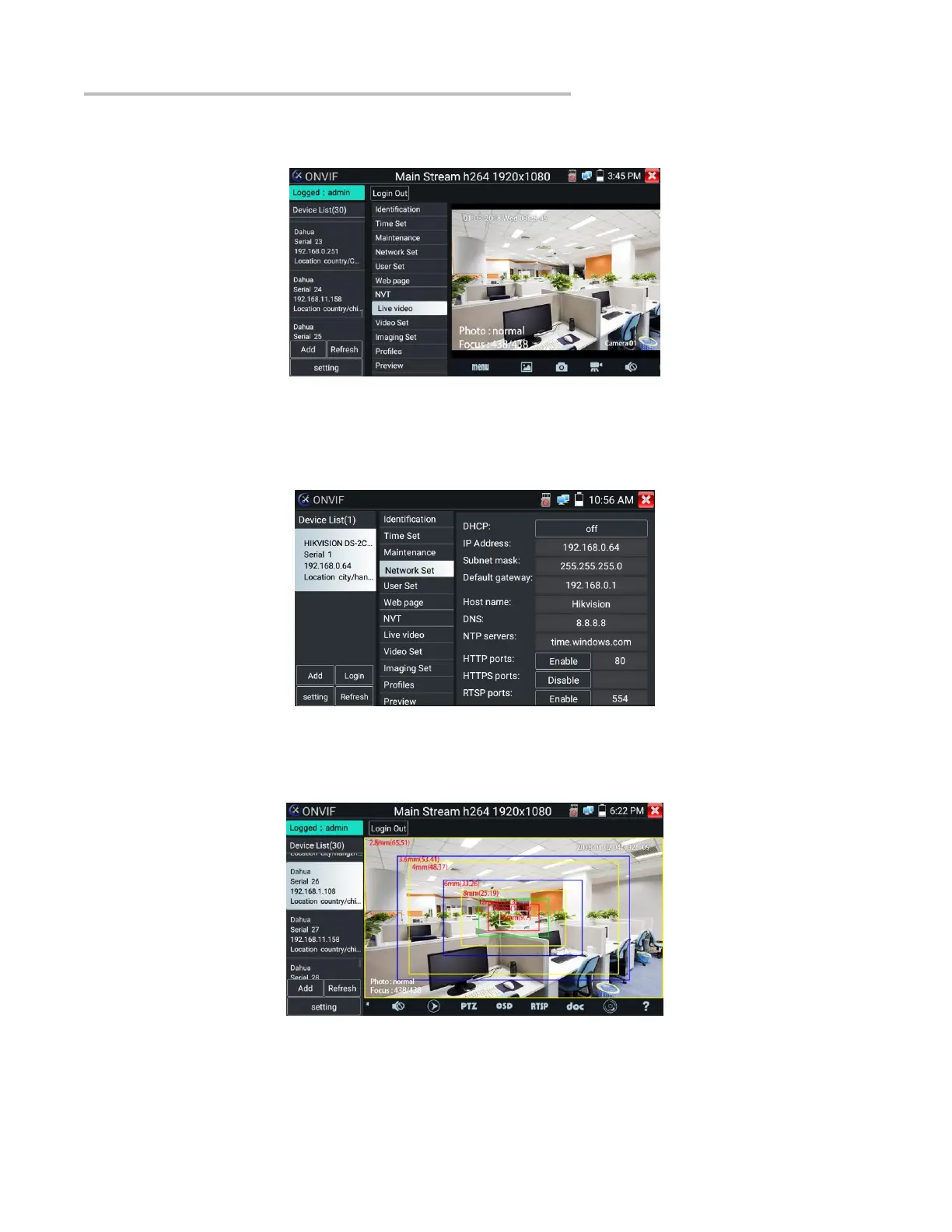
Click “MENU” icon to open camera setting.
While in the “Live video” menu, click “Video Menu” at the top right of the image to access the following tools: Snapshot, Record, Photo,
Playback, Lens simulation, PTZ and Settings.
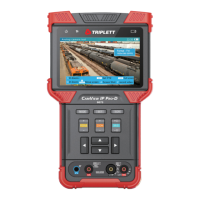
Network setting: Click “Network Set” to change the IP address. Some cameras cannot support change IP address, so there is no change
after saving.
When using the network video input, the tester supports resolutions up to 1080p, the input image remains clear after it is enlarged. This is
helpful to installers to ensure the IP camera’s video coverage and determine the IP camera’s install site.
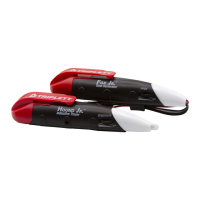
Lens simulation: Simulate different lenses’ display area. Supported lens: “2.8/3.6/4/6/8/12/16/25mm", for choosing the suitable camera
lens.
OSD Menu: Select OSD and popup the OSD menu. include time, channel name and other optional items.


 To Next Page