VIII. Tone Mode
8.1 Tone Mode Display
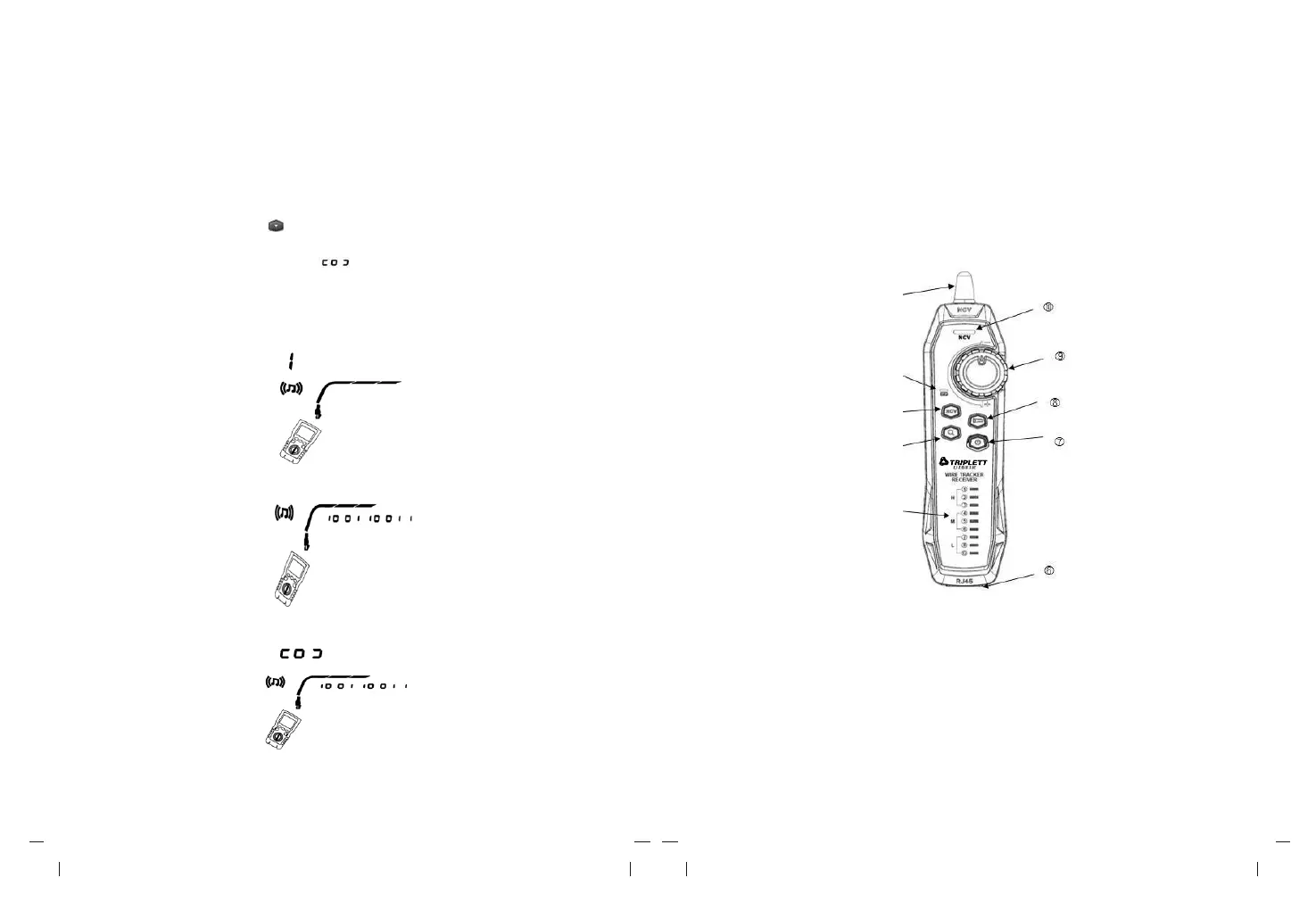
(1) Turn on the tester, then set the knob to “SCAN”. In tone mode, the default display is
shown in Figure 8.1.a.
(2) In tone mode, short press “ ” to enable or disable the hub blink function, as
shown in Figure 8.1.b.
(3)
If switch under working is connected, “ ” flashes as the switch port flashes, as
shown in Figure 8.1.c.
The tester can send 125KHZ digital modulation signal (10VPP), and support LVPRO10
receiver to achieve tone function (For the use of LVPRO10 RECEVER PROBE
receiver, please refer to “8.2 LVPRO10 RECEVER PROBE
a: Tone mode (Default)
b: Hub blink function enabled
c: Hub blink function enabled (Connected with switch)
Figure 8.1 Tone mode display
8.2 LVPRO10 Receiver
8.2.1 Features
With the support of LVPRO10 tester, The receiver can achieve multiple functions such as
locating and isolating cables by adjusting sensitivity, twisted-pair cable tracking, coaxial
cable tracking, etc.
1. Antenna
2. Charging status indicator light
3. NCV button
4. Wire tracking button
5. Wire map indicator light
6. RJ45 jack
7. Power button
8. Flashlight button
9. Sensitivity knob
10.NCV indicator light



 To Next Page