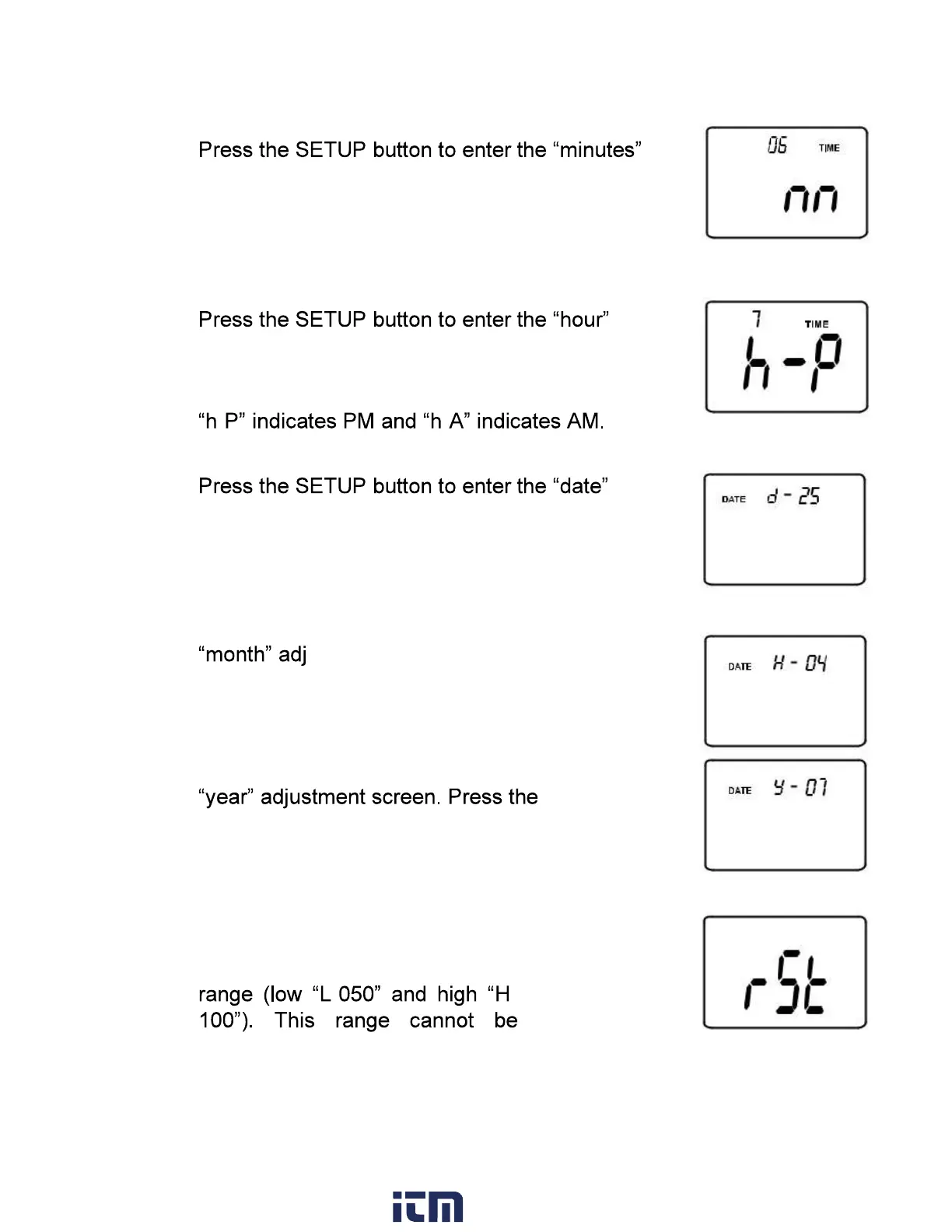
3.
adjustment
screen. Press the LEVEL button
to adjust the minutes to the
current time.
4.
adjustment screen.
Press the LEVEL button to adjust the hour to the
current time.
- -
5.
adjustment screen.
Press the LEVEL button to adjust the date to the
current day.
1. Press the SETUP button to enter the
ustment screen. Press the
LEVEL button to adjust the display to
the current month.
2. Press the SETUP button to enter the
LEVEL button to adjust the display to
the current year.
3. Press the SETUP button two
more times to view the default
- -
adjusted.
w ww. . com
information@itm.com1.800.561.8187


 To Next Page