15
ARGO USER MANUAL
The terminal provides voice feedback via an integrated output jack, enabling sight-impaired users to plug in
a set of headphones and receive spoken instructions to assist them in using the ATM.
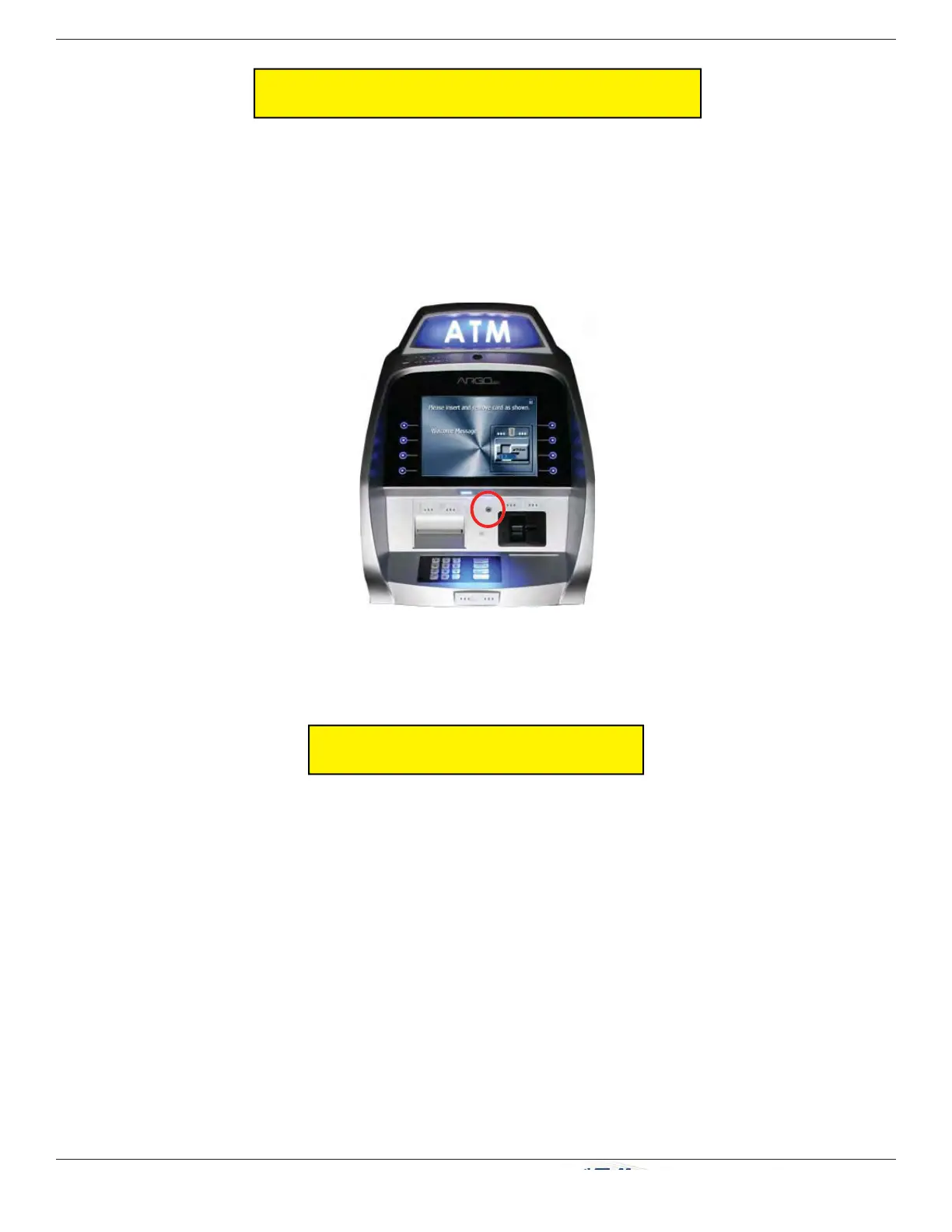
A raised symbol helps a user locate the headphone jack. The ATM will automatically detect when a headphone
has been plugged into the jack, and will immediately switch into voice mode. Initially, a brief spoken tutorial
will orientate the customer to the ATM control panel interface. Once the customer begins a transaction, spoken
prompts will provide feedback and guide the customer through the successful accomplishment of the transaction.
The seven inch screen terminals provide for E-Receipt technology. The customer is offered the choice of (a)
the standard printed receipt, (b) having the receipt sent to his phone as a text message, or (c) sent to an E-mail
account.
The E-mail information is not retained by the ATM or Triton, and will not be used for any marketing purposes.
The account is not shown on the screen, only the * fi gures as the account is entered.
NOTE:
Ź A seven inch screen without a printer MUST use E-Receipt or no receipt.
Ź A seven inch screen with printer can be confi gured to allow E-Receipt choice. (From the Main Menu: 6
Terminal Confi guration > 0 More Options > 6 Electronic Receipts)
Ź The 12 inch screen model does not allow for E-Receipt operation.
Headphone jack location.
(Typical)
VOICE-ENABLED TRANSACTION
E-RECEIPT TECHNOLOGY


 To Next Page