48
ARGO USER MANUAL
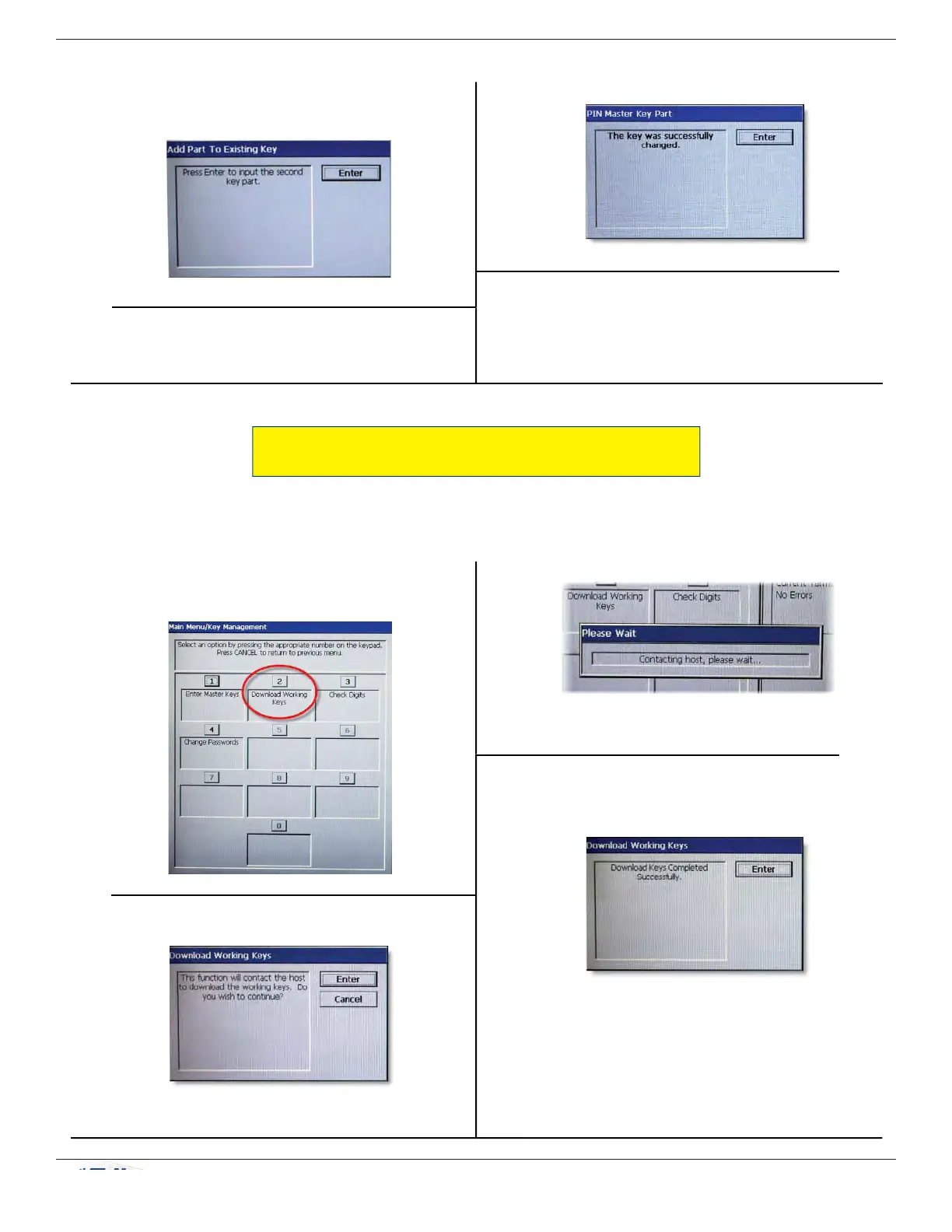
The terminal proceeds to contact the host.
3. Press ENTER once the download is complete.
12. Press ENTER when prompted to add part to
existing key.
13. Repeat steps 9-12 for part B of the Master Key.
14. Press ENTER when successful.
15. Press CANCEL and proceed to Download
Working Keys.
DOWNLOAD WORKING KEYS
(Resolves error code 188.)
1. On the Key Management menu, press 2
(Download Working Keys).
2. Press ENTER to continue.



 To Next Page