33
ARGO USER MANUAL
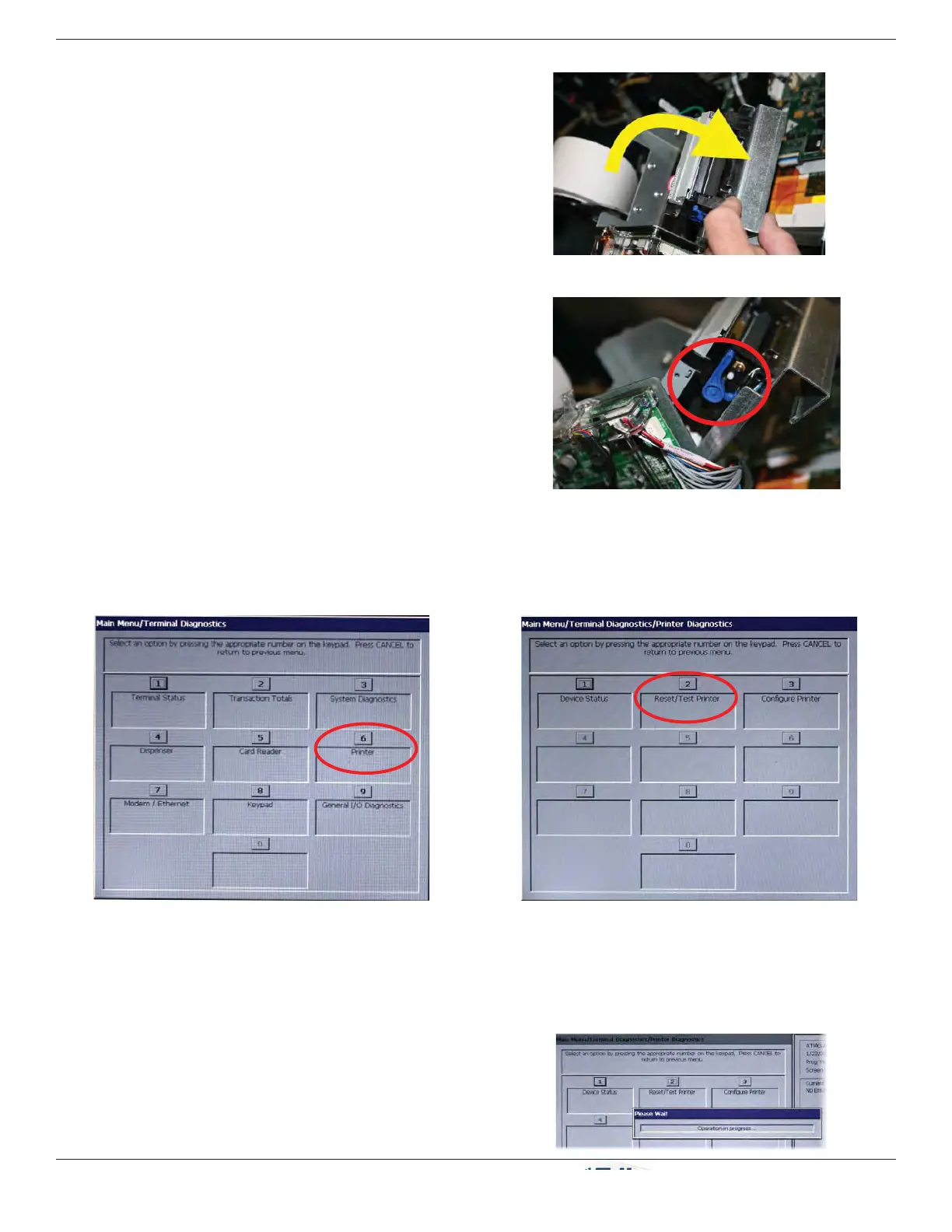
10. Rotate the printer towards the front of the unit.
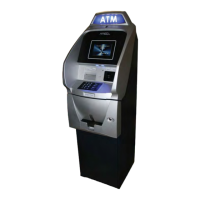
11. Check the blue lever to ensure it’s in the correct
position as shown. If it is not in the position shown,
move the lever to the correct position. (Lever moves
to three positions.) Close the printer assembly and
perform step 8 again. Ensure the printer is secured
by the release pin.
12. Close and lock the control panel. Go to M
ANAGEMENT FUNCTIONS: MAIN MENU > DIAGNOSTICS > PRINTER
and perform a RESET/TEST PRINTER.
Select Printer on Diagnostics Menu. Select Reset/Test Printer on Printer
Diagnostics Menu.
The Reset/Test Printer function re-initializes and then
performs an operational test of the printer. A pattern
of characters is printed on the receipt.
Rotate printer open.
Blue tension lever (correct position).


 To Next Page