EasyManua.ls Logo

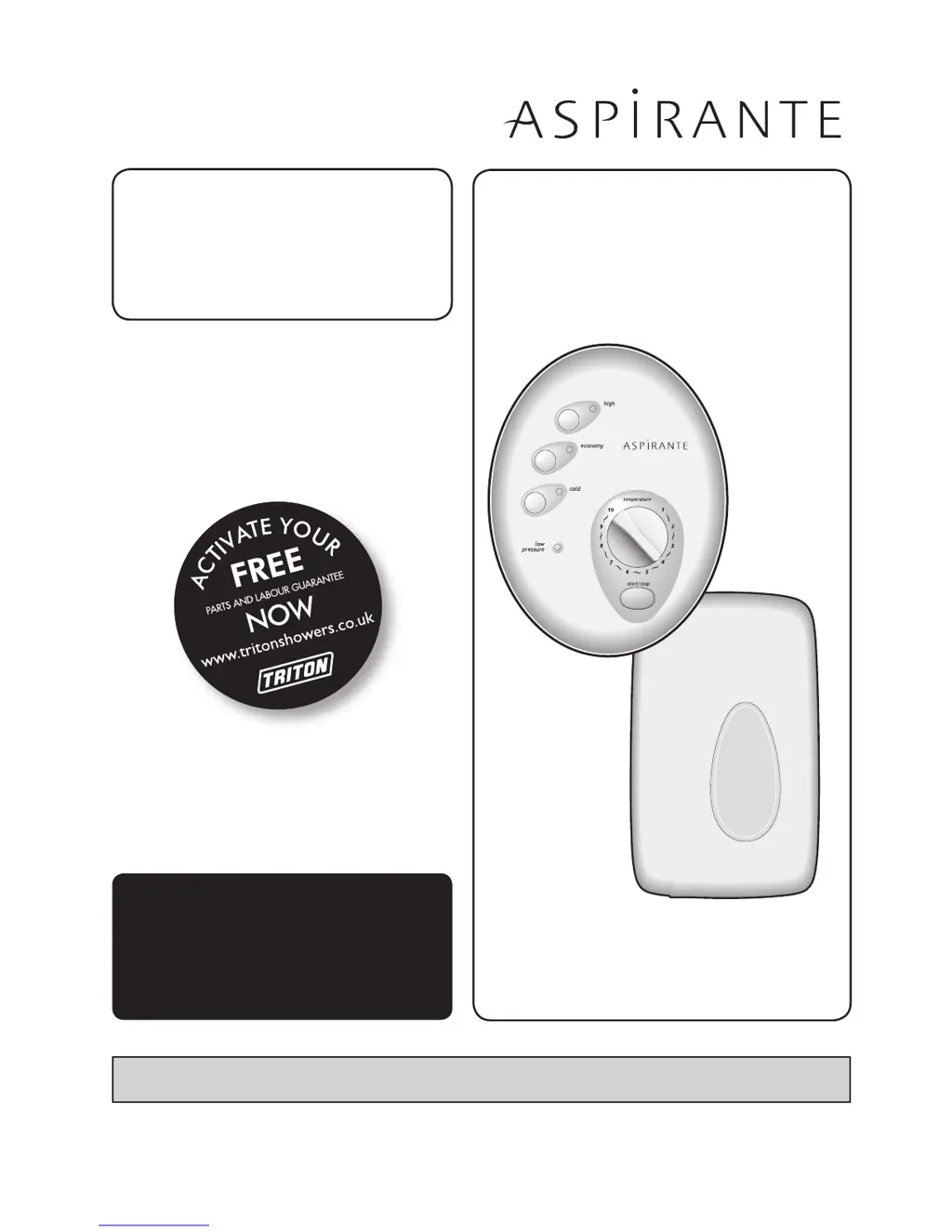
Triton ASPIRANTE - User Manual

Triton ASPIRANTE
32 pages
Print Icon
To Next Page IconTo Next Page
Loading...
2180300L - January 2014
Installation and
operating
instructions
Aspirante
remote
shower
Installers please note these InstructIons are to be left wIth the user

Questions and Answers

  • M
    maria95Jul 27, 2025
    Why is my Triton ASPIRANTE shower inoperable with no water flow?
    • B
      brandy05Jul 27, 2025
      Several factors can cause this issue. It could be due to an interrupted power supply, such as a blown fuse or tripped circuit breaker. Check and renew or reset the fuse or circuit breaker. If the issue persists, consult a qualified electrician. Alternatively, there might be a unit malfunction or a thermal cut-out that has operated. In these cases, have the unit checked by a qualified service engineer or contact Customer Service. Also, verify if there's a power cut by checking other appliances.
  • E
    Edward ThomasAug 1, 2025
    What to do if the water from my Triton ASPIRANTE shower is too hot?
    • J
      Jaclyn TateAug 1, 2025
      If the water is too hot, the flow rate might be too low. Try increasing the flow rate using the temperature control. A blocked showerhead or a blockage in the water supply can also cause this. Clean or replace the blocked sprayplate in the showerhead and check that the stop valves are fully open and that the inlet filter is clear. An increase in ambient water temperature may also be the reason, so readjust the flow rate to increase it. You can also select ‘economy’ power setting.
  • W
    William StoneAug 7, 2025
    Why is the low pressure LED flashing on my Triton ASPIRANTE Plumbing Product?
    • R
      richardsonwendyAug 7, 2025
      The flashing LED indicates a low-pressure condition, meaning there is insufficient water flow. Check that the filter is not blocked and that the water supply to the shower is adequate.
  • S
    Sandra MccoyAug 13, 2025
    What to do if the water from my Triton ASPIRANTE shower is too cool or cold?
    • A
      Anthony GarciaAug 13, 2025
      If the water is too cool, it could be due to several reasons. Too much flow can cause this, so reduce the flow rate via the temperature control. Check if the water pressure is below the minimum required, and determine if the water supply is mains or tank fed. A reduction in ambient water temperature could also be the reason, so readjust the flow rate to reduce the flow. Also, select ‘high’ power. If there is an electrical malfunction or the safety cut-out has operated, have the unit checked by a qualified electrician or engineer, or contact Customer Service.
  • H
    Heather ChandlerAug 19, 2025
    What to do if the pressure relief device has operated on my Triton ASPIRANTE Plumbing Product (water ejected from PRD tube)?
    • M
      michael15Aug 19, 2025
      This issue could arise from a blocked showerhead or a twisted/blocked flexible shower hose. Clean the sprayplate and fit a new PRD. Check the hose for free passage; replace it if necessary, and then fit a new PRD. Also fit a new PRD and commission unit with showerhead removed.

Summary

Aspirante Remote Electric Shower Installation Guide

Important Safety Information

General, Plumbing, and Electrical Safety

Covers critical safety precautions for installation and operation across different aspects.

Introduction, Specifications, and User Advice

Product Introduction and Specifications

Overview of the shower, its technical specifications, and user guidance.

Electromagnetic Compatibility Advice

Information on potential interference and user advice related to EMC.

Main Components Overview

Remote Pack and Control Panel Components

Diagrams and lists of the main parts of the remote pack and control panel.

Package Contents

List of items included in the shower kit.

Electrical Requirements and Protection

Power Supply, Rating, and Circuit Protection

Guidelines for connecting power, checking ratings, and circuit protection.

Electrical Installation and Cable Sizing

Wiring, Isolating Switch, and Cable Sizing

Advice on wiring, switches, and selecting appropriate cable sizes.

Water Requirements and System Setup

Pressure, Flow Rates, and Supply Options

Details required water pressure, flow, and supply sources.

Shower Siting and Installation Safety

Location, Showerhead Placement, and PRD

Guidelines for shower placement, regulations, and the pressure relief device.

Routing Cables and Water Pipe

Cable Routing, Wall Entry, and Securing

Instructions for routing cables through walls and securing them.

Fitting the Remote Pack Unit

Mounting Location and Component Access

Choosing a suitable location and preparing the unit for fitting.

Securing the Remote Pack Backplate

Backplate Mounting and Entry Point Modifications

How to mount the backplate and modify entry points.

Plumbing Connection Procedures

Plumbing Safety Warnings and Water Supply Connection

Safety guidelines and steps for connecting the mains water supply.

Connecting the Heated Water Pipe

Heated Water Pipe Fitting and Outlet Connection

Instructions for connecting the heated water pipe to the unit.

PRD Tube and Pipework Routing

PRD Tube to Waste and Pipework Support

Connecting the PRD tube to waste and ensuring pipework support.

Fitting the Bulkhead Assembly

Connecting and Fitting the Bulkhead

Connecting the pipe to the bulkhead and preparing for wall fitting.

Securing the Bulkhead

Drilling, Sealing, and Cover Clipping

Final steps for securing the bulkhead and fitting the cover.

Electrical Connection Guide

Wiring Diagram, Entry Points, and Terminal Block

Explains wiring, entry points, and connecting to the terminal block.

Supply Cable Securing and Regulations

Guidelines for securing the power cable according to regulations.

Fitting the Control Panel Bracket

Bracket Installation and Control Cable Connection

How to install the bracket and connect the control cable.

Fitting Control Panel and Remote Pack Cover

Securing Control Panel and Replacing Cover

Final steps for fitting the control panel and remote pack cover.

Shower Commissioning Process

Initial Flushing, Purge, and Start-up

Steps for commissioning, flushing, and the start-up routine.

Purge Pin Procedure and Final Checks

Purge Pin Handling and Cover Replacement

Instructions for the purge pin and replacing the cover.

Operating the Shower

Starting, Stopping, and Using Controls

How to operate the shower, start, stop, and use the control buttons.

Adjusting Temperature and Settings

Temperature Control and Adjustment Methods

Detailed guide on adjusting water temperature and settings.

Operating Functions Overview

Indicators, Shutdown, and Overheat Protection

Explanation of indicators, phased shutdown, and overheat cut-out.

Cleaning and Safety Features

Cleaning the Unit and Safety Cut-out

How to clean the shower and information on the safety cut-out.

Cleaning the Inlet Filter

Filter Access and Cleaning Procedure

Steps for accessing and cleaning the inlet filter.

Spare Parts List (Remote Pack)

Remote Pack Component Parts

Part numbers and descriptions for remote pack components.

Spare Parts List (Control Panel)

Control Panel and Fittings Parts

Part numbers and descriptions for control panel assembly and fittings.

Fault Finding Troubleshooting

No Water Flow and Overheating Issues

Troubleshooting steps for common issues like no flow or water too hot.

Temperature Cycling and Cool Water Problems

Diagnosing and resolving intermittent temperature changes and cool water.

Advanced Fault Finding

Indicator Lights, Low Pressure, and PRD Issues

Troubleshooting based on indicator lights, low pressure, and PRD operation.

Service Policy and Guarantee Information

UK Service Policy and Guarantee Terms

Steps for service calls and details of the product guarantee.

Triton ASPIRANTE Specifications

General IconGeneral
TypeElectric Shower
Start/Stop ButtonYes
Installation TypeWall mounted
MaterialPlastic
Warranty2 years
Outlet Type1/2 inch BSP

Related product manuals