EasyManua.ls Logo

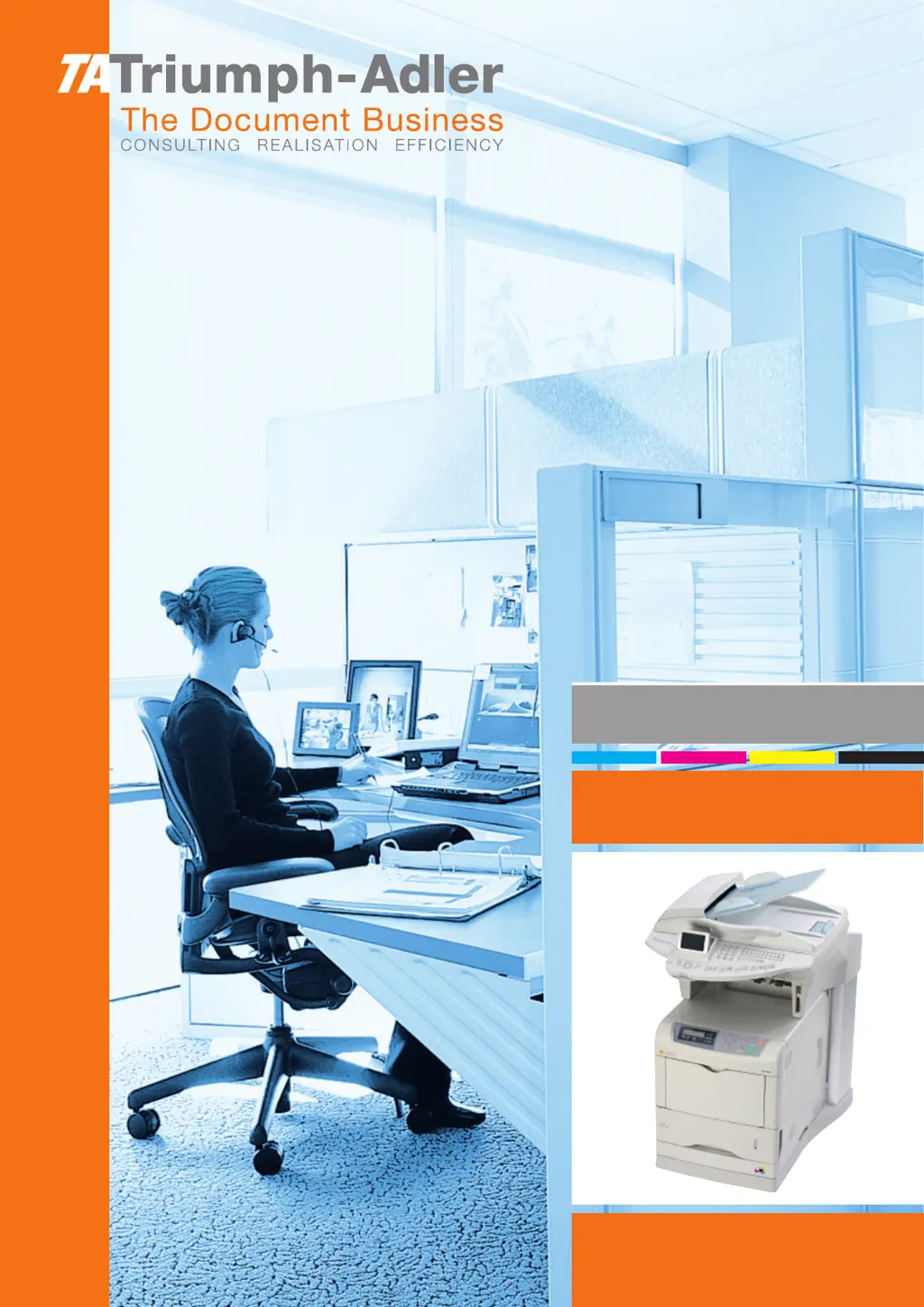
Triumph Adler CLP 4416 - User Manual

Triumph Adler CLP 4416
166 pages
Print Icon
To Next Page IconTo Next Page
Loading...
Instruction Handbook
CLP 4416 | 4524 MFP
Digital Multifunctional
System

Table of Contents

Questions and Answers

  • E
    Elizabeth HolmesSep 23, 2025
    What does 'Memory overflow Press GO' mean on Triumph Adler Printer?
    • B
      brucedanielleSep 23, 2025
      If your Triumph Adler Printer displays 'Memory overflow Press GO', it means the total amount of data received exceeds the printer’s internal memory. Try adding more memory to the printer.
  • P
    Patrick AndrewsAug 23, 2025
    How to fix faint or blurred printing on Triumph Adler CLP 4416?
    • A
      Amy KelleyAug 25, 2025
      If you're experiencing faint or blurred printing with your Triumph Adler Printer, consider these steps: 1. Clean the main charger units by opening the left cover and gently pulling the green wire cleaner knob in and out a few times for each unit. 2. Clean the advanced beam array lenses by opening the left cover and gently pulling the green lens cleaner knob in and out twice. 3. Ensure that the paper type setting matches the paper you are using. 4. Perform a color calibration by either turning the printer off and on, or by using the printer's operator panel. 5. Try adjusting the color control settings in the printer driver. 6. Check the operator panel for toner levels. If you see a 'Toner low (C/M/Y/K)' message along with a color, replace the toner kit for that color.
  • Z
    Zoe ColeAug 25, 2025
    What to do if Triumph Adler CLP 4416 won't turn on?
    • M
      Matthew BrownAug 26, 2025
      If nothing lights up on the operator panel of your Triumph Adler Printer, and the fan isn't running, try these steps: First, turn off the printer, unplug the power cord, plug it back in securely, and then try turning the printer back on. Also, make sure the power switch is in the On position.
  • J
    Jose MclaughlinAug 26, 2025
    Why does my Triumph Adler Printer say 'Add paper MPTray'?
    • J
      joshuacopelandAug 27, 2025
      If your Triumph Adler Printer displays 'Add paper MPTray', it means the paper has run out in the indicated paper source. Simply add paper to the paper source displayed which could be the paper cassettes, MP tray, optional paper feeders, or optional envelope feeder.
  • N
    Nathan McfarlandAug 27, 2025
    How to resolve grey background issue on Triumph Adler CLP 4416 Printer?
    • D
      daltonchelseaAug 28, 2025
      If your Triumph Adler Printer is producing a grey background, try the following: * Clean the main charger units by opening the left cover and slowly pulling the green wire cleaner knob to each of the main charger units in and out a few times. * Check the charger units installation. Open the left cover and check that the charger units are correctly installed and seated as far as it will go. * Perform color calibration either by switching the printer off then on or using the printer operator panel.
  • B
    Bruce TaylorSep 16, 2025
    Why is my Triumph Adler Printer printing completely blank pages?
    • B
      Bradley VazquezSep 16, 2025
      If your Triumph Adler Printer is producing completely blank printouts, first check the toner containers. Open the printer top cover and ensure they are correctly installed. Also, verify that the application software you're using is operating correctly.
  • J
    Jaime RileySep 13, 2025
    What does 'Load EF' mean on my Triumph Adler Printer?
    • M
      morsemariaSep 13, 2025
      If your Triumph Adler Printer displays 'Load EF † (A5)/(PLAIN)', it means there is no paper cassette installed in the printer that matches the paper size and paper type of the print job. Set paper in the envelope feeder to resolve this.
  • A
    Anthony MaxwellSep 15, 2025
    What does 'Clean printer Press GO' mean on Triumph Adler CLP 4416 Printer?
    • K
      Kelly BartonSep 15, 2025
      If your Triumph Adler Printer displays the message 'Clean printer Press GO', it is asking you to clean the inside of the printer.
  • G
    George FowlerSep 5, 2025
    What to do if Triumph Adler CLP 4416 says 'Close duplexer top cover'?
    • T
      Teresa MorenoSep 5, 2025
      If your Triumph Adler Printer displays 'Close duplexer top cover', this means the top cover of the optional duplexer is open. Close the duplexer top cover.
  • P
    Peter CummingsSep 3, 2025
    What to do if Triumph Adler CLP 4416 Printer displays 'Close top cover'?
    • S
      stacy99Sep 3, 2025
      If your Triumph Adler Printer shows the message 'Close top cover', it means the top cover of the printer is open. Close the printer top cover to continue.

Triumph Adler CLP 4416 Specifications

General IconGeneral
Print TechnologyLaser
Print Speed (Black)16 ppm
Print Speed (Color)16 ppm
Print Resolution600 x 600 dpi
Max Resolution B/W600 x 600 dpi
Max Resolution Color600 x 600 dpi
Display2-line LCD
AirPrintNo
ConnectivityUSB 2.0, Ethernet
Operating System CompatibilityLinux
Media Size ClassA4
Max Media SizeA4
Paper Capacity250 sheets

Related product manuals