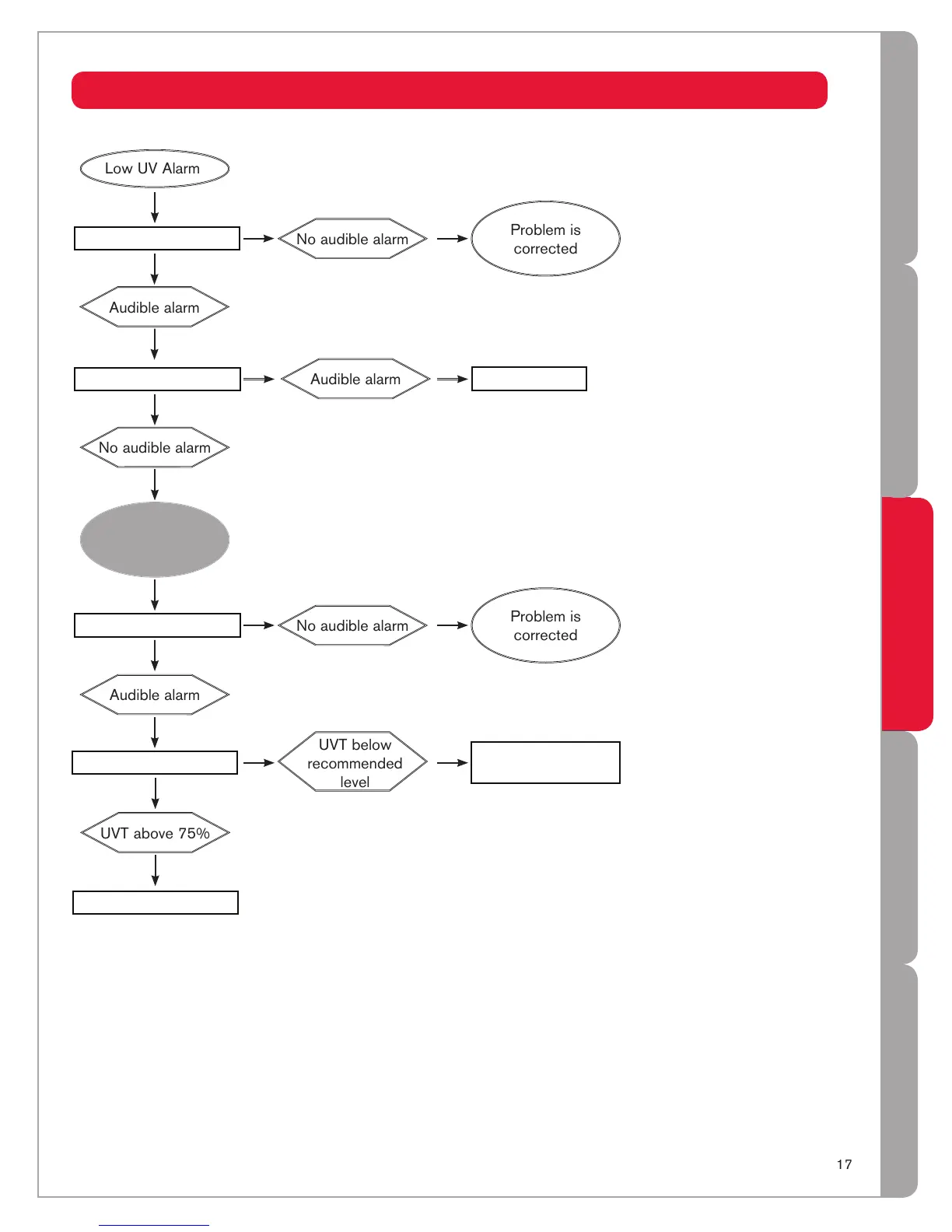
In some cases, short-term flows of low ultraviolet transmittance (UVT) water can be created following 1
and during the regeneration cycle of a water softener, resulting in a sensor alarm. Flushing the UV system
alleviates this condition until the softener goes through another regeneration cycle. In the longer term,
the softener's settings must be modified. To flush the UV system, disinfect the water lines following the
procedures outlined under "Disinfecting The Water Lines" in the Installation section.
Plus models are equipped with a unique, patented, self-test sensor. Simply press the test button located at 2
the top of the sensor and hold until the audible alarm stops (usually about 5 seconds). If the audible alarm is
still present after 30 seconds, release the button and replace the sensor.
Refer to 3 Sleeve Cleaning And Lamp Replacement section of the Owner's Manual.
Contact Trojan or your water treatment dealer for a test of the UVT of the water.4
Sensor test
2
Clean sleeve & sensor
3
Check UVT
4
Contact Trojan
UVT below
recommended
level
Replace sensor
Increase UVT using
pretreatment
Sensor is
operating
normally
Flush system
1


 To Next Page