10253 - 10
5. COMPUTER FUNCTIONS
FUNCTIONS
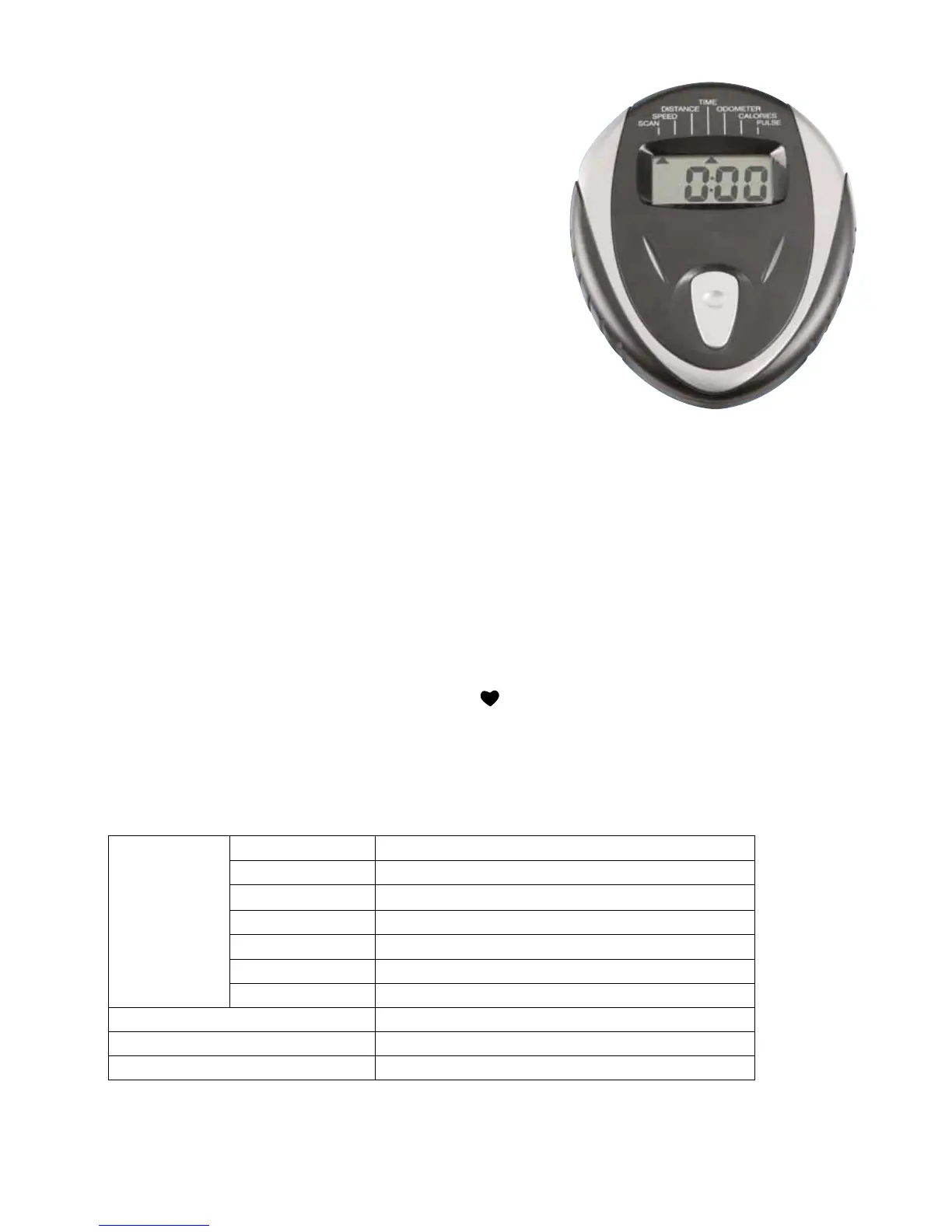
Thefollowingfunctionsaremarkedonthecomputerconsol
SCAN - SPEED - DIST - TIME - ODO - CAL - PULSE
FUNCTIONS AND OPERATIONS:
MODE: Press MODE to choose functions.
AUTOON/OFF:Themonitorwillactivateautomaticallyiftheexercise
machineisinmotion.Ifyoustopexercising
for longer than 4 minutes the monitor will
automatically turn off.
SCAN: Press the button until the monitor displays SCAN. The
monitor will automatically rotate the display between
SPEED,DIST,TIME,ODO&CALevery30seconds.
Each display will be held for 6 seconds.
SPEED: Press the button until the arrow points to SPEED. The monitor will display the current speed.
DISTANCE: Press the button until the arrow points to DIST. The monitor will display the trip distance you have
travelled.
TIME: PressthebuttonuntilthearrowpointstoTIME.Themonitorwillcounttheridetimefromzerountil
you stop cycling.
ODOMETER: Press the button until the arrow points to ODO. The monitor will display the total accumulated
distance.
CALORIE: Press the button until the arrow points to CAL. The monitor will accumulate the calorie consumption.
*PULSE: Pressthebuttonuntiltheheartbeatsymbolisickering;themonitorwilldisplayyourcurrent
heartbeat per minute.
SPECIFICATION:
FUNCTION
Auto Scan Every 6 seconds
Speed Unit: KPH
Distance 0.0-999.9 KM
Time 0:00-99:59 (Minute: Second)
Odometer 0.0-999.9 KM
Calorie 0.0-999.9 Kcal
* Pulse 40-240 BPM
Sensor No-contact magnetic type
Battery type Two pieces of SIZE-AAA or UM-4
Operation temperature 0 C - +40C ( 32F - 104F )



 To Next Page