b
b
b
b
D
E
C
I
J
H
H
c
c
d
d
d
d
1562-6
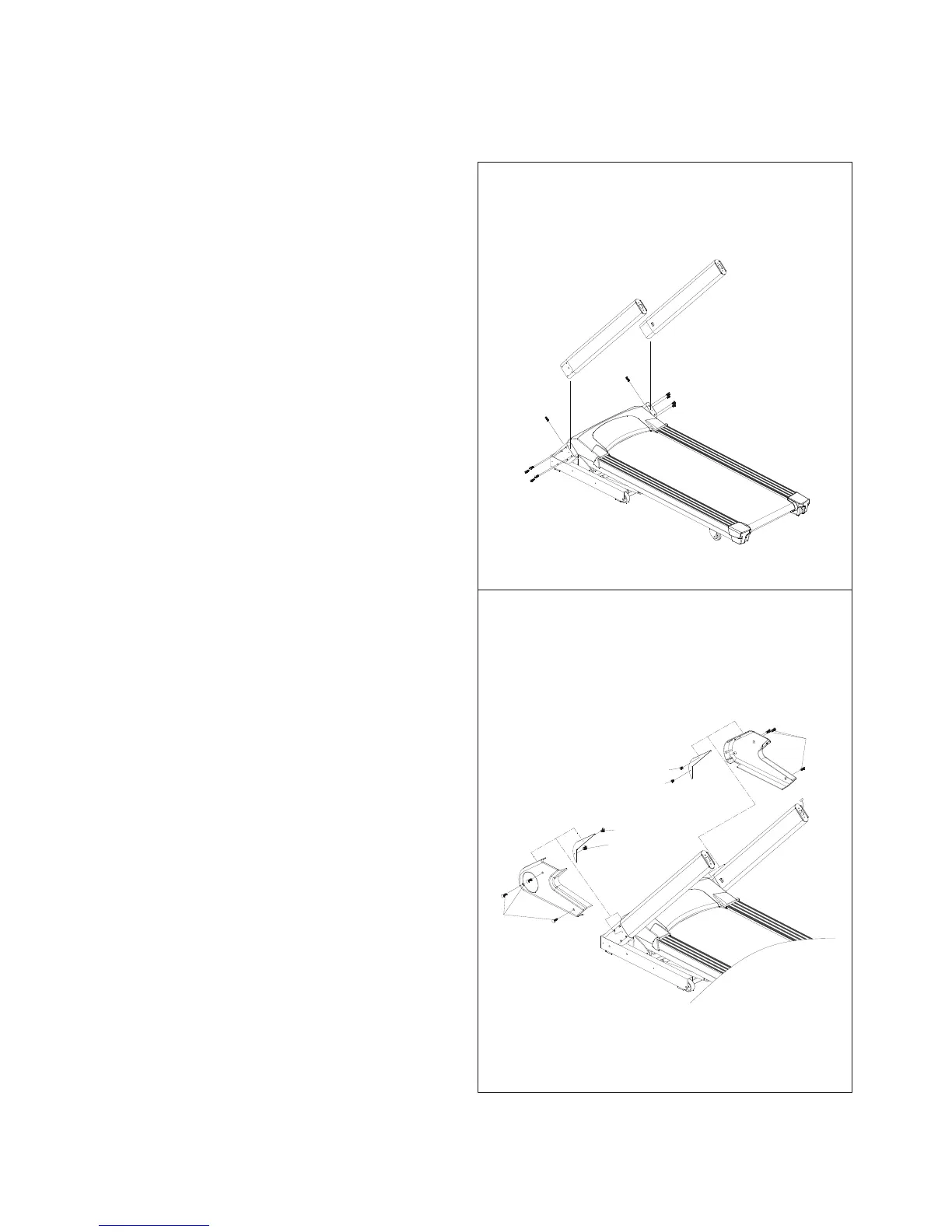
4. ASSEMBLY STEPS
Two persons are required to finish the assembly steps.
(Caution!! Please follow the assembly steps below to avoid injury).
STEP 1
• After pulling out Control Wire with Guide Thread in
right Upright (C), clip it into the inside hole in right
Upright (C).
• Tighten left and right Uprights (C, D) with Allen Bolt (a)
after they are inserted into their stands
CAUTION:
Ensure that cables are not damaged during assembly or
when tightening screws.
STEP 2
• After left and right Uprights are tightened, attach left
and right Decoration Covers (G, H) to the Frame and
tighten them with Screw (b, c).











 To Next Page