27
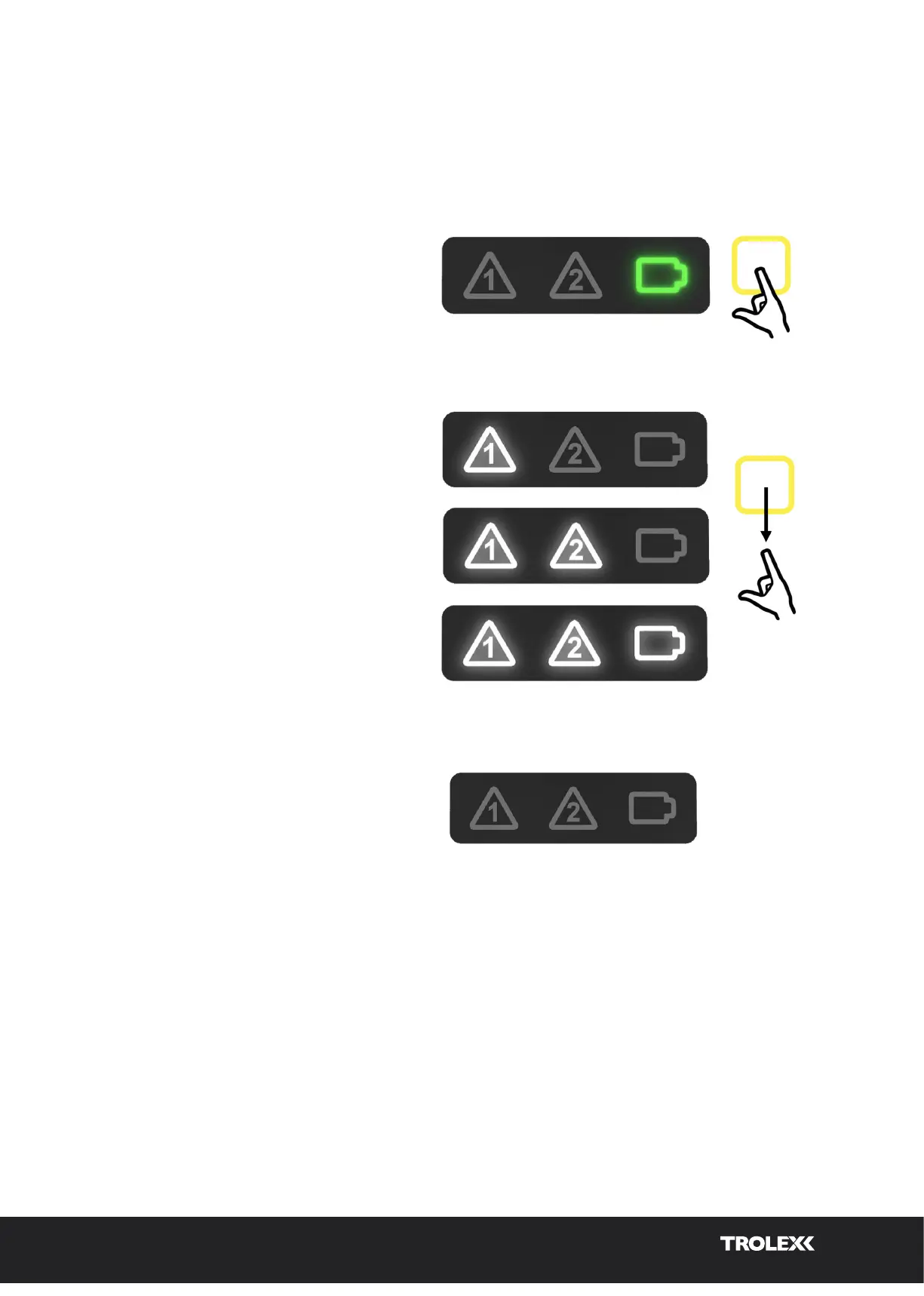
To power down the XD One, follow the steps below.
1. Press and hold the function button
on the front of the XD One to initiate
the power OFF sequence.
2. Release the function button on the front
of the XD One when all icons are
illuminated white.
3. The XD One will power down, and
switch o.
11.4 Power o sequence
Release
Hold
Power o routine
Power o
11.5 Instrument ‘self-test’ routine
On initial power on, the XD One is programmed to perform a set of initialisation tests which are
listed and described below. The device will perform the self-test routine every time it is switched
on, with results displayed in the form of green flashing icons for a pass result and red flashing
icons when an error is identified.
Refer to section 11.2 for sequence illumination details.
XD One_User manual_P5644.1601_Rev B


 To Next Page