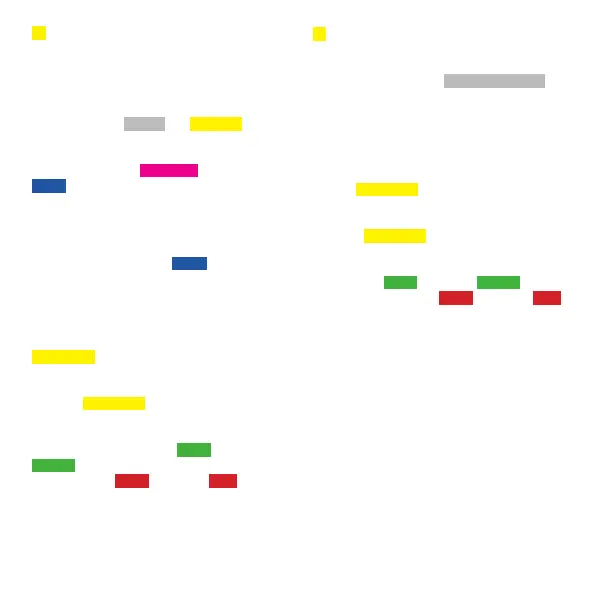
G ACTIVATE LOW TUNINGS AND/OR ADDI-
TIONAL USER TUNING PRESET BANKS
Unblocks three additional tuning preset banks
(White, Yellow, and Magenta).
This function activates three additional tuning
preset banks. The WHITE and YELLOW banks
default to write-protected presets for music with
low tunings (heavier gauge strings are necessary
for low tunings). The MAGENTA bank, like the
BLUE bank, defaults to be write-enabled for
storing user tuning presets.
However, you can also convert any of these tuning
preset banks to store presets. See Block/Unblock
Banks for Custom Tunings ( BLUE category) on
page 42 for details.
1. When the TronicalTune PLUS is switched off,
press ON three times. Press the LEFT/RIGHT button
to select
YELLOW D .
2. Press ENTER. Press the LEFT/RIGHT button to
select the YELLOW G LED. Press ENTER.
3. Use LEFT/RIGHT button to activate low tunings
and additional preset banks ( e B G LEDs flash
GREEN ) or to deactivate low tunings and addition-
al preset banks ( D A E LEDs flash RED ).
4. Press ENTER = low tuning/additional banks
settings stored.
B TUNING OFFSET MODE
(Permanent or Temporary)
The Global Tuning Offset ( WHITE CATEGORY )
is temporary and applies only until loading a new
tuning preset. This function retains offset when
changing tuning presets.
1. When the TronicalTune PLUS is switched off,
press ON three times. Press the LEFT/RIGHT button
to select YELLOW D .
2. Press ENTER. Press the LEFT/RIGHT button to
select the YELLOW B LED. Press ENTER.
3. The LEFT/RIGHT button selects the permanent
tuning offset ( e B G LEDs flash GREEN ) or the
temporary tuning offset ( D A E LEDs flash RED ).
4. Press ENTER = tuning offset mode setting
stored.
39



 To Next Page